real buildings, real hardware

Projects

Work you can drive past — networks, cameras, and point-of-sale we built and still support for Saskatchewan businesses.

14

projects completed

5

business environments modernized

50+

incident responses delivered

7

AP deployment in single-site rebuild

Full-Stack Venue & Building Management Platform

Hospitality / Venue Software — Available to License — Built 2024–2026

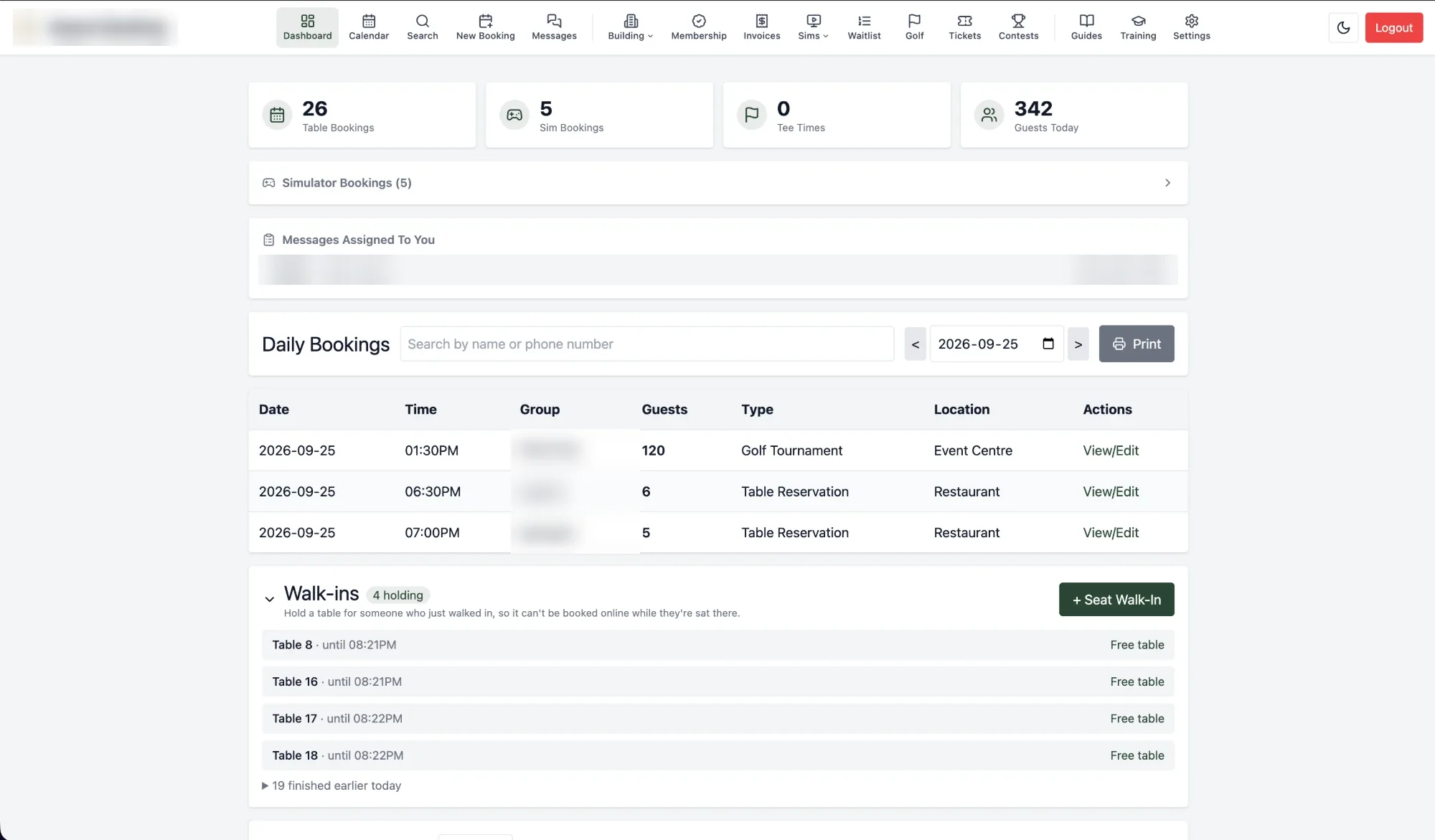
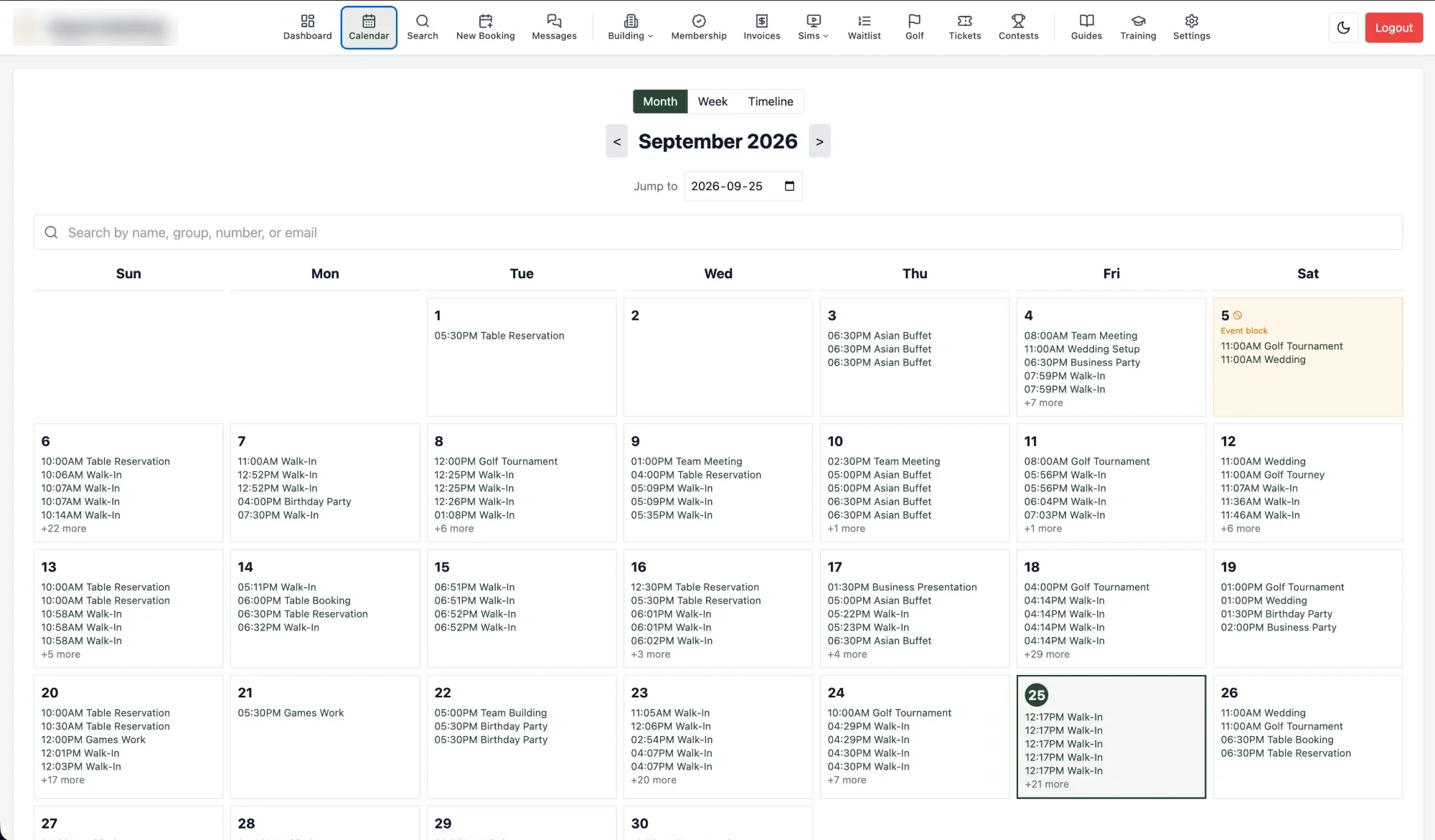
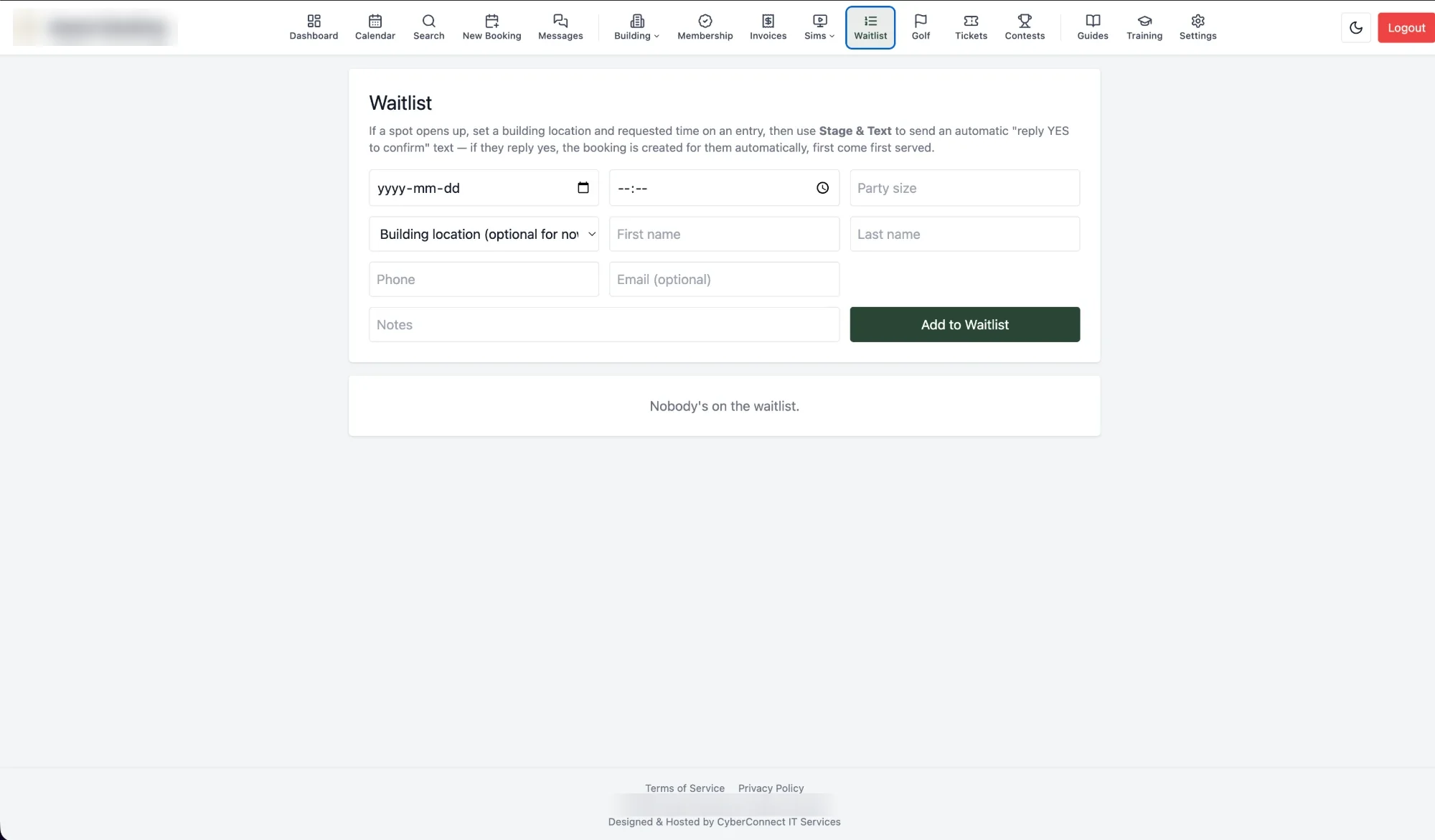
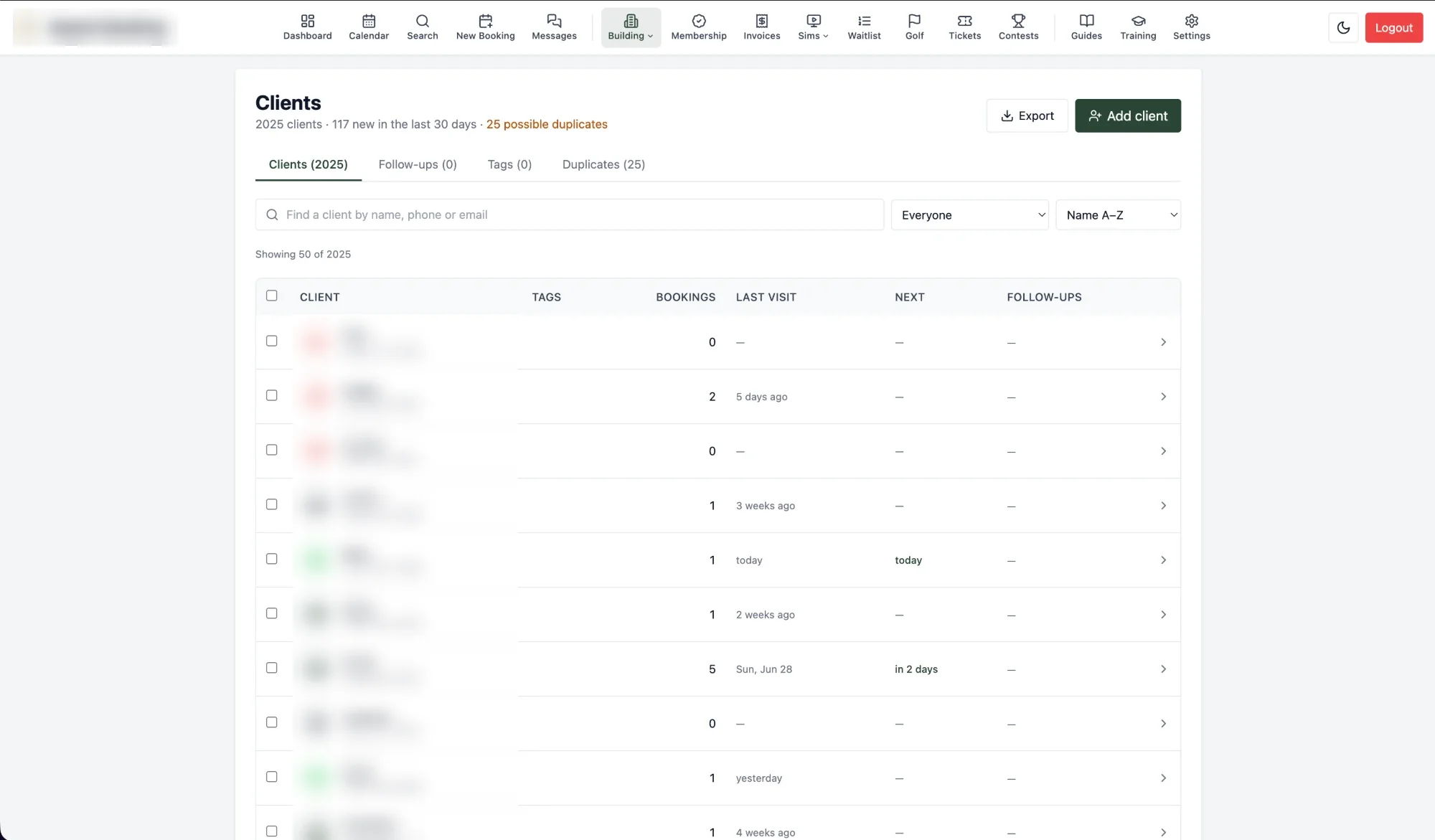
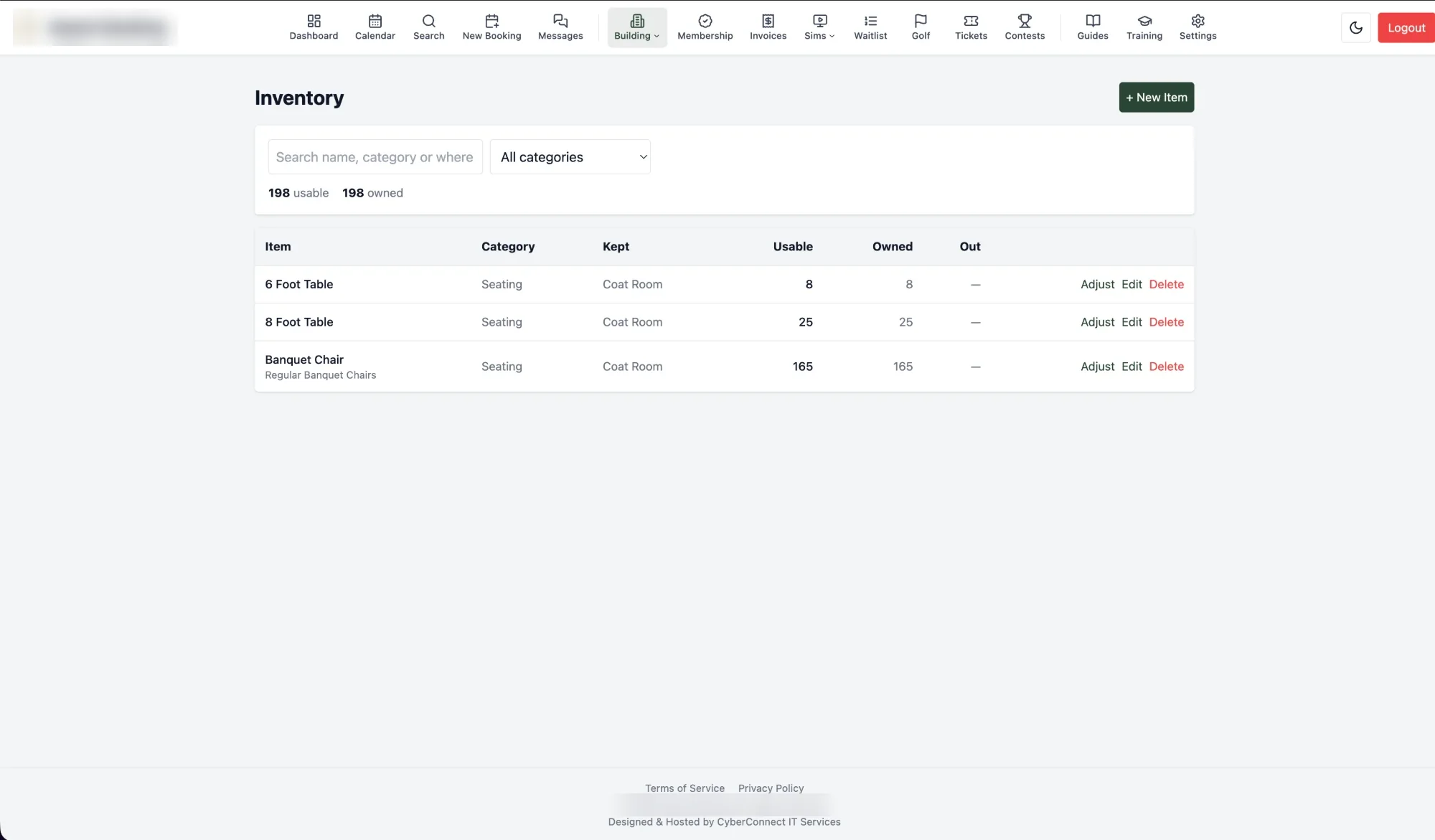
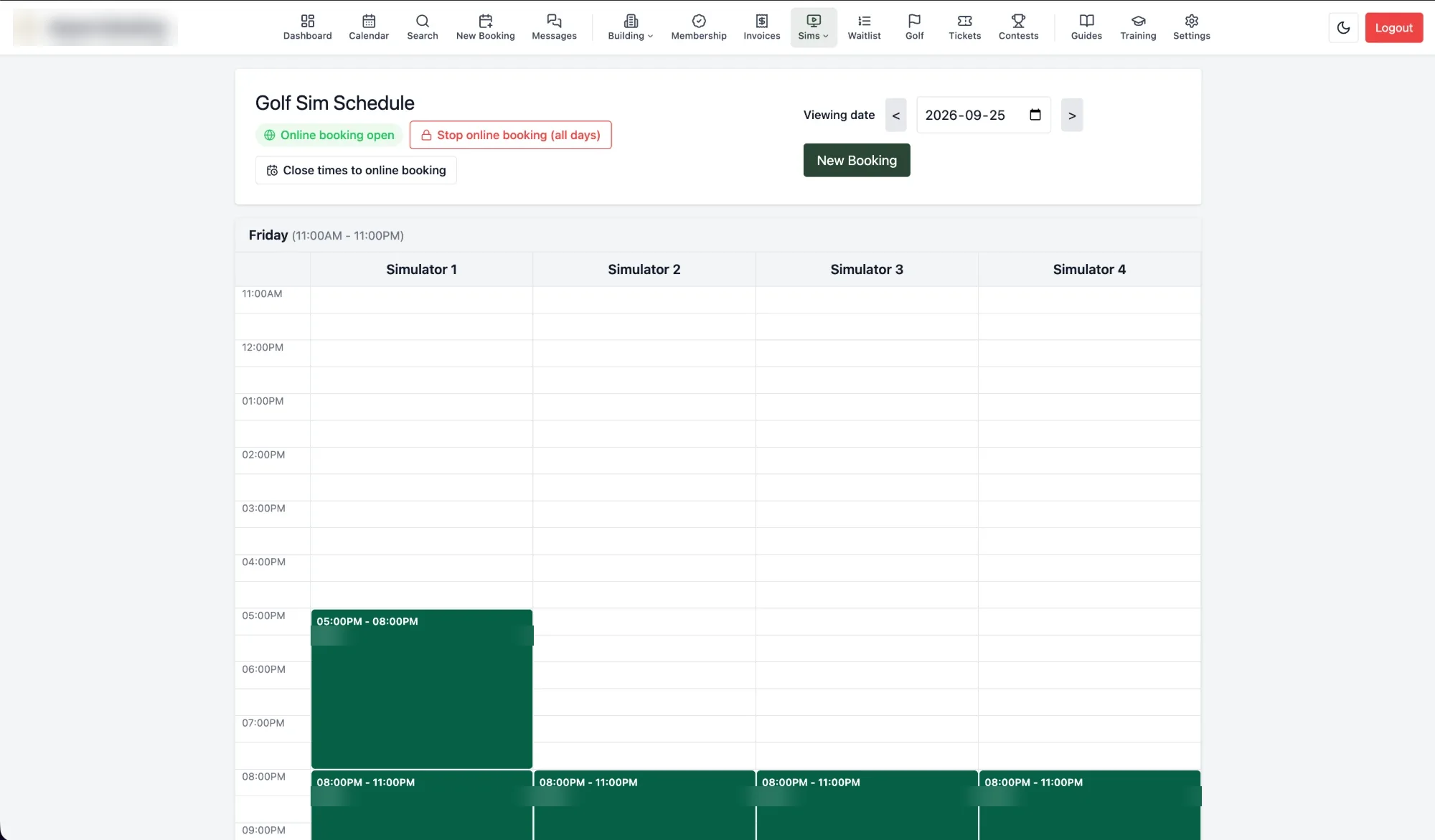
This is production software, not a demo: a full-stack platform built to run daily operations for a real multi-space venue — restaurant tables, golf simulators, batting cages, banquets, and a full tee sheet — and, as of version 2.0, the building around them: its clients, its staff, its stock, its money, and its know-how. It replaced a paper floor plan, a separate sim calendar, a standalone membership app, a hand-typed invoice for every event, a paper contract for every wedding, a shared drive of forms to print, the weeks of phone calls before every wedding, and a $240/month third-party tee-sheet subscription with one system. Nothing underneath is golf-specific. Table and event booking, booking packages, a full client CRM, a page of their own for every customer's event, event contracts signed online, card payments taken online, invoicing that feeds an accountant's books — exported straight into Sage 50 — membership sales and verification, management reports, privacy tools built to Canadian law, waitlist management, staff management and training, a knowledge base, a document library, staff-scheduling sync, contests, and inventory tracking are all in here, which is why the same platform fits a taproom with event space, a family entertainment center, a private club, or a restaurant that also runs banquets — not just a golf course.

What's built

  • Bookings & scheduling: table, golf-simulator, and batting-cage bookings; a lead → inquiry → tentative → deposit_paid → confirmed → in_progress → completed pipeline that lets staff log a call before a date is even chosen; walk-ins seated in a tap — from the list or straight from the live map, across several tables for one group — with the table held for a set time or until it's cleared; rooms a party can have to themselves — closed to everybody else for their hours, the simulators too when they're in that room, and flagged in a coloured reminder to whoever books around them; auto-assignment by party size; per-table buffer time; blackout dates (whole-day or partial); a waitlist with SMS "reply YES" auto-booking; returning-guest lookup; one-click duplicate-booking; booking packages — a wedding or a corporate day set up once with its room, menus, add-ons, event details, deposit, contract and priced options, offered from the booking form or added to a booking later, each booking keeping the prices it was sold at; online simulator booking, paid ahead by card on busy days, that a manager can close for an event and have reopen on its own; a full-screen alert on every host's screen the moment someone books online for today, so the table is ready before they walk in; and confirmations, updates and reminders that a kind of event — a wedding, say — can have in its own words — texts and emails both — choosing which ones its guests get and what they leave out, previewed exactly as they will arrive — and every email the venue sends, from a confirmation to a contract to a password reset, in one branded layout with its logo and colours
  • Golf tee sheet: a from-scratch replacement for paid tee-sheet software — a staff tee sheet with drag-to-move, bulk actions and a starter's desk; public tee-time booking with pay-now by card; rates, punch passes and settling up; self-service golfer accounts; tournaments and league draws, with teams entering and paying online and landing on the roster; tournament details and per-hole sponsor sheets on any booking; a cart fleet; member/public booking windows; templates and a template calendar for the season's days; reminders, thank-yous, a frost-delay shift and a golf waitlist; an importer that brings a season across from Tee-On; and reports with pace of play and a member tee sheet
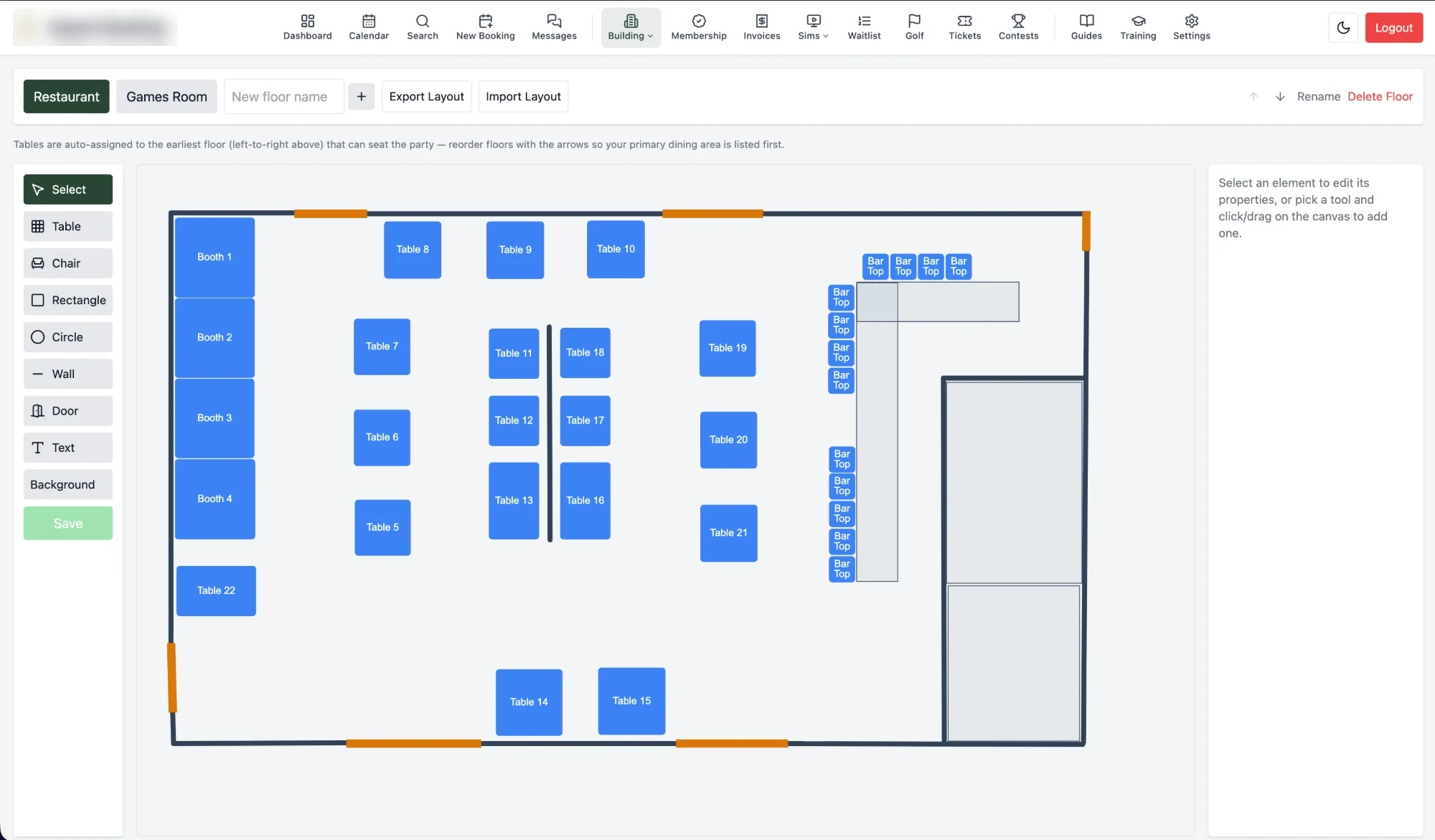
  • Real-time floor plan & live view: a multi-floor 2D layout editor feeding a live table-status view — tables move from available to a "cleaning" buffer to booked the moment anything changes, visible to every terminal at once, and shown beside the booking form whenever a booking is made or edited — and two printed run-sheets from it, the kitchen's (timings and food) and front of house's (everything else: contacts, set-up, dietary needs, the customer's own answers, contract status)
  • Client CRM & search: a client database that follows each guest across every table, sim, cage, and tee time they've booked, with what they've spent and still owe, tags, a notes timeline, and pinned notes (an allergy, a favourite booth) that appear on the booking form the moment a returning guest's number is typed. Follow-ups land in one shared queue sorted by what's overdue, clients can be tagged, exported, or removed in bulk, and likely duplicates are flagged and combined in a guided merge that keeps every past booking linked — plus one search across clients, membership, bookings, and audit logs
  • A page for every customer's event: one private link where the couple sees their booking, signs the contract, pays the deposit and what's left, sends files and reads what the venue wants them to know — every section set per kind of event to hidden, view-only or theirs to change until a set day before the event. A set number of days out, it asks them to confirm their final numbers, dietary needs and anything else the venue asks, and their answers land on the booking marked as the customer's. Balance reminders carrying a pay link, a branded thank-you with the review link the day after, and finished bookings moving to Completed on their own — each switched on by the venue, in its own words
  • Invoicing that matches the books: every line of an event's invoice worked out from the booking itself — the room, the menus at the prices written in them, priced event details, add-ons folded into the meal they belong to, and the round on a tournament booking at what nine or eighteen holes cost that day of the week — each carrying the accounting account and tax code it posts to, tax worked out per line and rounded the way the accounting package does it, gratuities and liquor tax added, deposits and payments taken off. Any line can be re-worded, re-priced or left off without touching the booking. An invoices page and a dashboard list show who still owes money and how overdue it is, and the same invoice prints as a quote on the venue's letterhead — GST number, terms and all — to send the client before the official one is made, or as a numbered invoice made out to a company's accounts department with its PO number, and a deposit gets an invoice of its own that turns into its receipt once paid — printed, saved as a PDF, or emailed with the PDF attached and a pay link. Menus can be ordered by the item ("4 × pepperoni pizza"), and after the event, tip-outs are worked out from what the invoice says and tracked until they're paid. The whole thing is opt-in per booking — small events and old ones stay out of it
  • Reports and approvals: a management view of any period beside the one before — money invoiced, collected and receipted kept apart, bookings and guests by event type, how many enquiries became bookings and how fast, cancellations and no-shows, deposits still owed, spend per head, the busiest days and hours, and how much each room was in use — every chart downloadable and the lot printable. Refunds, deleted payments, voided receipts, invoice discounts, waived deposits and the like can each be set to wait for a manager's approval, with a threshold and who is trusted to go ahead; approving does exactly what was asked, through the same path, and refuses if anything changed in the meantime. Invoices go into Sage 50 a batch at a time as the import file Sage reads, instead of being retyped
  • Privacy first, by CyberConnect IT: a map of every piece of personal information the system holds, why and for how long; everything about a client downloaded in one file or erased in one step — with the financial records the tax rules require kept and the person taken out of them; a public "Your data" form that confirms who is asking before showing anything and never reveals whether someone is a customer, feeding a queue that tracks the 30-day legal deadline; consent to news and offers recorded the way Canada's anti-spam law asks, with unsubscribe handled; and retention rules that tidy old data away on a schedule the venue sets
  • Card payments online, and a receipt for every one: one processor account (Elavon) behind a secure pay page — deposits, invoices, simulator time paid ahead, membership sign-ups, ticket sales, tournament entries and one-off amounts — with links staff send from a booking, refunds, and a list of problems to look at. Card numbers never touch the system. Every payment and refund, online or at the desk, gets a numbered receipt, kept for the years the tax rules ask and sent to the accountant as it happens or as a daily, weekly or monthly summary
  • Contracts, signed online: the kinds of event that need a contract (a wedding, say) ask for what the contract needs that a booking does not have — the second person on it, the set-up, the agreed guests, the rental and deposit — and a manager's Send Contract emails both people a link to read it and sign it with a finger or a mouse, on a phone or a computer. Nothing goes out by itself; the button then waits a set time (a week to start with) before it can be pressed again, a manager can reset it, and a signed contract is never sent twice. The venue's own contract is the template — Markdown with the booking's details filled in, editable any time without changing a single contract already signed, which is kept word for word with its signatures — and the emails that carry it are written in the venue's own words too. Whether each one is sent, opened or signed shows on the booking, the dashboard lists the ones still to come back (past their sign-by date in red), a signed contract that has to change is withdrawn with its signed copy kept and a fresh one drawn up, and a wedding signed on paper before any of this existed has its tracking turned off
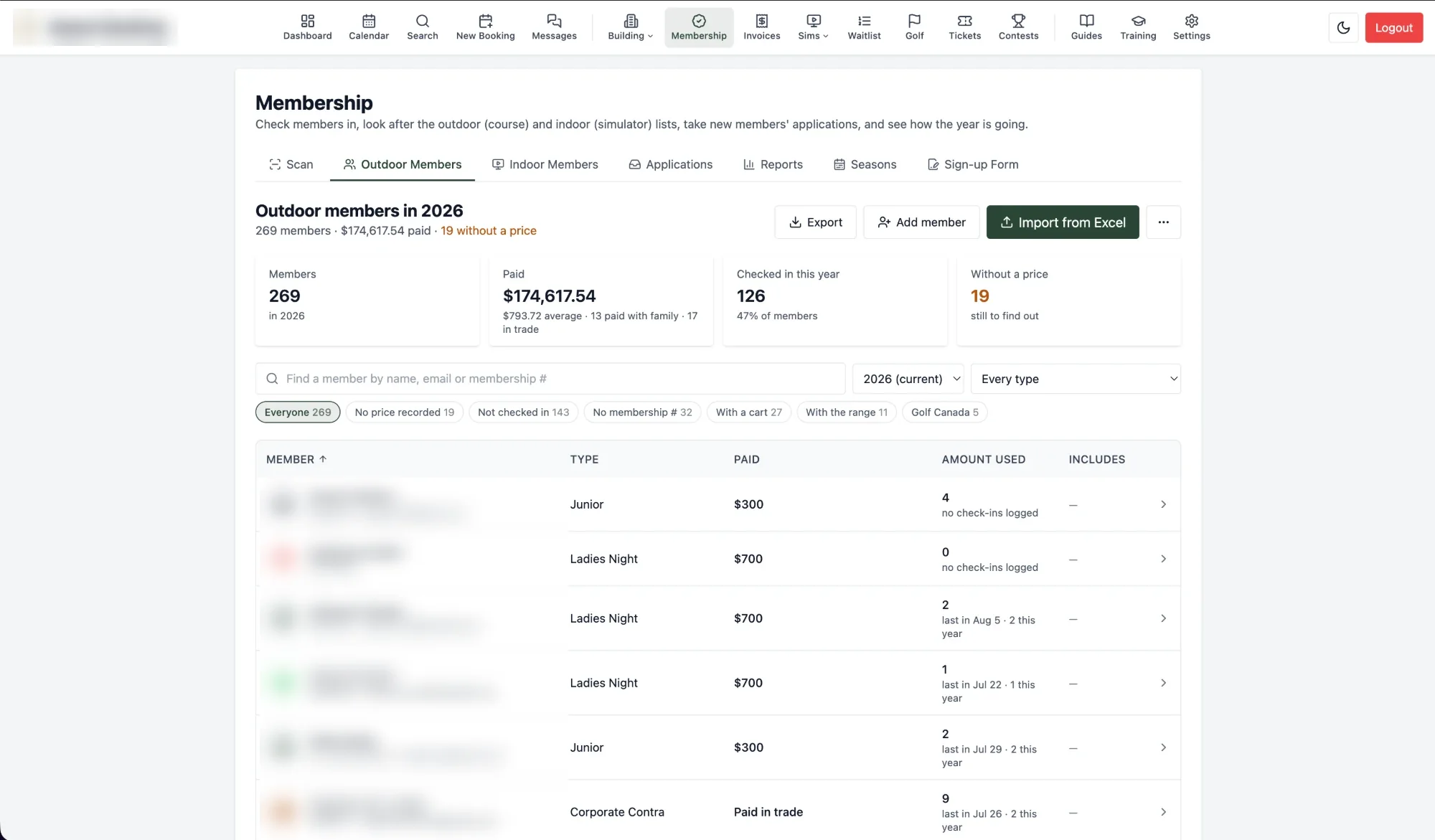
  • Memberships, sold and verified: two programs (a course and a simulator side) with their own seasons; barcode scanning at the desk, Excel roster import/export, usage reporting, and a tamper-evident audit trail; a public sign-up form that takes the applicant's details, the terms and waiver, and a signature drawn on screen, which the office turns into a member by recording the payment and its receipt; members renew themselves online and pay by card when they apply; and simulator memberships sold as monthly or three-month packages, each carrying a set number of simulator hours a month — counted from the member's own bookings, enforced when they book online (their days, their hours, their end date), and shown to whoever takes the booking at the desk so a chargeable round is never a surprise on the bill
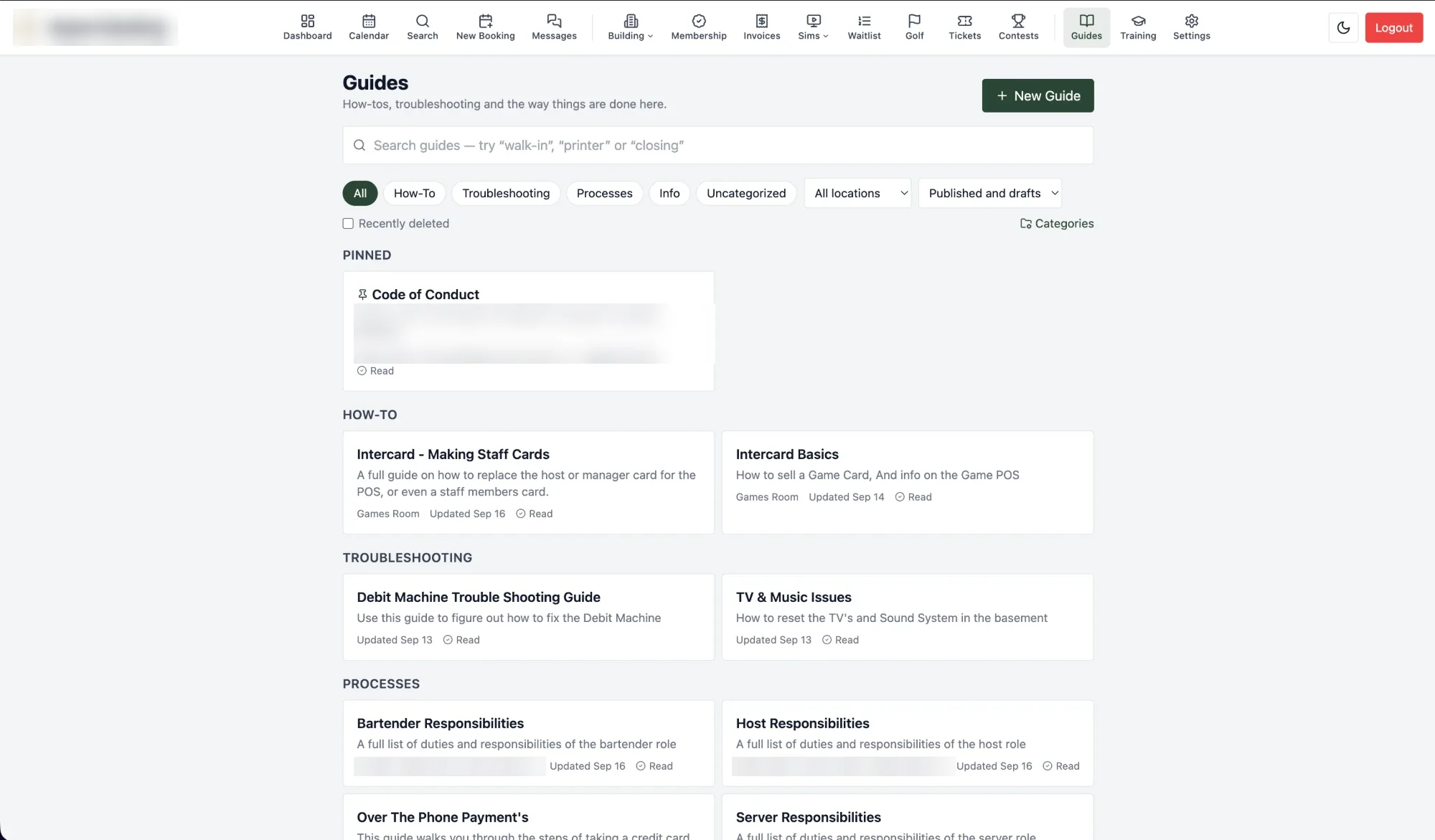
  • Staff management & training: roles that staff follow — edit a role and everyone in it updates — with bulk account edits and a page per employee showing their access, training progress, sign-ins, and activity; money split into separate permissions, so the front desk can record a payment without seeing balances, what's owed or the reminders, and quote a package at its price without seeing what anybody owes; everybody's bookings in their own phone's calendar from a private link; two-factor sign-in, required per person or per role, with front-desk computers remembered so a PIN still works there; staff made inactive and brought back with nothing lost; and accounts that follow 7shifts — new front-of-house and event staff get one, people who leave are switched off; PIN login and self-service password reset; in-app training; and a Guides library of the venue's own how-tos and troubleshooting docs, with photos and video, downloadable as PDF
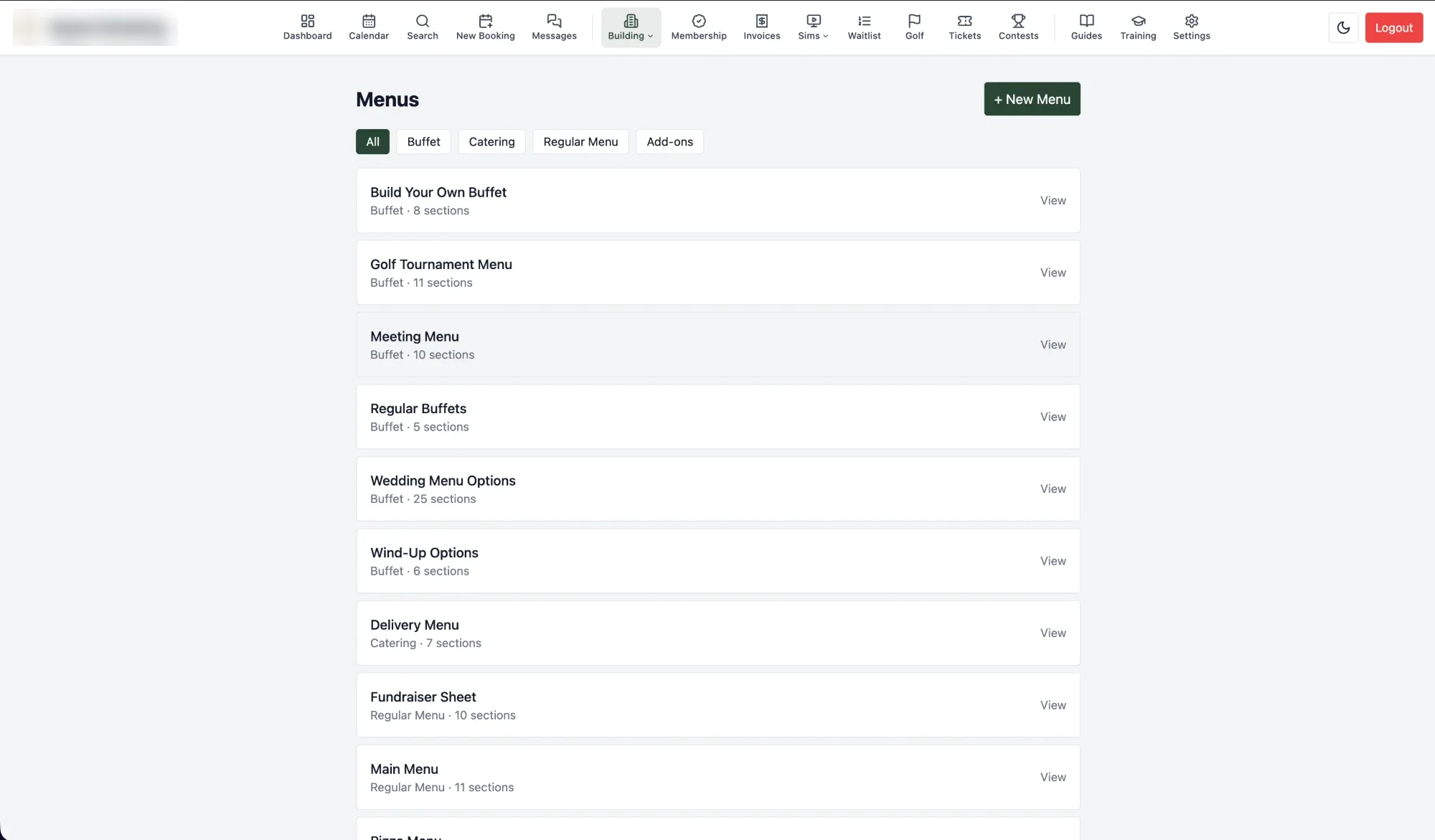
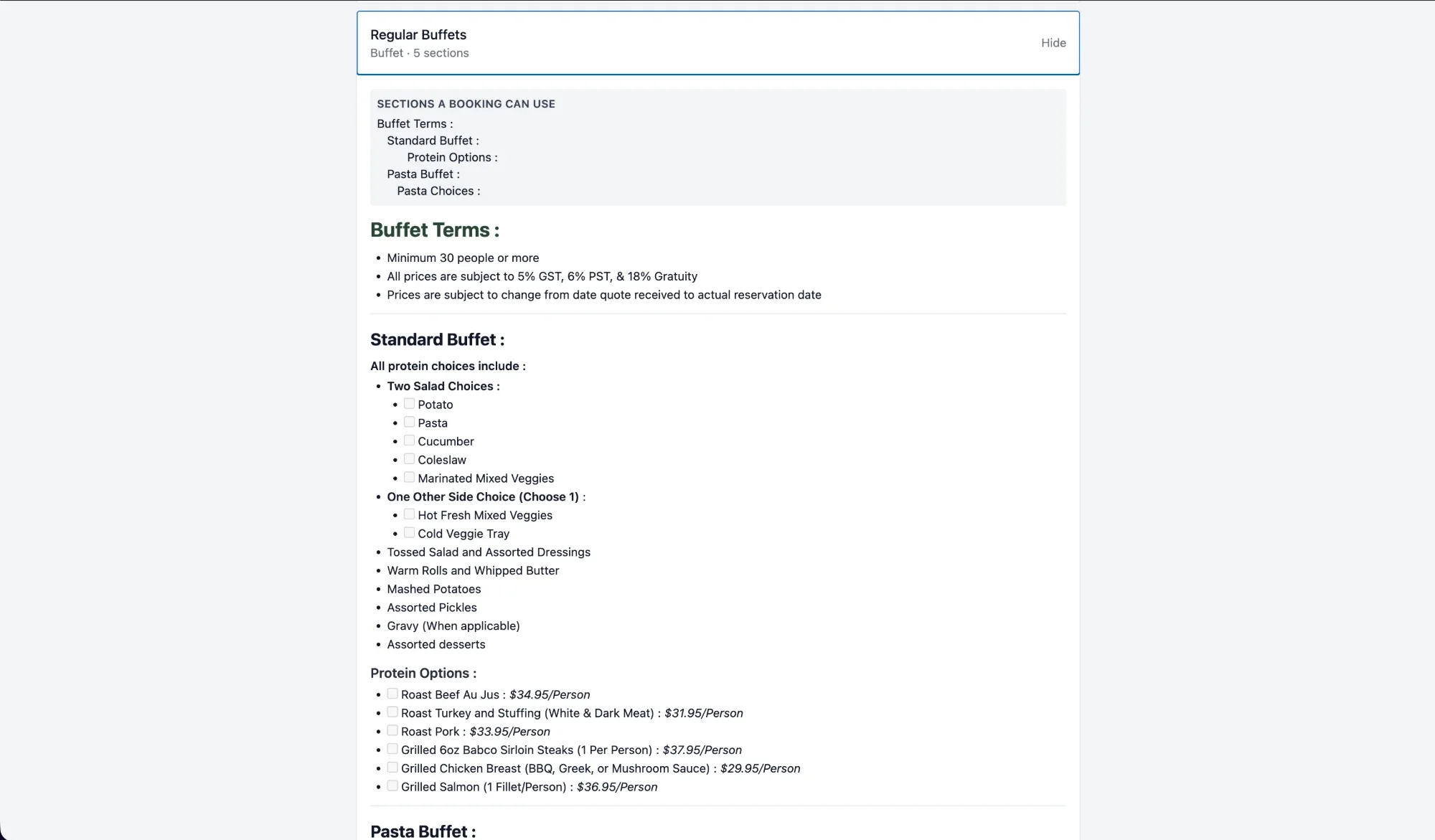
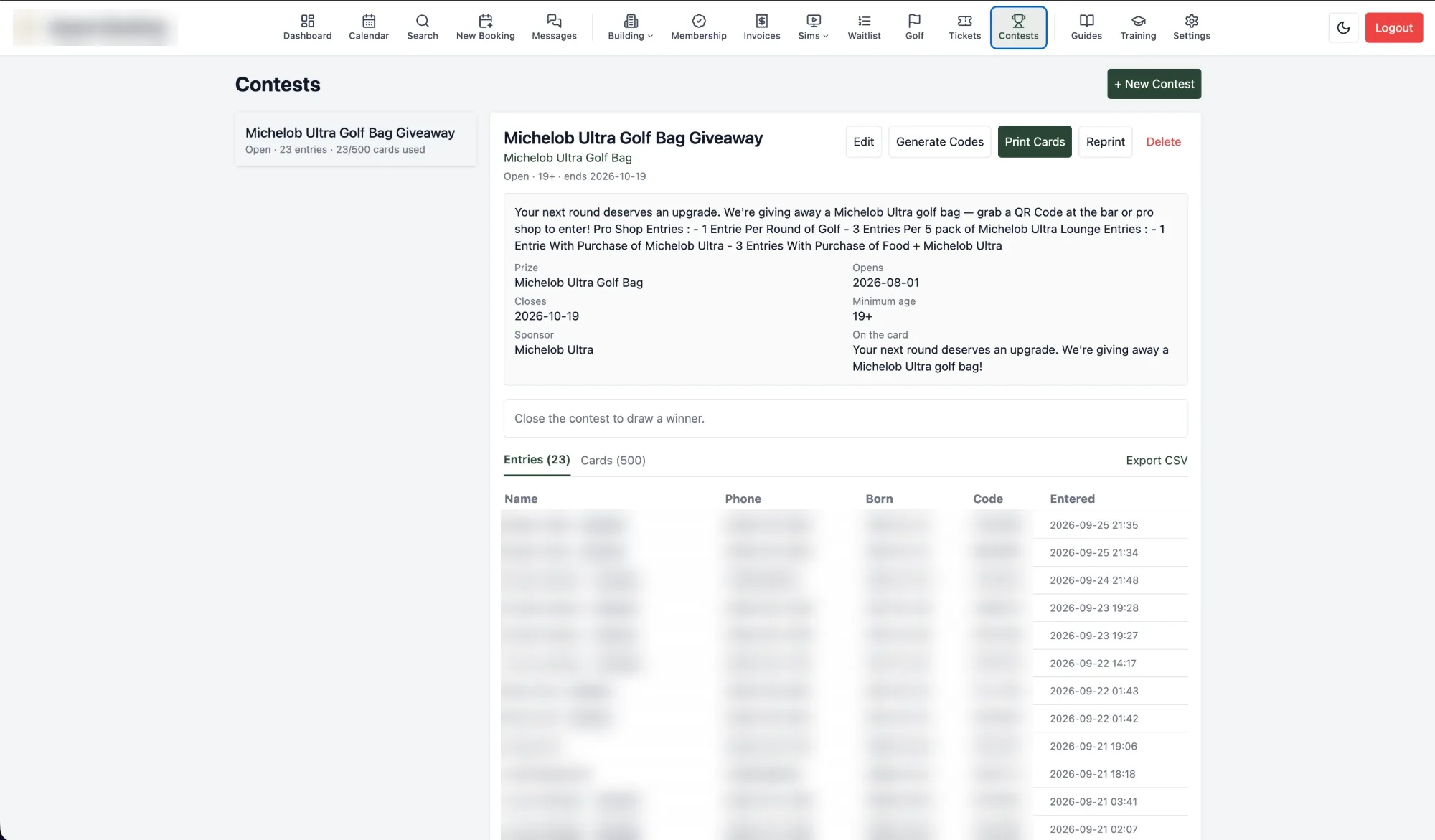
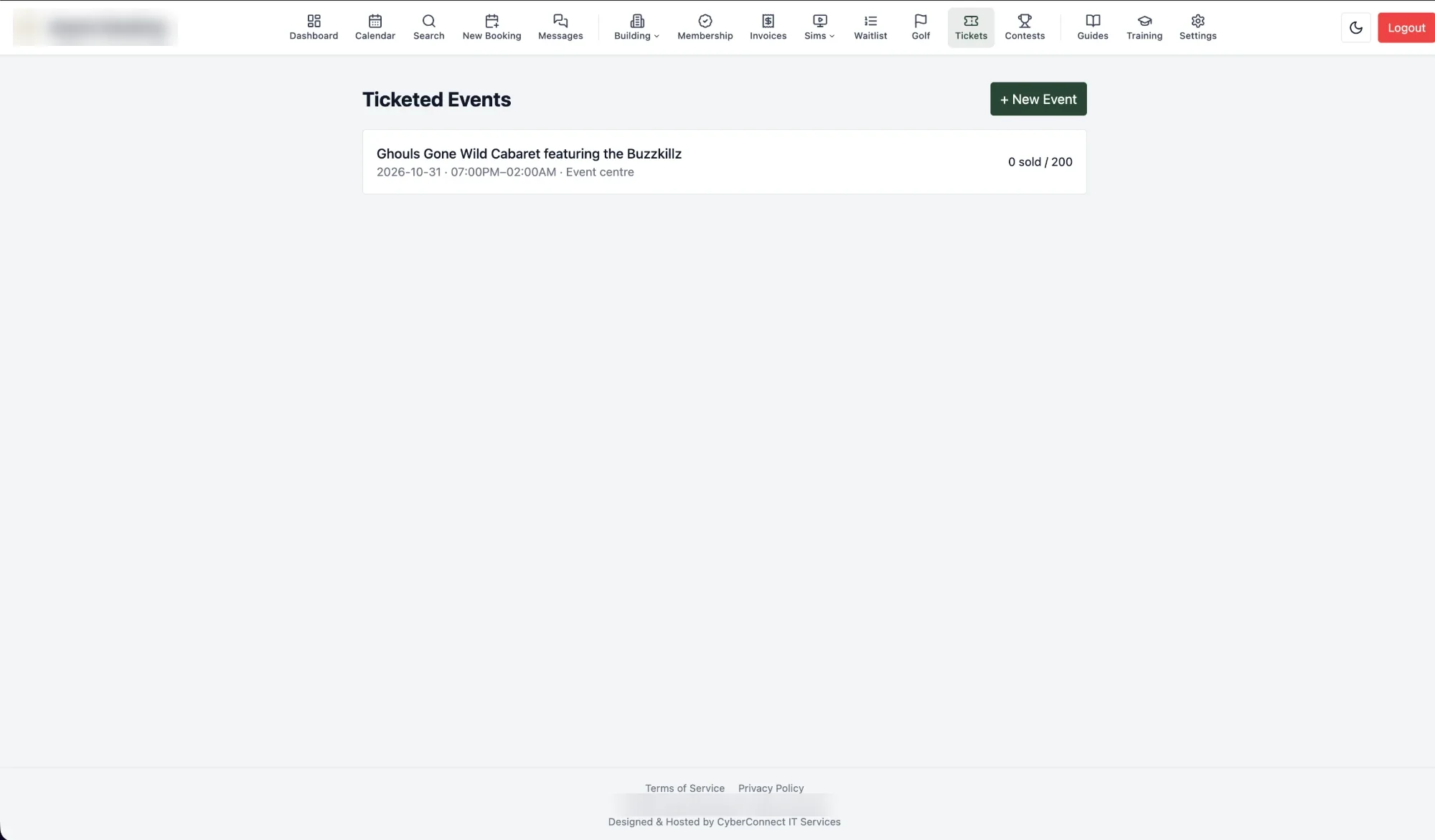
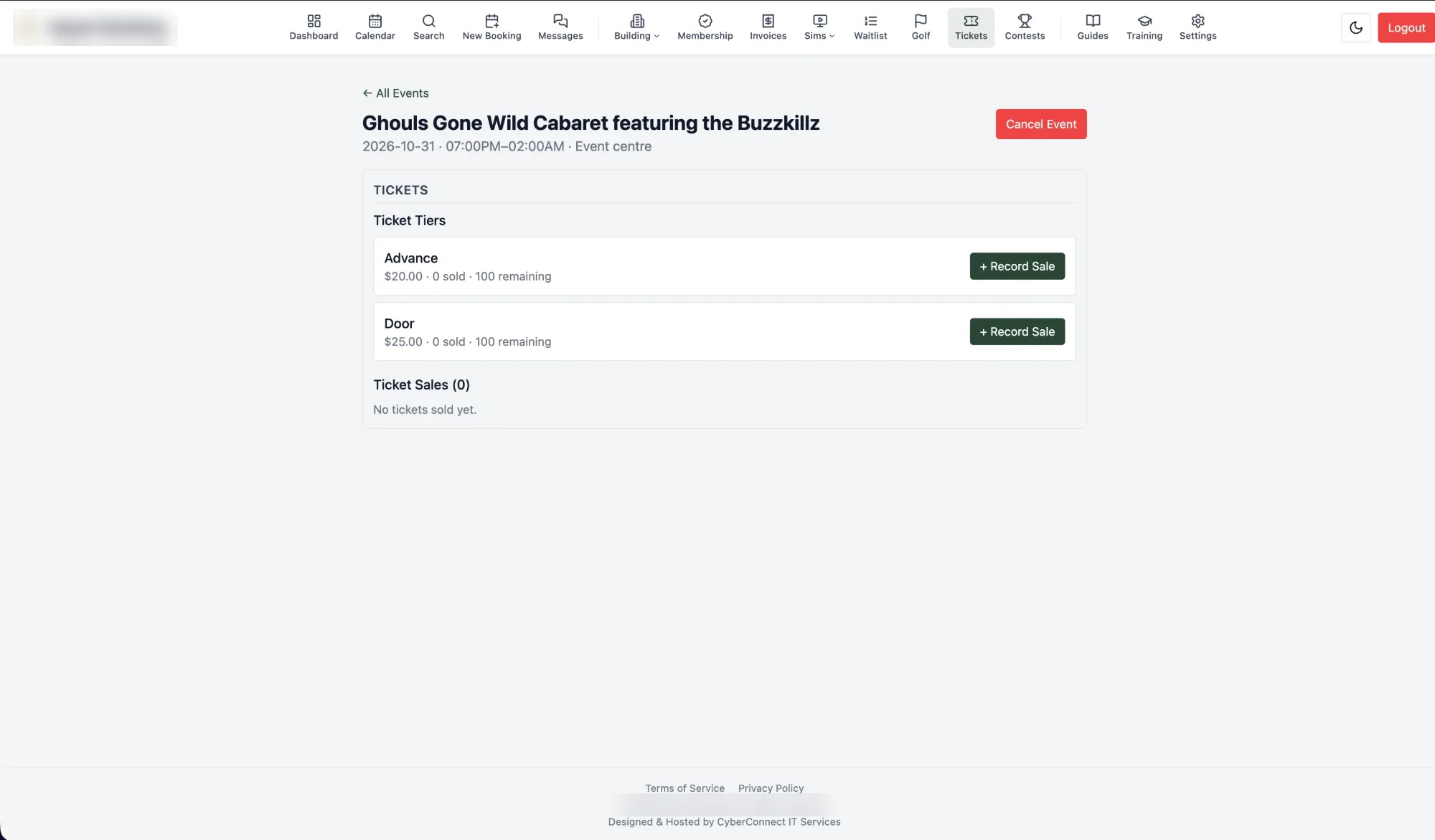
  • Events, ticketing & contests: multi-tier ticketed events sold online with seats held while the buyer pays, plus door sales and check-in, markdown-based buffet/catering menus with per-person add-ons and per-menu head counts, and a QR-code contest-entry system with weighted prize draws
  • Documents: the forms, checklists, menus and handbooks a building prints every day, kept in folders in the same system instead of a shared drive — PDFs and Word files read and printed straight from the browser (Word documents are converted on the server, so they read and print just like a PDF), downloaded as they were uploaded, and replaced with a new version without losing their place. Viewing, printing, downloading, uploading, changing and deleting are six separate permissions
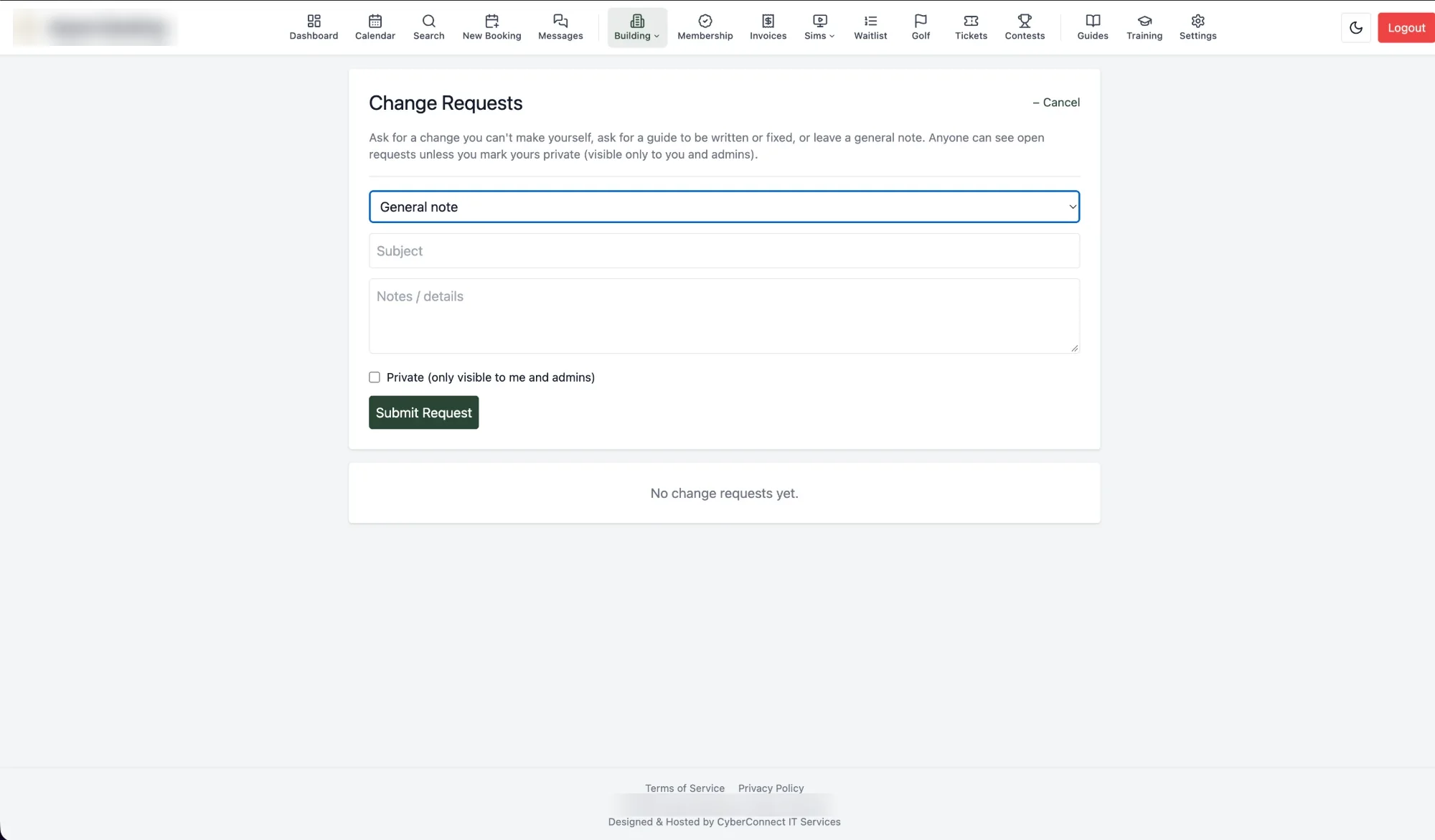
  • Operations: a card left on file for a group's tab — encrypted at rest, shown in full only to those allowed and recorded every time it is, and deleted on its own a month after the event — an internal change-request workflow, inventory tracking, staff-scheduling sync to 7shifts, post-event payouts with split food and alcohol gratuities and calculated tip-outs, calendar invites, printed booking run-sheets, and a full audit log
  • Platform: a public API with per-key rate limits and copy-paste embeddable booking widgets, 18 feature modules toggleable per deployment and enforced server-side — not just hidden in the UI — a granular permission model, a branding system that restyles the whole app (colours, corners, typeface) from Settings, and self-hosted Docker deployment with a test-gated CI/CD pipeline, a page-by-page visual regression check, automated backups downloadable from Settings, and Prometheus metrics with a ready-made Grafana dashboard and alert rules

By the numbers

  • ~188,900 lines of production code, ~158,700 lines of test code, 8,054 automated tests
  • 148 database tables, 835 API endpoints, 18 toggleable feature modules
  • Real integrations: Elavon (Converge) card payments, Sage 50 import files, Twilio SMS, SMTP email, Redis, MySQL, 7shifts (bookings and staff), Excel, QR codes, PDF generation and viewing, Word-to-PDF conversion, calendar invites and subscribable calendar feeds, authenticator-app two-factor, Prometheus/Grafana metrics
  • 540 commits over four months of active development, through version 2.4

What it's worth, and what I'm asking

Rebuilt from scratch, 185,000+ lines of tested line-of-business software like this runs $700k–$1.8M at typical agency rates. A comparable stack of commercial subscriptions covering the same ground — event/banquet booking, restaurant reservations, a golf tee sheet, online payments, membership sales and verification, event invoicing, a client portal, staff scheduling — lands around $12k–$24k a year, every year. Priced instead as a perpetual license with the maintenance obligation bought out up front, that typically settles around $120k–$200k.

I'm not asking that. I built this once, for one venue, and would rather see it running somewhere else than sit idle — so I'm offering it to run, self-hosted on your own infrastructure, well below what building or subscribing your way to the same thing would cost. If your business runs on bookings, events, memberships, invoicing, or a tee sheet and the feature list above covers what you need, get in touch and we can talk about what that looks like for your operation.

Last updated 15 October 2026 — management reports; manager approvals; invoices exported to Sage 50; privacy tools by CyberConnect IT (data downloads and erasure, an online request form, CASL consent, retention rules); two-factor sign-in; inactive staff and accounts that follow 7shifts; downloadable backups and Grafana metrics. Earlier the same day: card payments online with a receipt for every payment, the full OpenTee tee sheet, tip-outs, booking packages, customer event pages and follow-ups, numbered invoices and deposit invoices, and front-of-house tools.


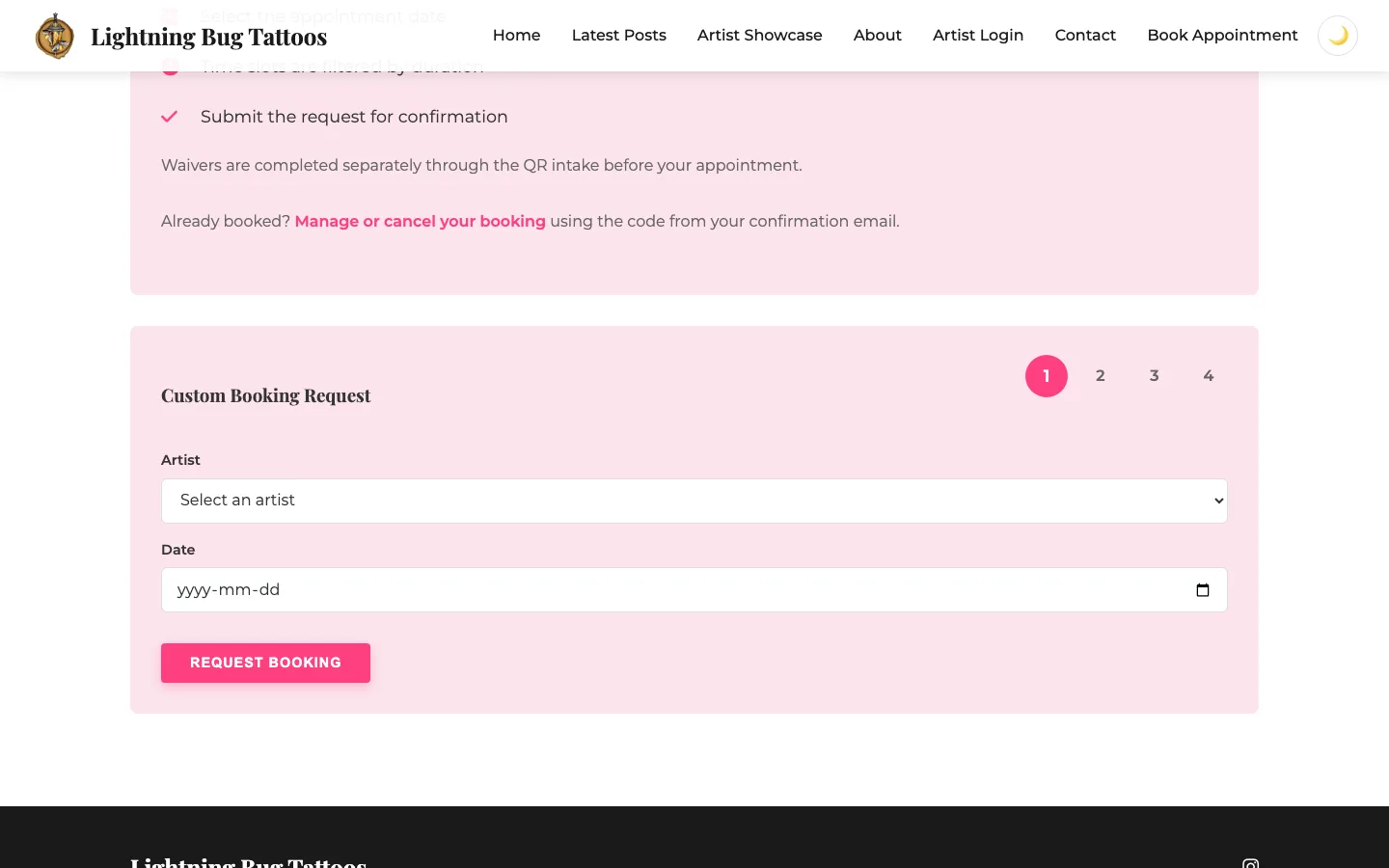
Lightning Bug Tattoos Website & Booking Platform

Tattoo Studio — Regina, SK — 2026

Lightning Bug Tattoos had no real web presence and was juggling multiple disconnected, costly systems just to run day-to-day bookings and client communication.

Challenge

Booking, waivers, and availability each ran on a separate paid tool - $30, $50, and $100 a month - none of which talked to each other, with no central website tying the studio together online.

Solution

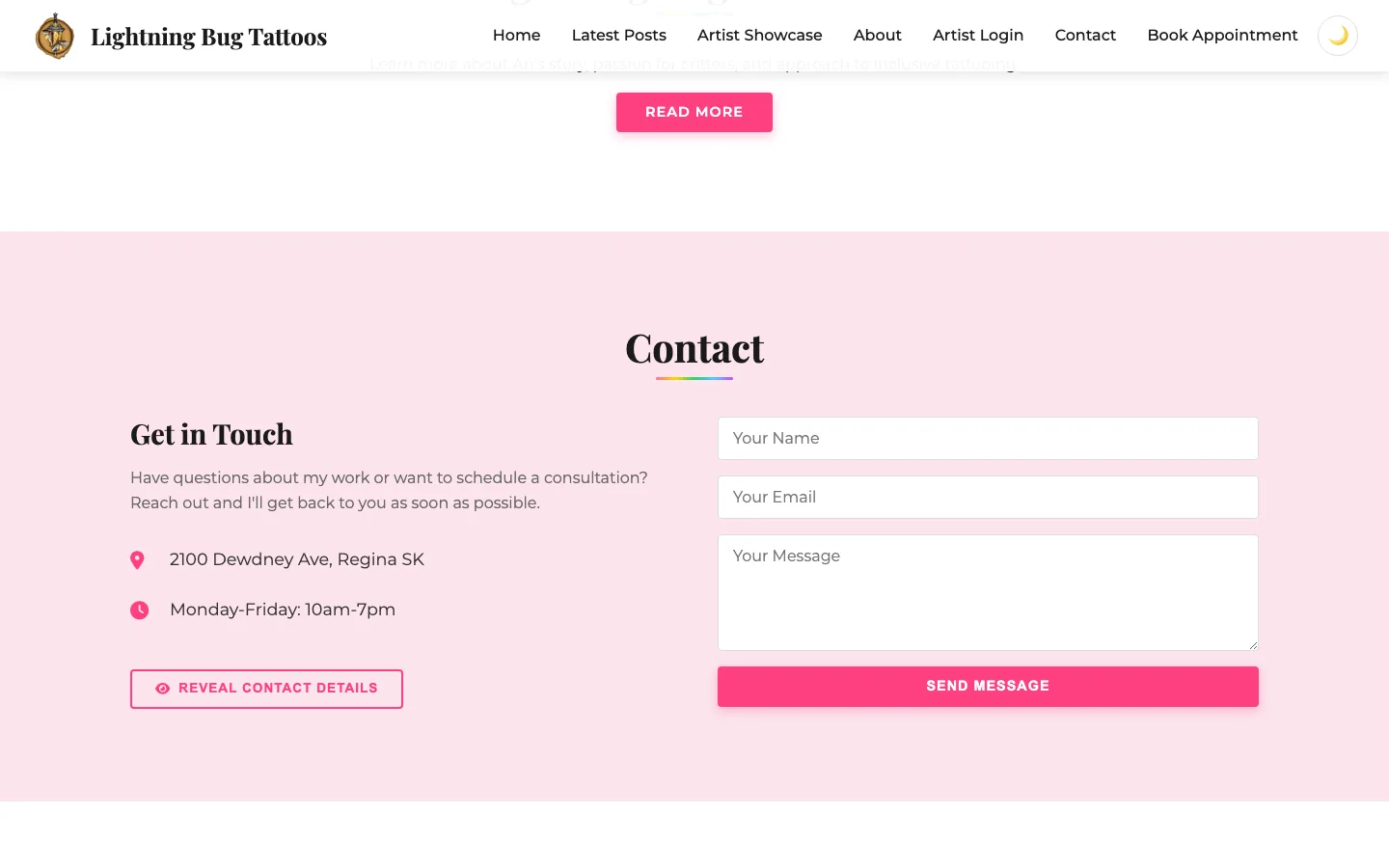
  • Designed and built a full studio website with artist showcase, Instagram feed, and contact flow
  • Built a custom booking system with per-artist scheduling, duration-filtered time slots, and self-serve booking management
  • Added an artist login portal so each artist can manage their own showcase and availability
  • Folded booking, waivers, and availability into one platform, hosted and maintained by CyberConnect

Outcome

The studio now has a one-stop shop for its entire online presence — bookings, artists, and client contact in one place, instead of three tools that never spoke to each other.

  • Retired $180/month in third-party subscriptions across three separate services.
  • Gave clients self-serve booking and booking management with per-artist calendars.
  • Established the studio's first real web presence with full ownership of its brand.

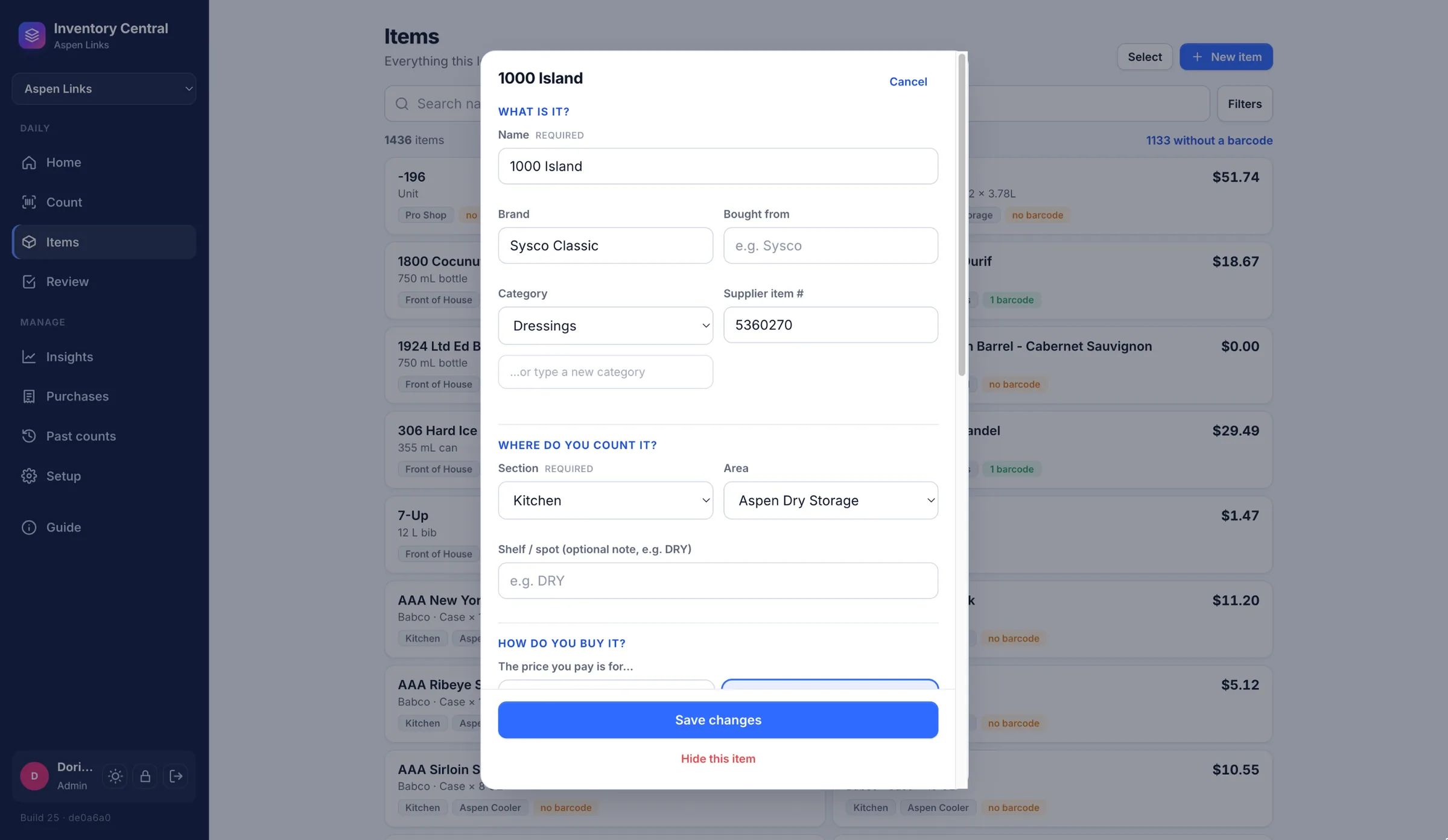
Inventory Central — Stock Counting & Pricing

Hospitality / Inventory Software — Regina, SK — 2026

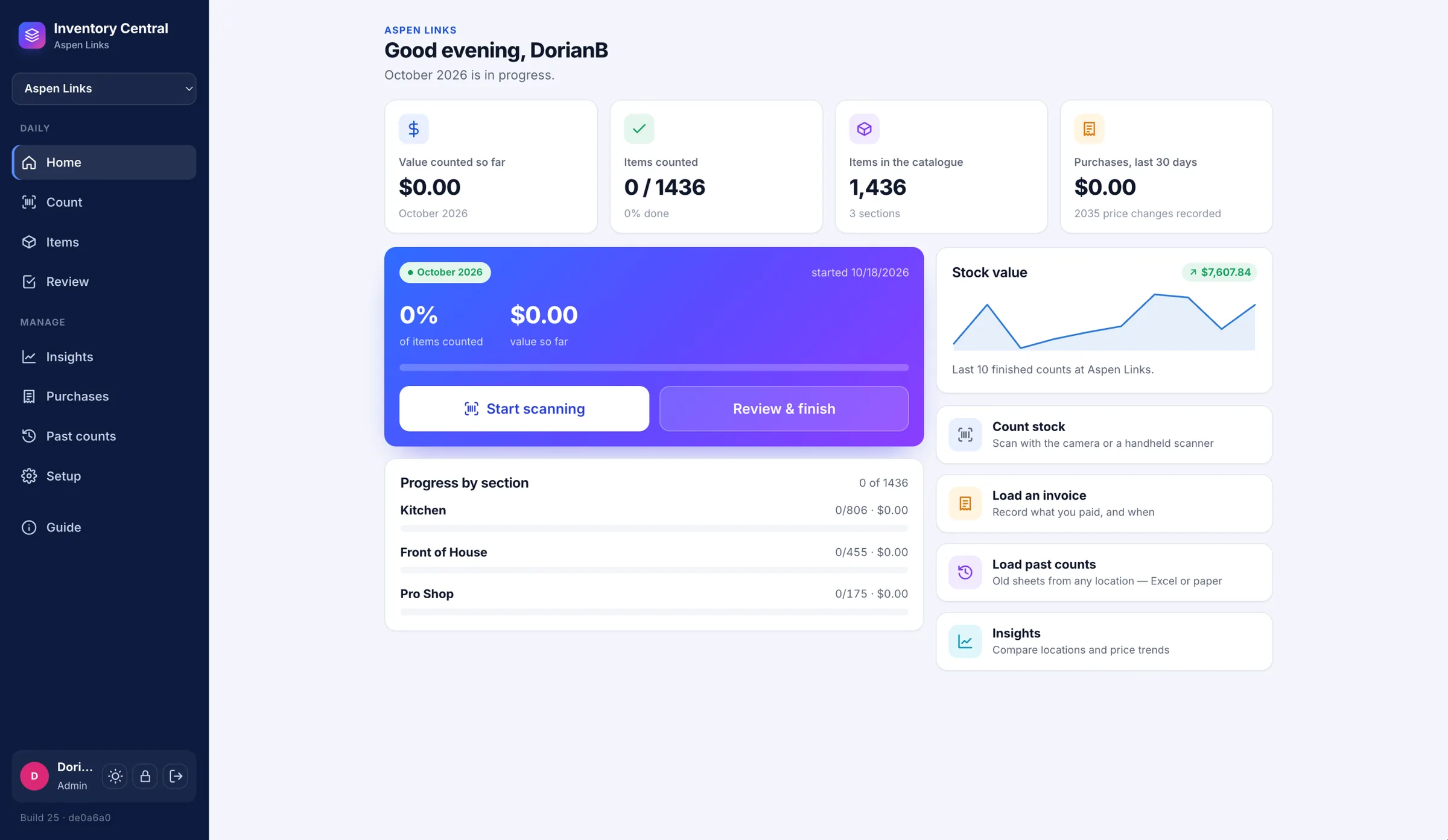
Monthly inventory counts for a multi-venue hospitality operation meant walking every room with a clipboard, guessing at how full an open bottle was, then retyping all of it into a spreadsheet before anyone could see what it was worth. Two people counting the same room overwrote each other, prices drifted the moment a supplier's invoice changed, and every venue kept its own copy of every product. Inventory Central started as a counting app; after a ground-up overhaul in October 2026 it runs counting, pricing and purchasing for several venues from one deployment.

Challenge

No barcode scanning, no safe way for several people to count at once, no record of what anything was worth when it was counted, and prices that only changed when someone remembered to retype them. Supplier invoices arrived as PDFs, scans and phone photos, years of past counts lived on paper and in old workbooks, and an owner who wanted to compare venues had to open a spreadsheet per site.

Solution

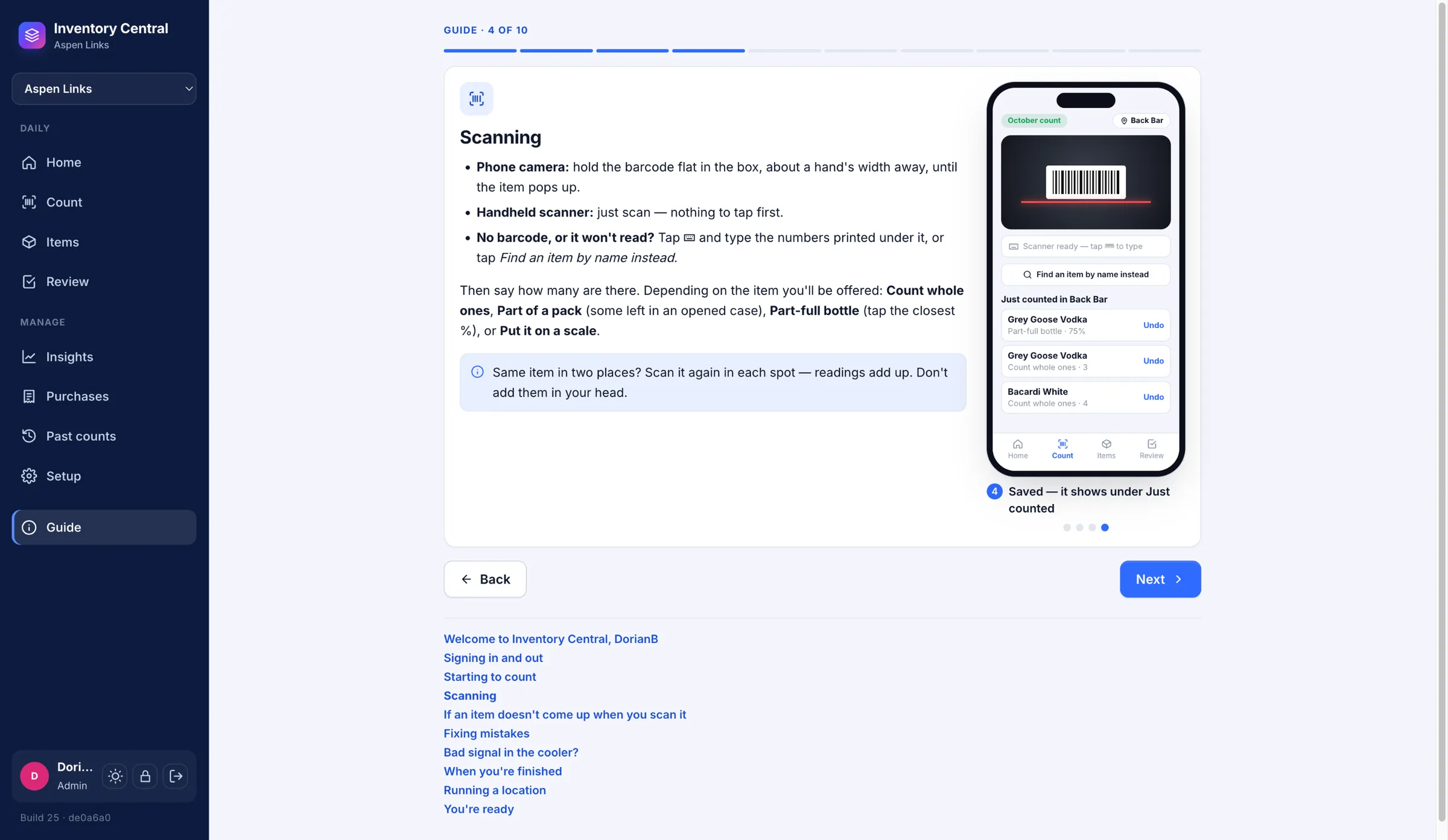
  • Barcode scanning with a phone camera or a handheld scanner — a read only counts when two agree and pass the check digit, and an unrecognized code is linked to the right item once, then found instantly everywhere after
  • Counting by whole units, partial packs, percent remaining or scale weight — two half-full bottles logged separately roll up to exactly 1.000 bottle — with every scan its own event, so several people can count the same room at once
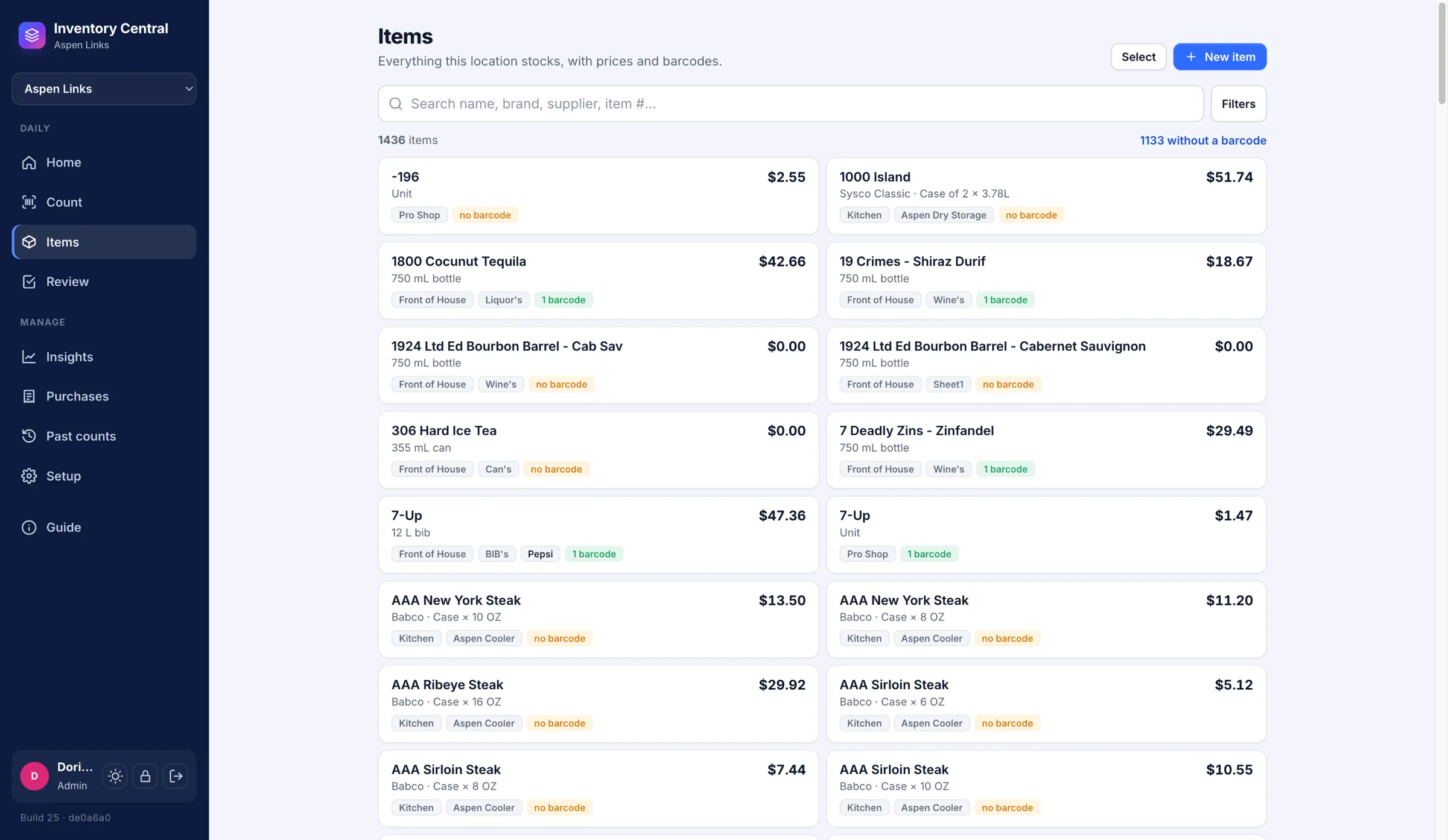
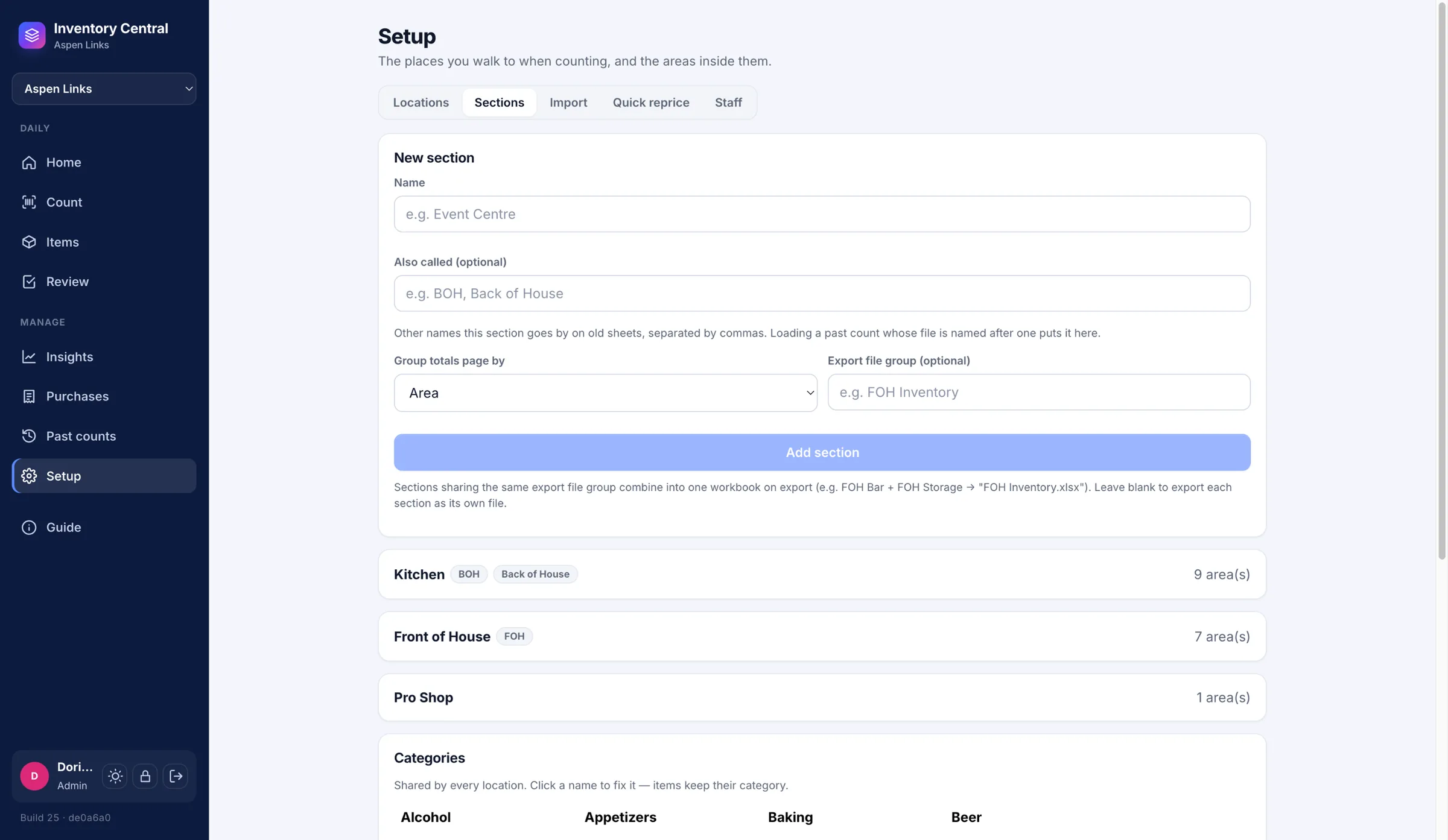
  • Several venues in one deployment sharing one product list: a barcode linked at one venue works at all of them, while each keeps its own price, supplier and case size, and nothing crosses between them
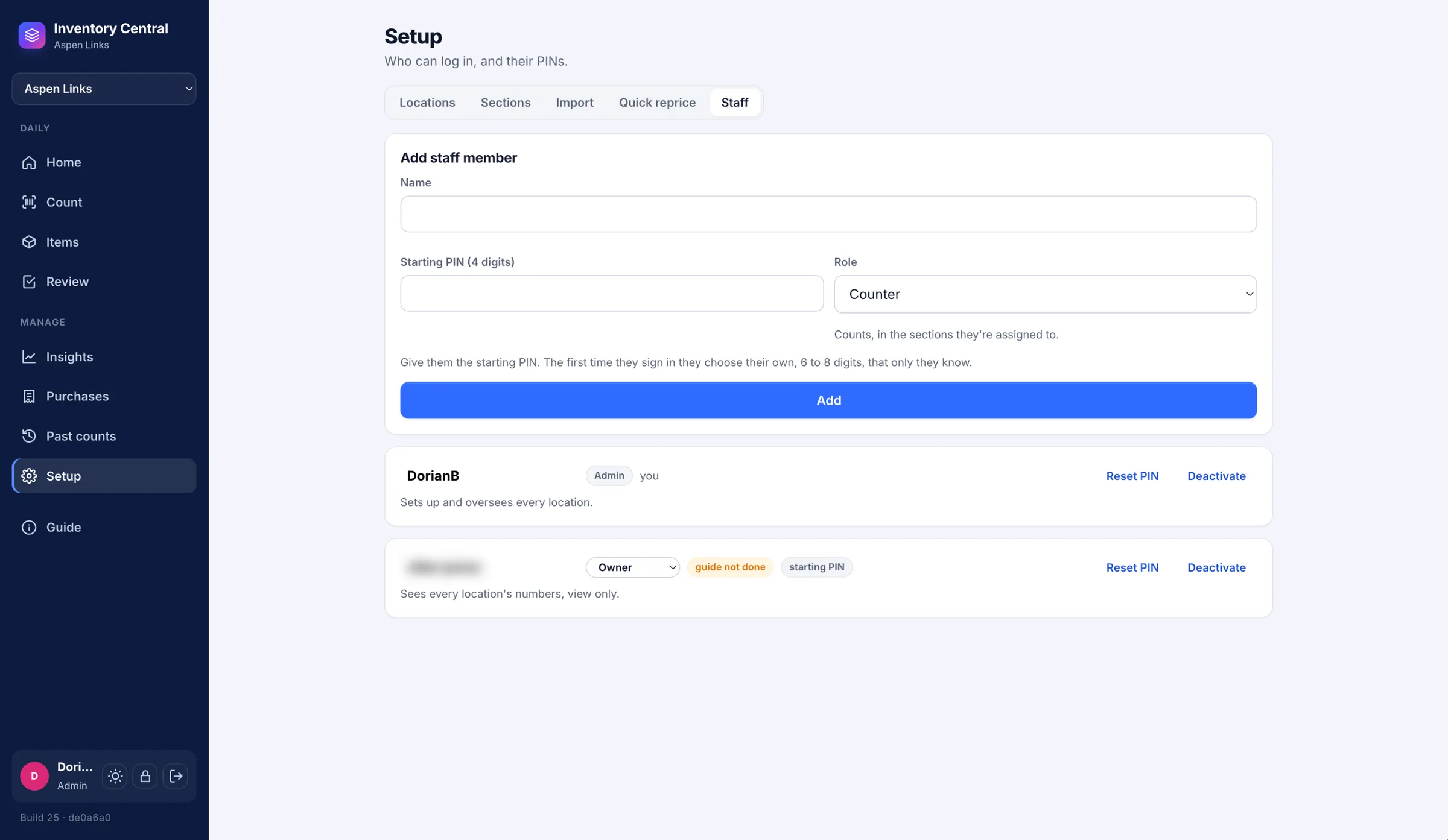
  • Four roles — admin, owner, manager and counter — enforced by the server, so an owner sees every venue's numbers while the server refuses any change they try to make
  • PIN sign-in where a manager hands out a starting PIN and each person picks their own 6–8 digit PIN the first time they sign in, with obvious PINs refused and an account locked for five minutes after six wrong tries
  • A first-run guide every new person goes through for their role, played as an animated phone walking through the real screens — signing in, picking a room, scanning, fixing a reading, losing signal, finishing up
  • Purchases that keep every supplier invoice with its prices dated to the invoice — Sysco and GFS PDFs, QuickBooks-style invoices, liquor order sheets and any supplier spreadsheet — catching duplicates, flagging jumps over 50%, pricing liquor per can or per 750 mL from the size bought, and never letting an old invoice drag today's price backwards
  • Scans and phone photos of invoices and count sheets read on the app's own server (Tesseract and OpenCV — no cloud service), with six table-layout methods, an editor beside the page image, and a quantity × price = total check that restores lost decimals; a tilted phone photo of a printed sheet came back with 46 of 47 counts exact
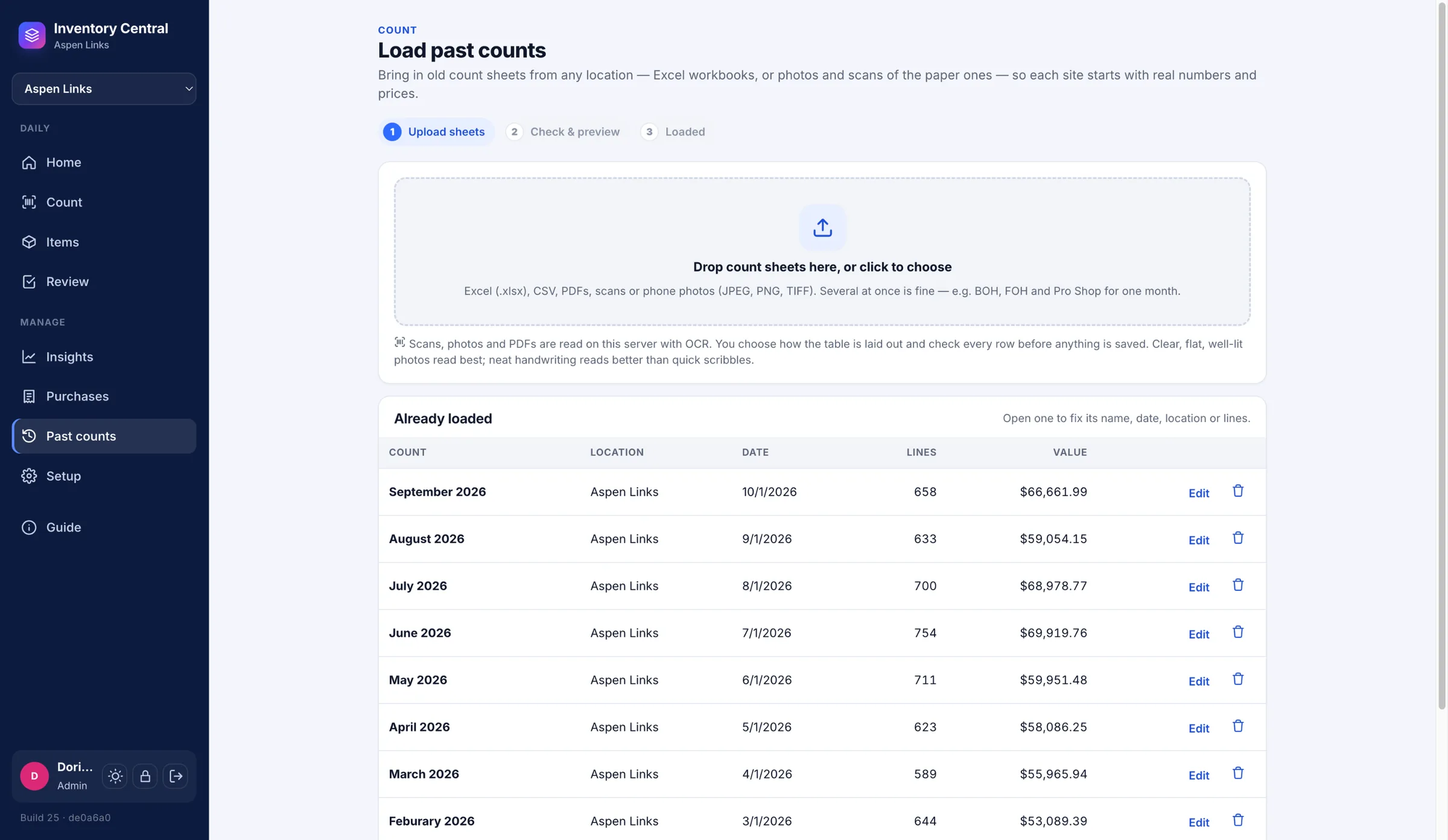
  • Past counts loaded from old workbooks, PDFs or photos of paper sheets as finished, dated counts — and editable afterwards — so a new venue has history from its first day
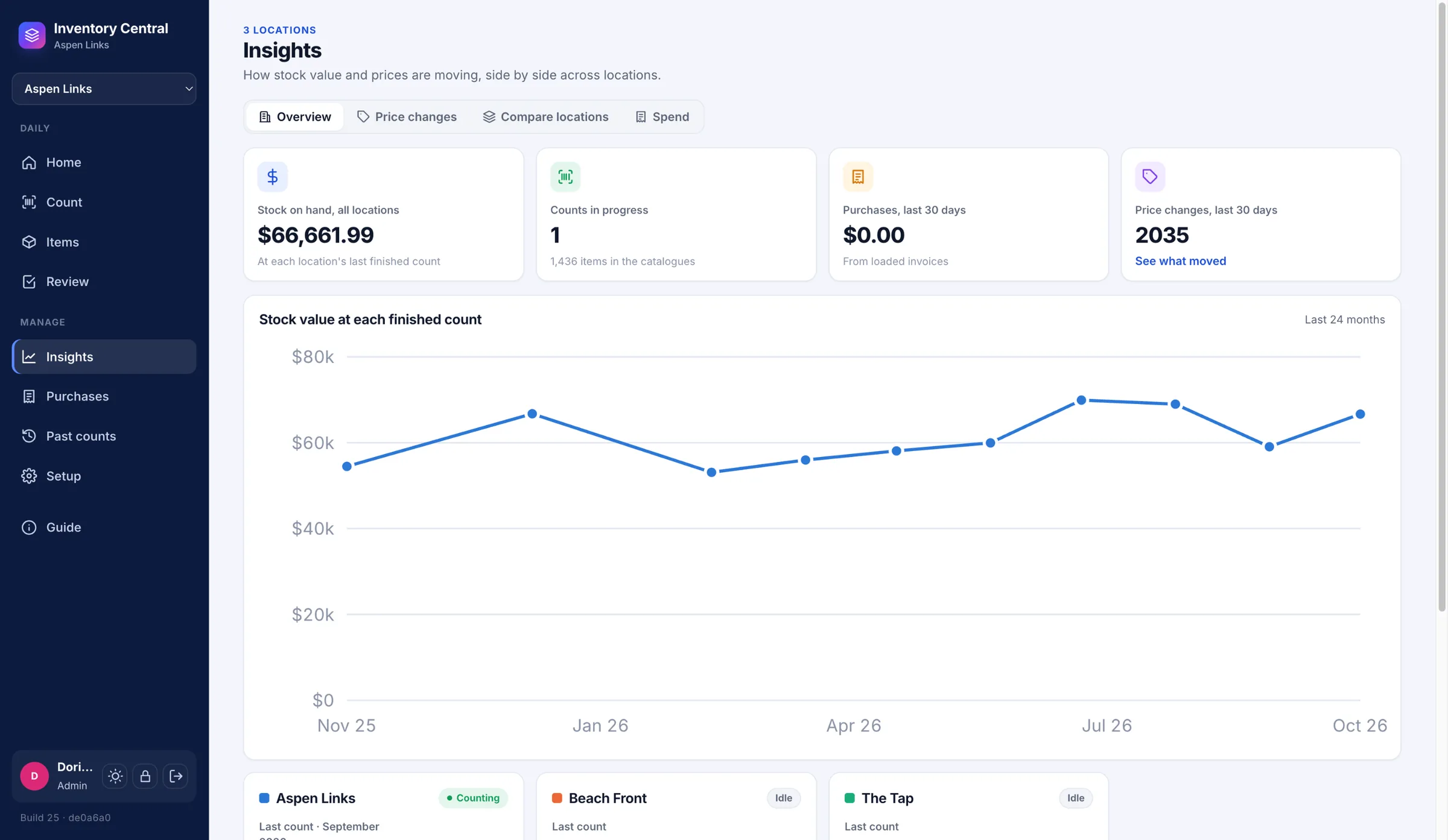
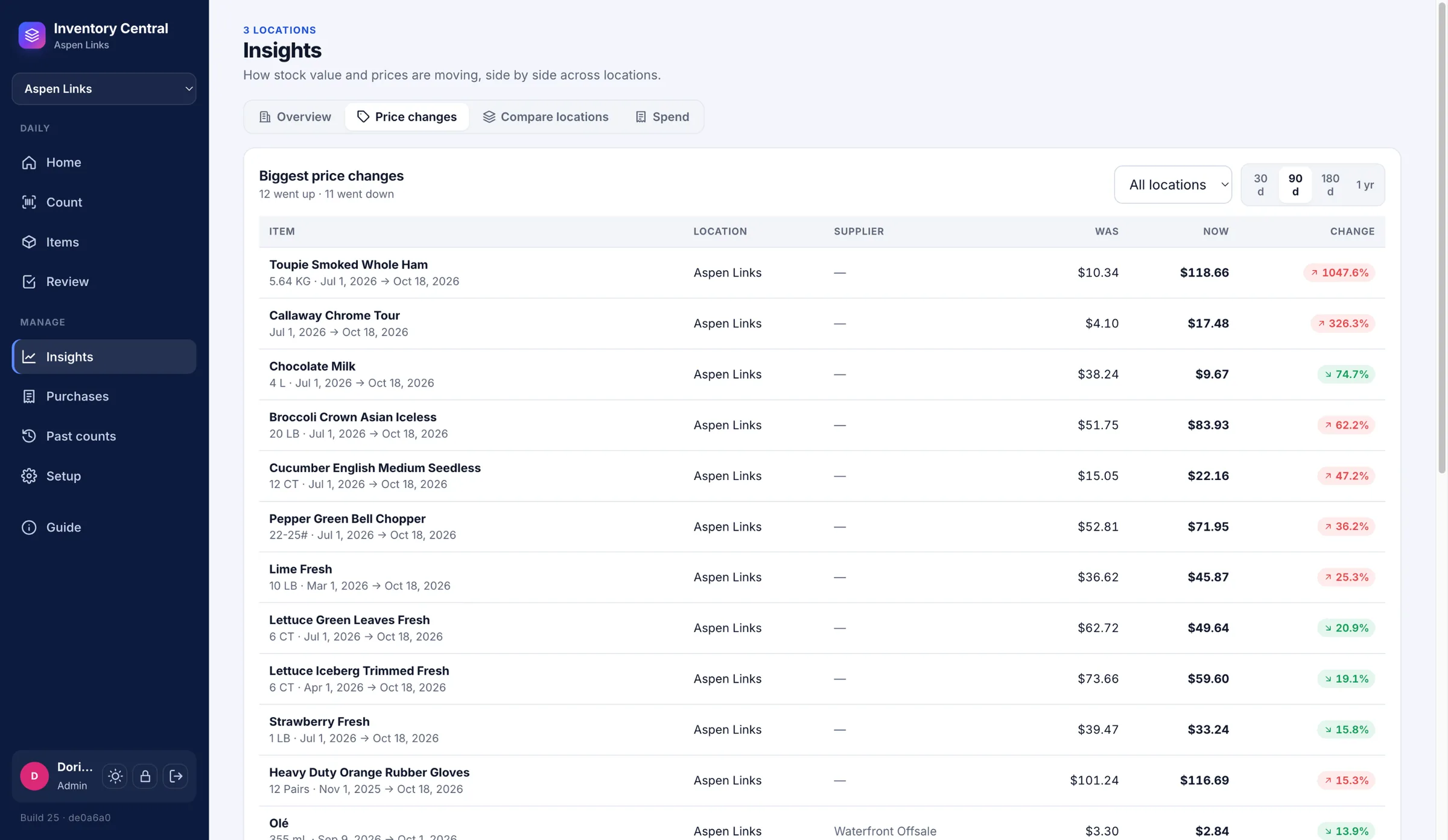
  • Insights for owners: stock value over time for every venue on one chart, the biggest price changes with the invoices behind them, the same product's price at each venue, and spend by supplier and month
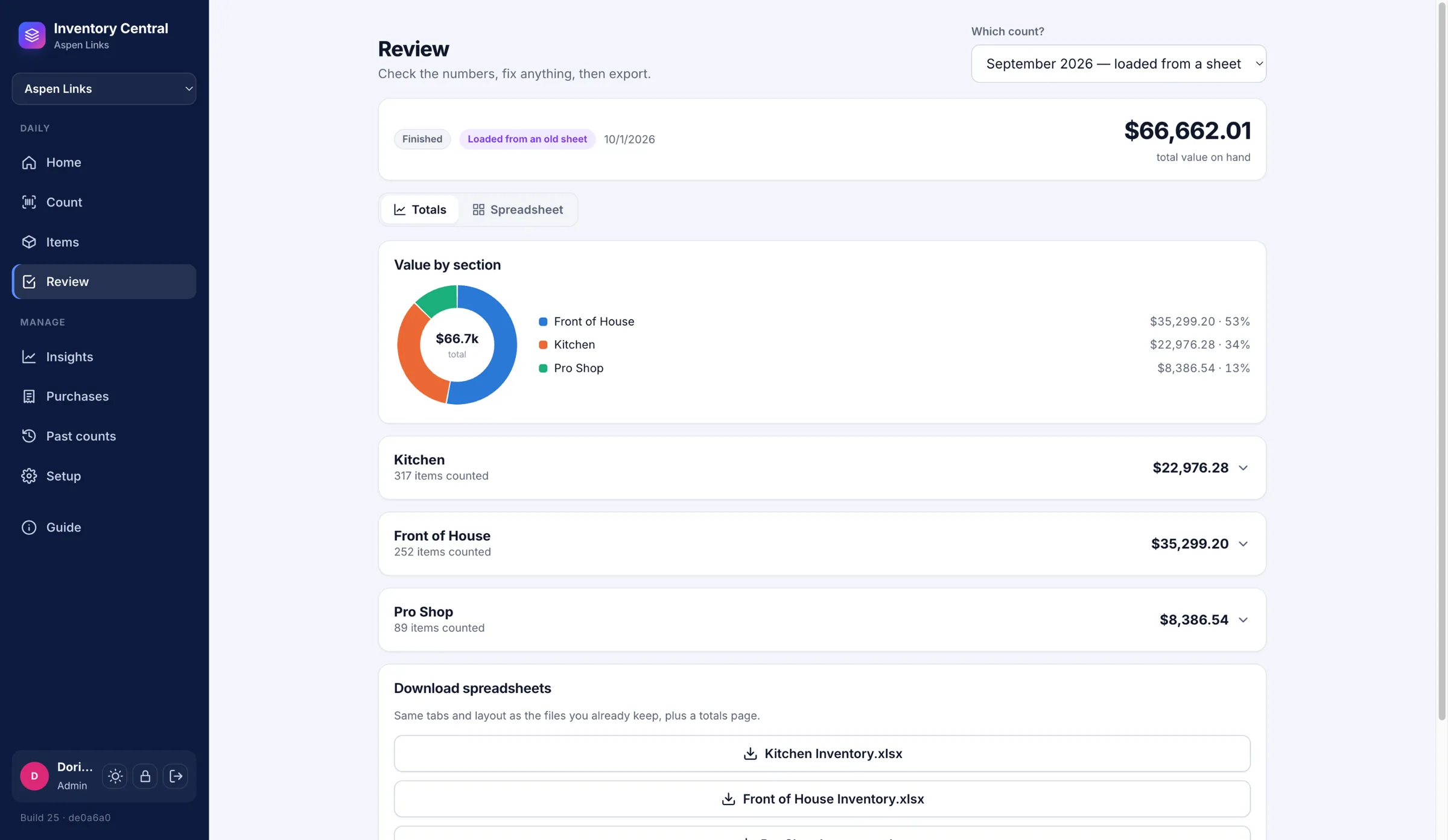
  • Review with a live spreadsheet, totals and charts, and "Before you finish" checks for uncounted items and lines that moved oddly since last month; closing a count freezes its quantities and prices, and a closed count can be reopened without losing anything
  • Excel downloads laid out like the venue's original workbooks — a tab per area, a totals tab with a pie chart, real formulas — plus filters on Items for anything missing a price, supplier or barcode, and edit-in-place almost everywhere

Outcome

Every venue counts on a phone instead of a clipboard. Prices come off the actual supplier invoices instead of memory, owners see stock value, price movements and supplier spend across venues without opening a spreadsheet, and a closed month's numbers can't shift under anyone by accident. Adding a venue no longer means linking hundreds of barcodes all over again.

  • 269 automated tests covering the counting math, price history, roles and the safety rules that stop a count from being lost — up from 117 before the overhaul
  • ~23,600 lines of production code, 95 API endpoints and 16 database tables, self-hosted as four Docker containers with scheduled Postgres backups
  • Test-gated CI/CD (Gitea Actions) runs the suite against a real Postgres, then builds and redeploys through Portainer on every push to main

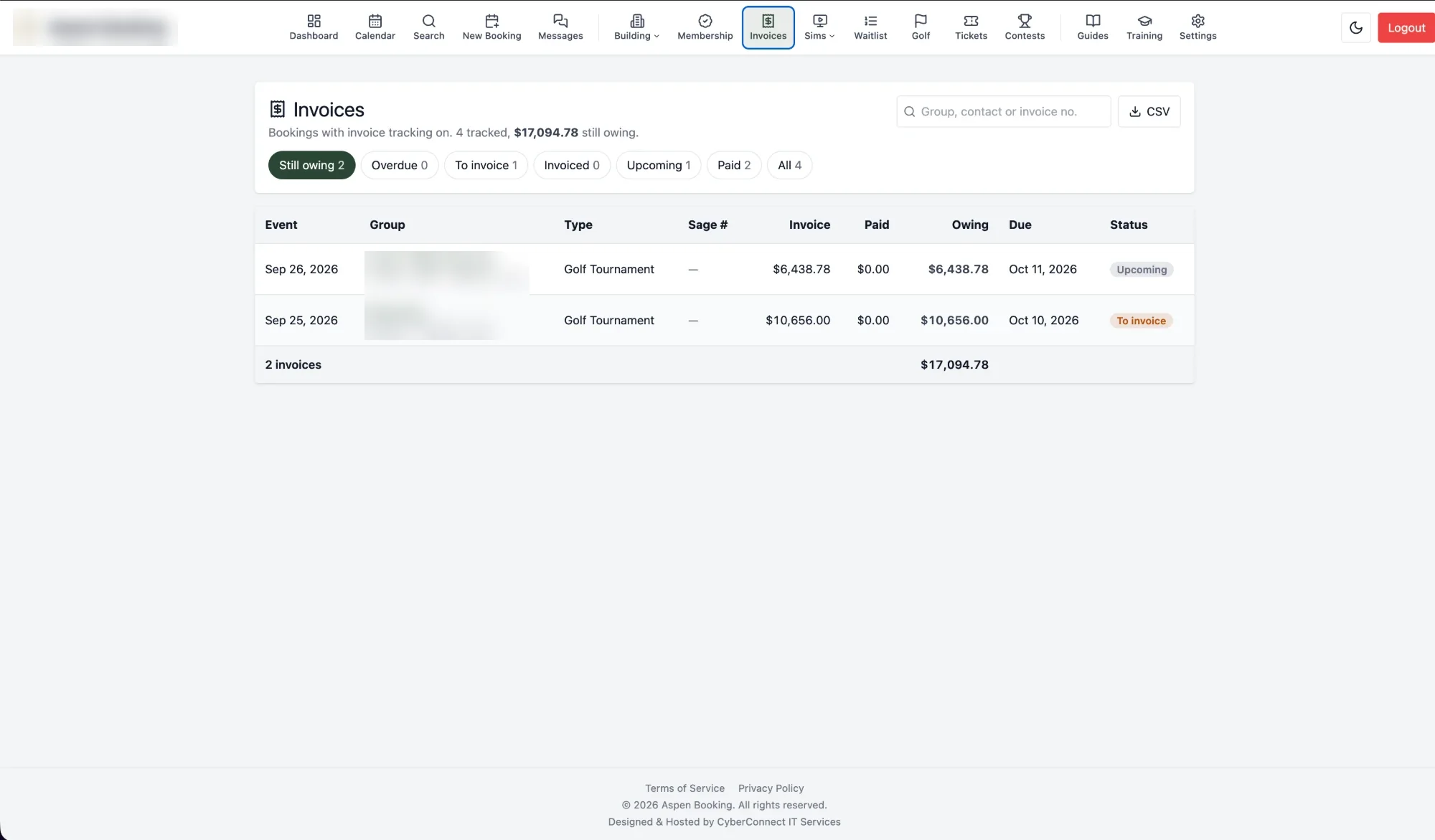
Rentals Dashboard — Rent, Repairs & Property Management

Property Management Software — Regina, SK — 2026

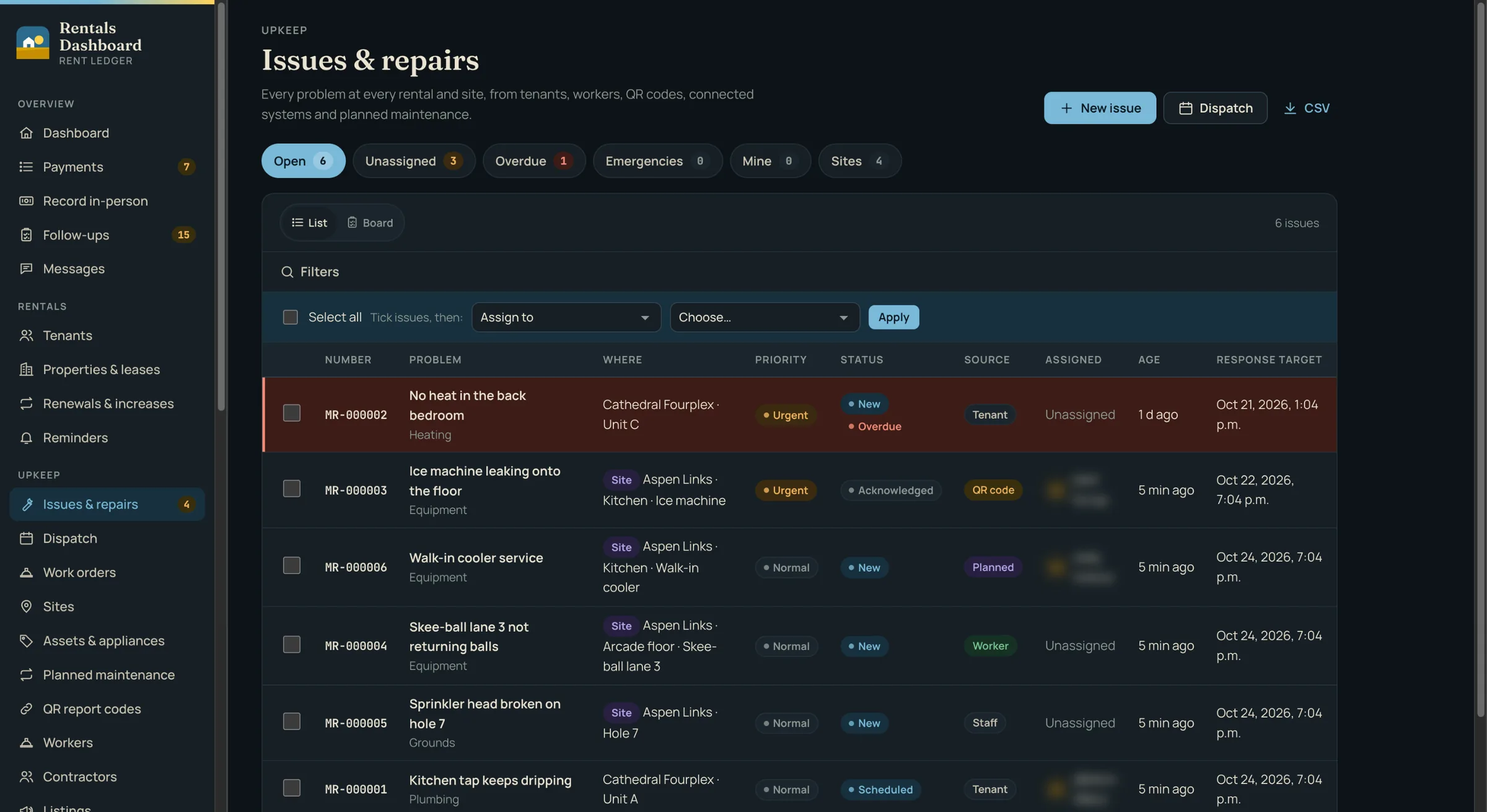
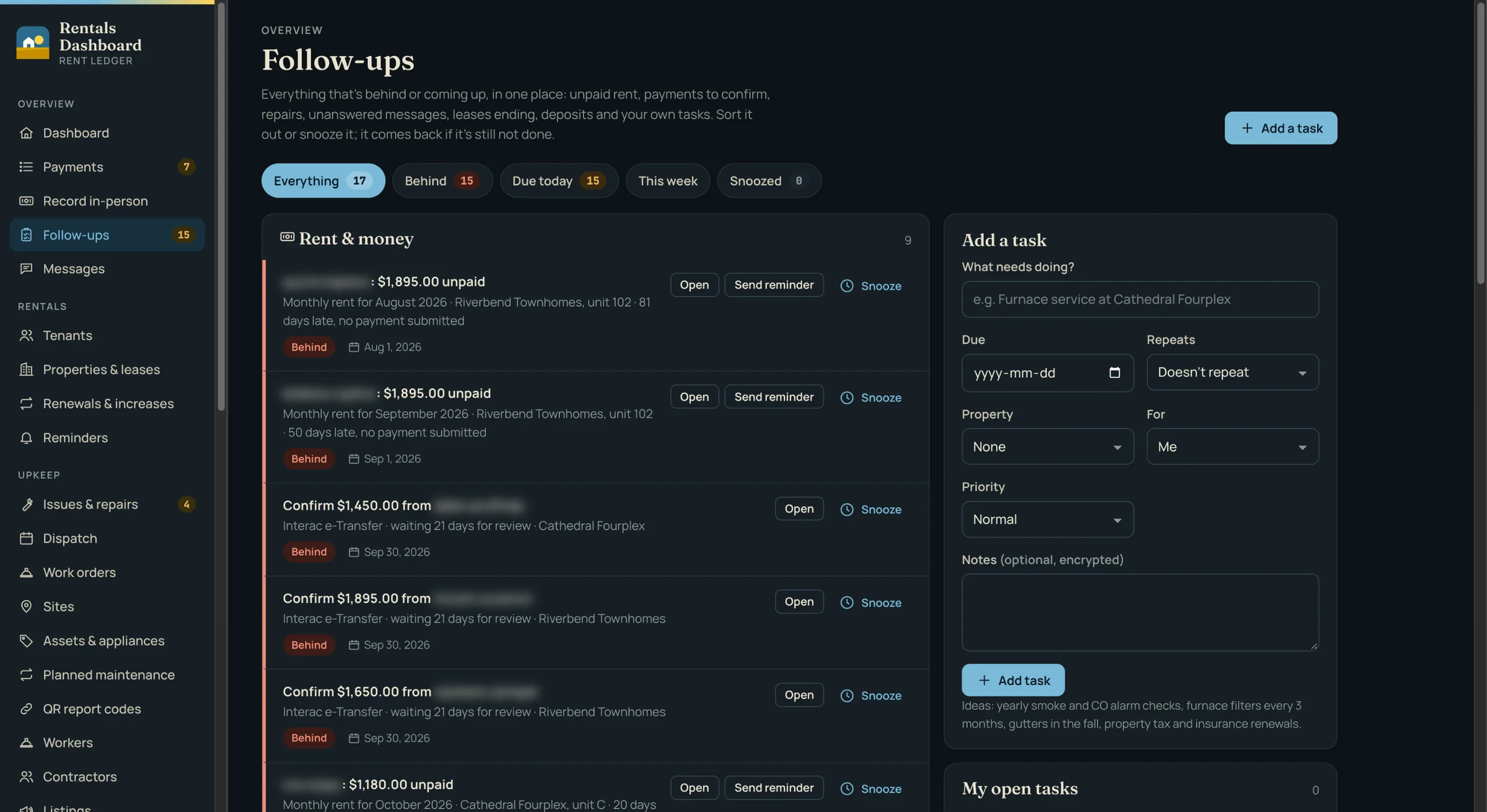
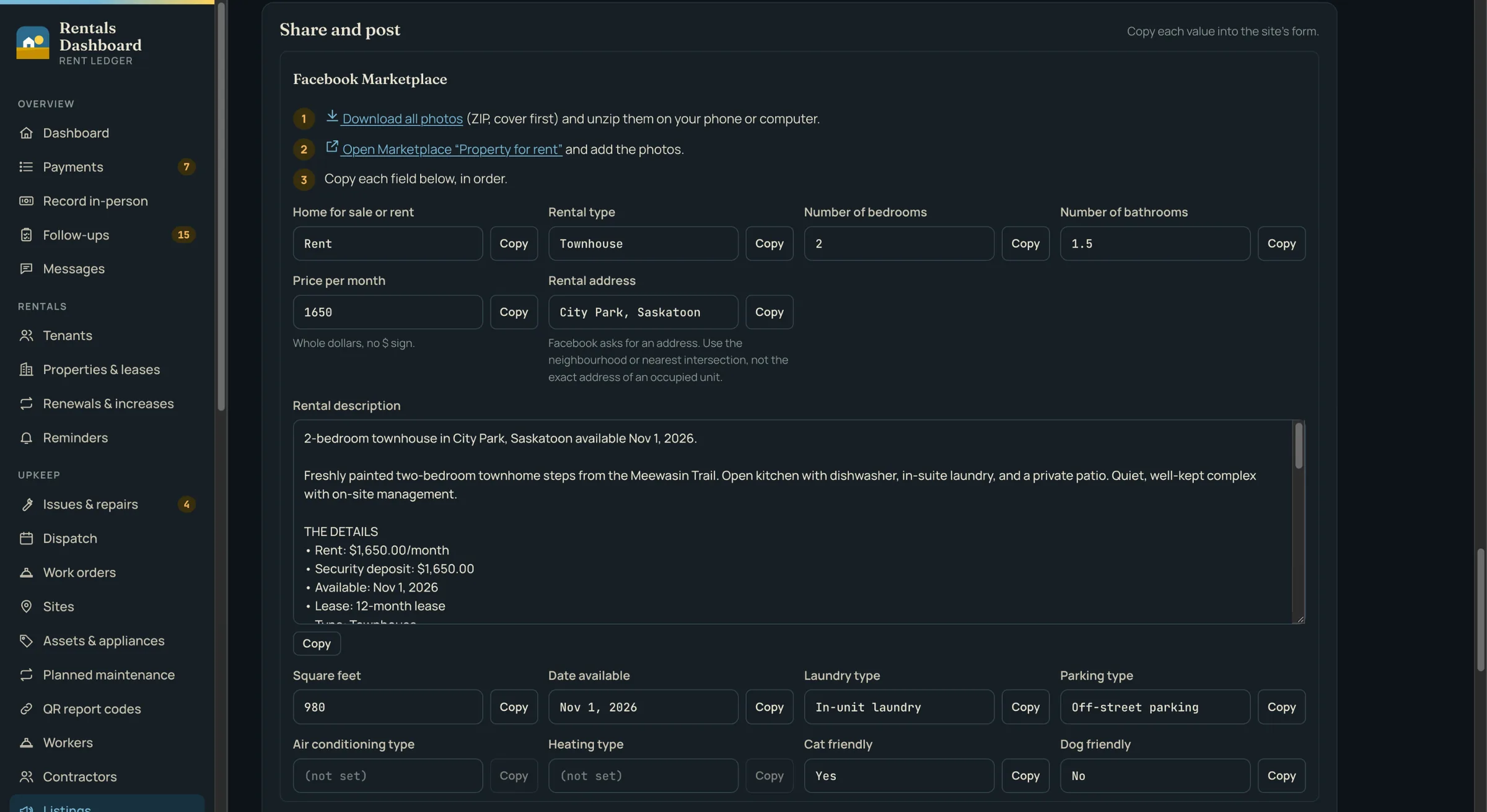
Smith Rentals runs rental units in Regina, and its maintenance team also looks after a golf course, a restaurant and an event venue. Rent arrived by e-Transfer, mailed cheques, cheques dropped at the door and cash, and each payment had to be matched to a tenant by hand and keyed into Sage. Tenant and lease details lived in spreadsheets, and repairs came in by phone and text with nothing to show who had them or how long they had waited. Rentals Dashboard puts rent, repairs and the rest of the office into one self-hosted platform.

Challenge

It had to work for six very different people: a tenant paying from a phone, an accountant who just wants to confirm the money arrived, landlords who share properties, a maintenance worker up a ladder, an outside contractor who should only ever see their own job, and an owner who needs the whole picture. It had to prove payments that never pass through a payment processor — a screenshot or a cheque in a mailbox is easy to fake — follow Saskatchewan's tenancy rules and Canadian privacy law, feed the existing Sage books without double entry, and put repairs at the commercial sites in the same queue as a tenant's leaking tap.

Solution

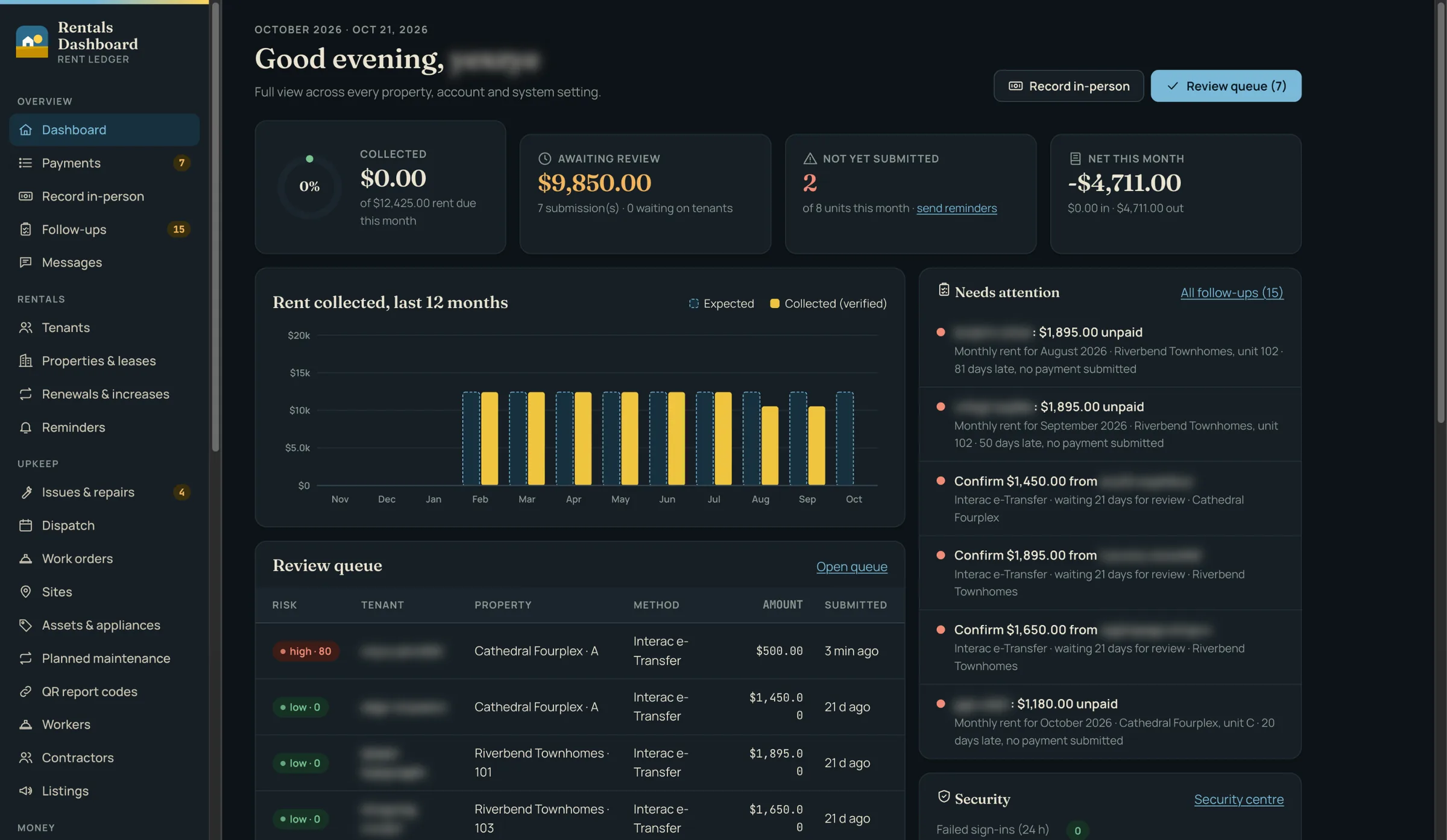
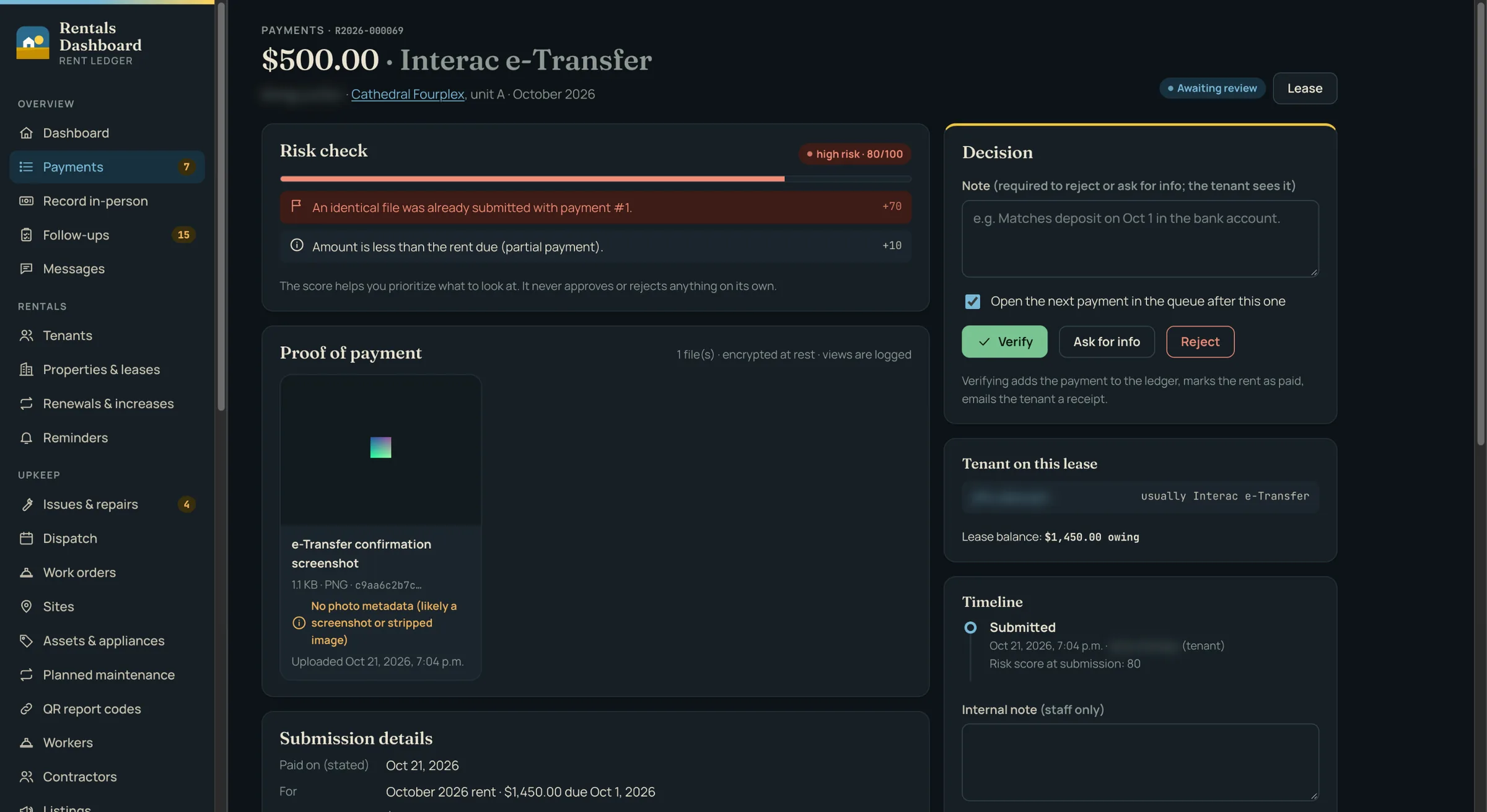
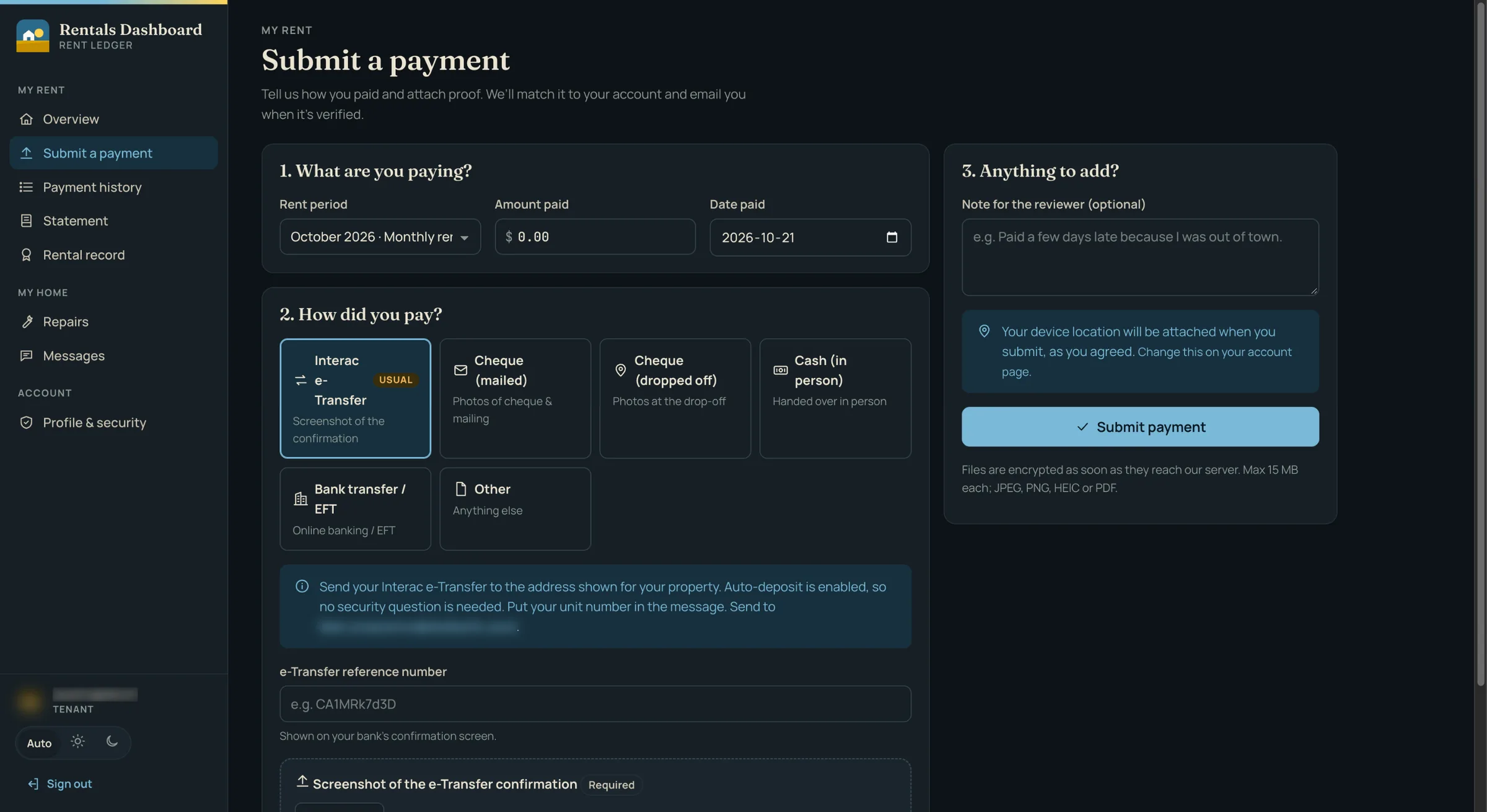
  • Tenants submit rent from their phone with proof that fits how they paid — an e-Transfer screenshot, photos of a mailed or dropped-off cheque, or cash confirmed by staff — and staff record in-person payments, with an emailed receipt for every cash payment
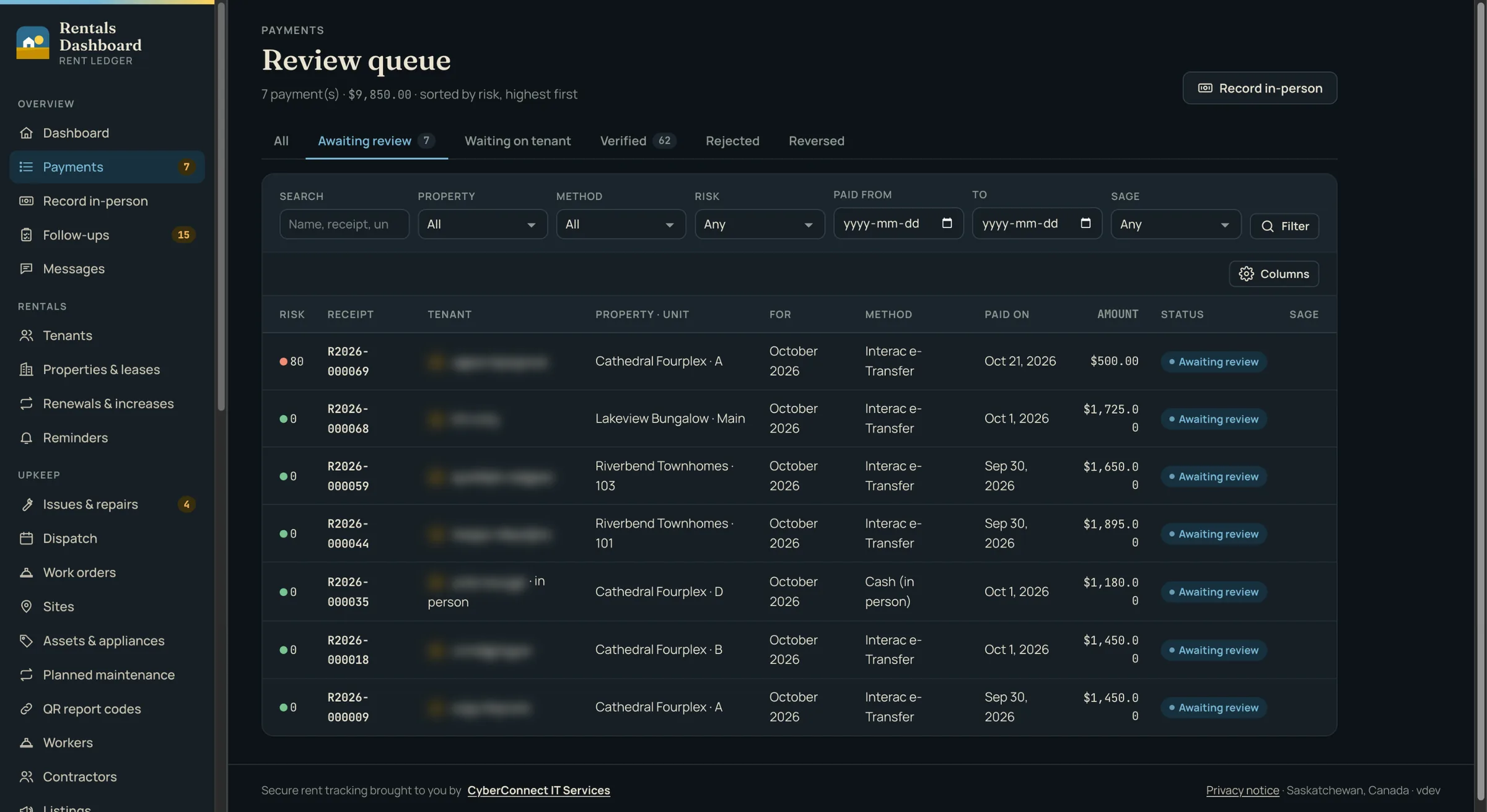
  • A review queue sorted by risk flags suspicious proof in plain English with a 0–100 score: a reused screenshot, an edited image, a photo with no location, or a drop-off photo taken nowhere near the property
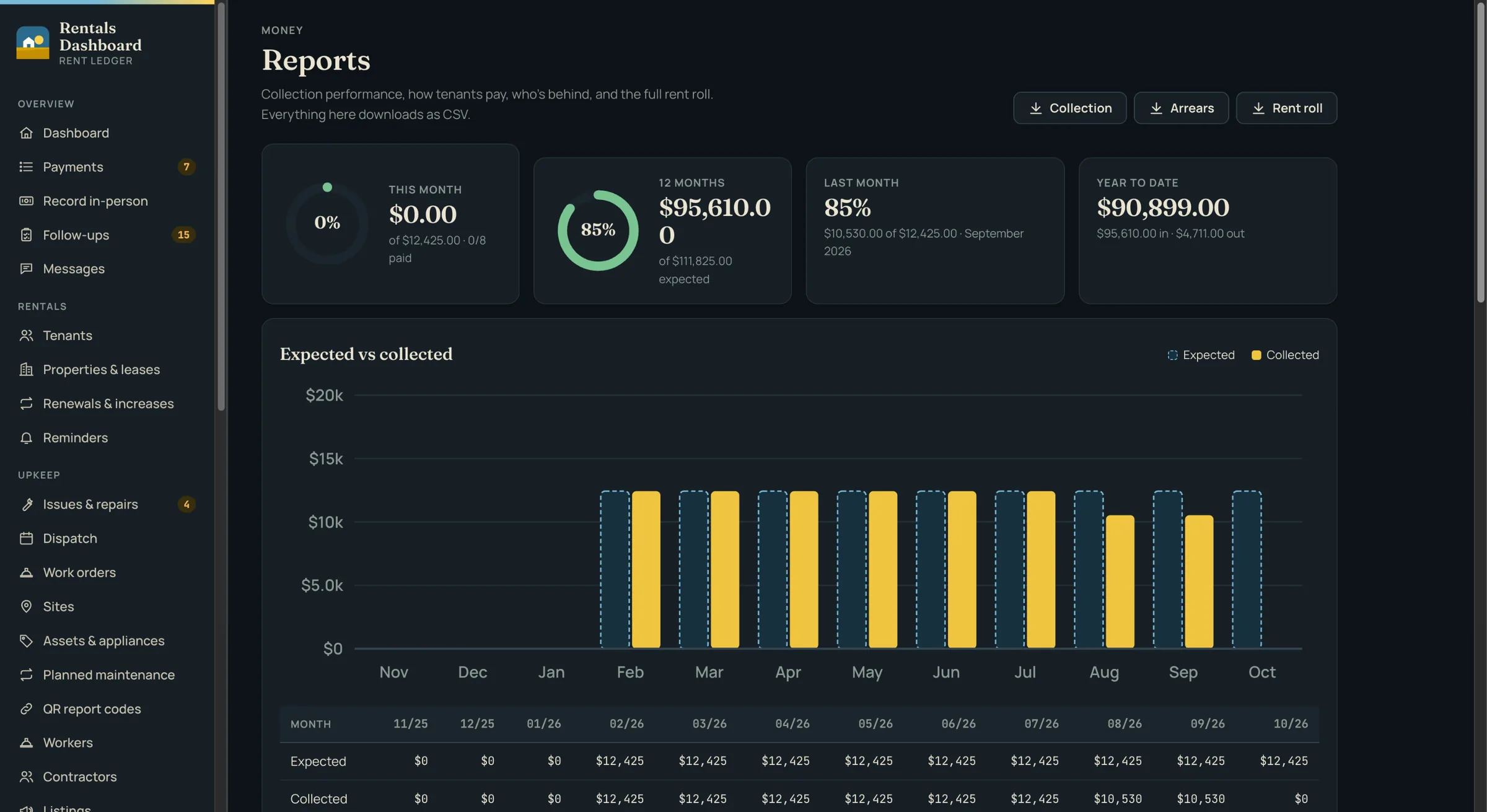
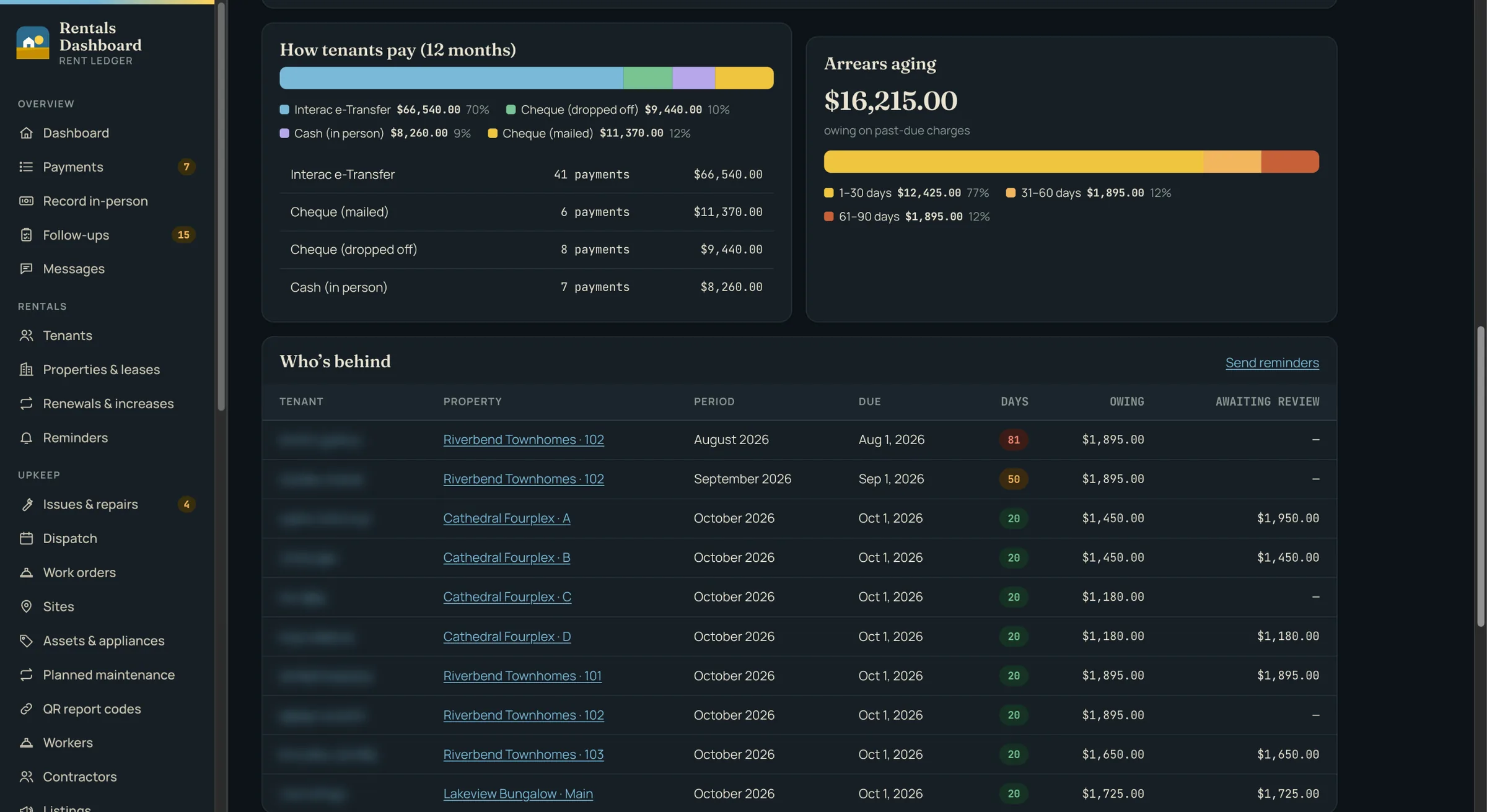
  • Verified payments post to a ledger of money in and out, with reports on collection rate, arrears aging and the rent roll, and an owner statement per property
  • A Sage module that exports to Sage 50, Sage Accounting, Intacct and Sage 300 with its own posting rules and a preview of exactly what will go across — nothing is exported twice, and any batch can be undone
  • Automatic rent reminders before and after the due date, late fees and waivers, and a daily summary for the accountant
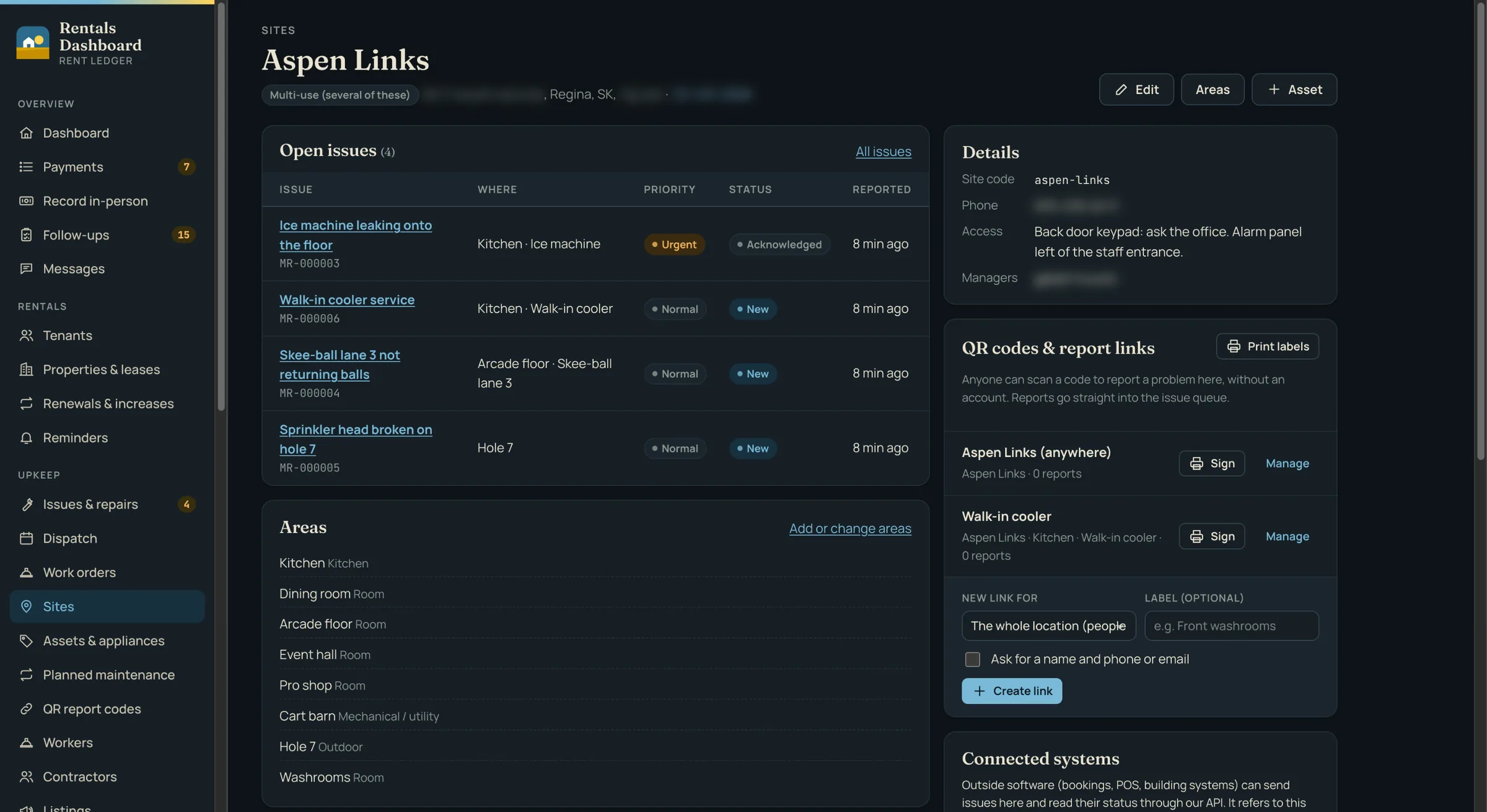
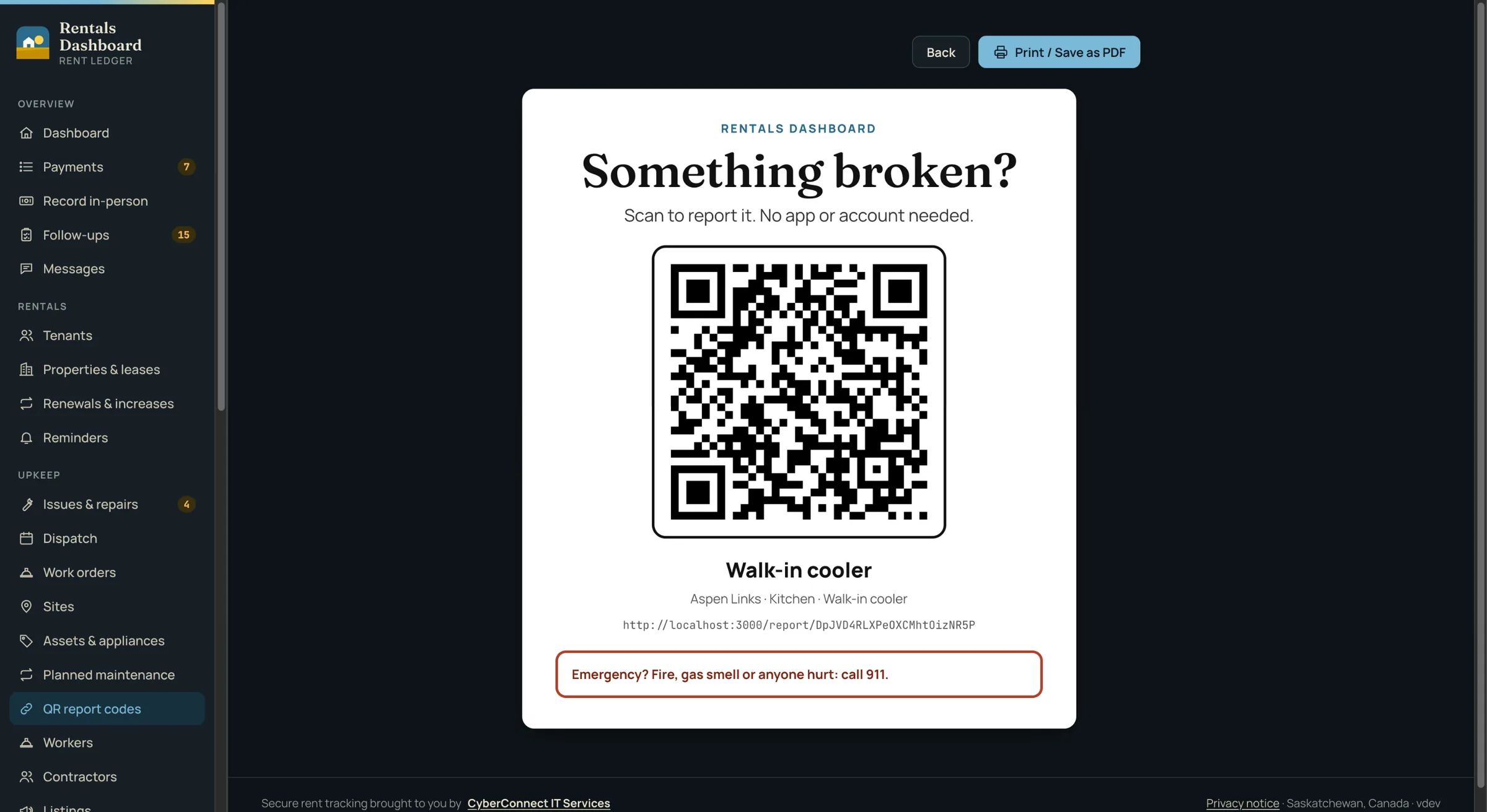
  • One issue hub for every rental unit and every site, fed by tenants, staff, QR-code signs anyone can scan to report a problem without an account, planned-maintenance schedules and a REST API with signed webhooks
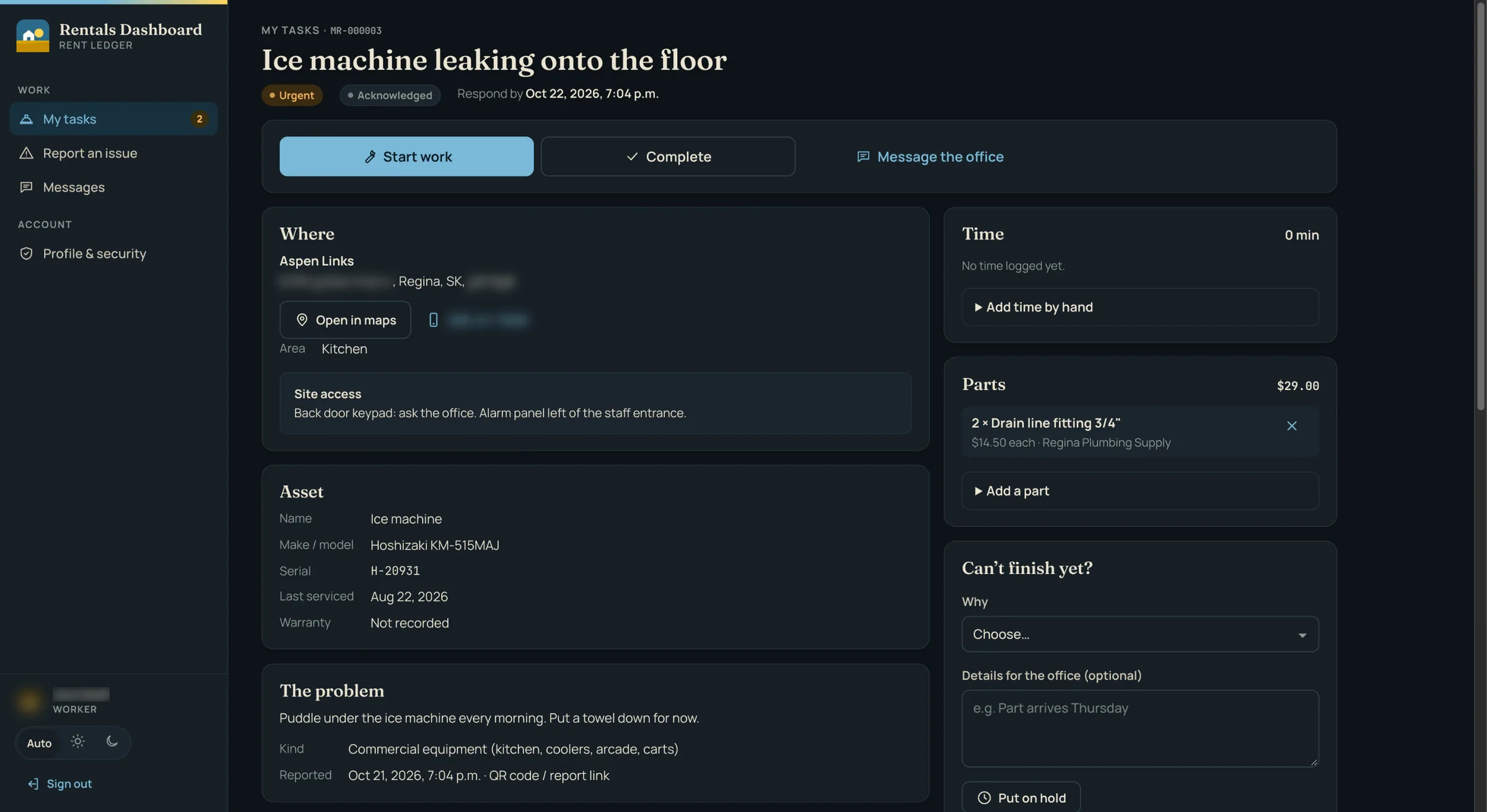
  • A dispatch board that assigns jobs to in-house maintenance workers, who get a phone app with timers, parts, checklists and photos, while outside contractors get work orders and a portal of their own for quotes, visits and invoices
  • Equipment records that track warranties and service intervals, with planned maintenance creating its own jobs on schedule
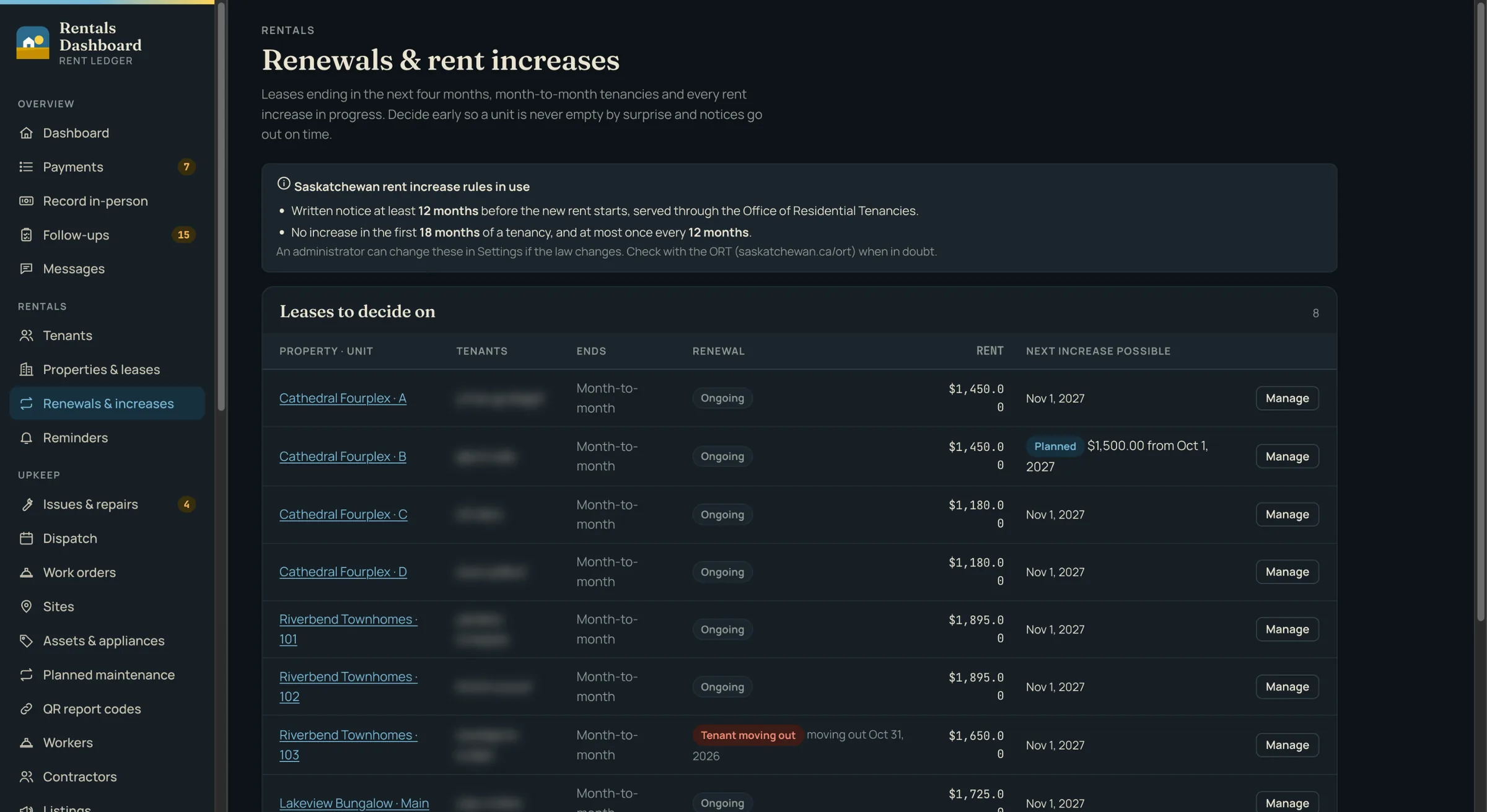
  • Saskatchewan's rules built in: entry notices with the legal time window, a deposit capped at one month's rent, and rent increases checked for notice period and frequency, showing the earliest legal start date
  • Ads for vacant units ready for Facebook Marketplace in a couple of minutes — the form's fields in order with copy buttons, photos as a ZIP — plus an optional public page with an inquiry form and a fair-housing wording check
  • Encrypted messaging between tenants, staff, workers and contractors, and a follow-up centre that lists everything that's behind, with a daily email to each person
  • Built for privacy and security: two-step sign-in for all staff, encrypted personal data and files, a tamper-evident audit log, PIPEDA request and breach tools, and a Simple view for non-technical staff — with Twilio SMS and Elavon card payments built in and ready to switch on

Outcome

The office works from one system instead of a spreadsheet, a bank statement and a phone full of texts. Every payment arrives with its proof and a risk score, gets confirmed once, and reaches Sage without being retyped. Every repair — in a rental unit or out at the golf course — is logged, assigned to a named worker or contractor, timed and closed with a record, and late rent, unanswered tenants, expiring contractor insurance and lease renewals surface on their own instead of being remembered.

  • 226 automated tests, run against real MySQL and Redis on every push
  • ~34,500 lines of production code, 64 database tables, and a 25-endpoint REST API with signed webhooks
  • Self-hosted in Docker behind Traefik and Cloudflare with encrypted daily backups; Gitea Actions CI/CD ships a build only when the tests pass

Screenshots are from a demo copy filled with invented tenants and payments; names, contact details and addresses are blurred all the same.

free, no account needed

Cyber QR — Free QR Code Generator

Public Service / Self-Hosted Software — qr.cyberconnectit.com — 2026

Modeled closely on qr.io's generator flow, but with no accounts, no dynamic or trackable QR codes, and nothing stored anywhere but your own browser. Pick a content type, style the code, download it — that's the whole flow.

What it does

  • 14 content types — link, text, email, call, SMS, V-card, WhatsApp, Wi-Fi, PDF, app, images, video, social media, event, and 2D barcode — each with its own guided fields, so a Wi-Fi code asks for network, password, and security instead of a generic text box
  • Frame, shape, background, and logo are each their own design tab: 13 frame styles, 6 module shapes with solid or gradient fill, independent styling for the finder-pattern "eyes," and a logo you upload or pick from a preset
  • Downloads as PNG, JPG, PDF, or SVG, all rendered from the same server-side SVG, so the preview and every exported file match exactly
  • No dynamic QR codes and no scan tracking by design — what you generate is a static code that works forever, not a redirect link that depends on this service staying up
  • No accounts: session history lives in the browser's local storage only, prunes itself after 14 days, and can be cleared on demand

It runs on the same principle as everything else on this site: self-hosted, free of accounts and tracking, and free to use — qr.cyberconnectit.com.

free, no account needed

Converter — Free File Conversion

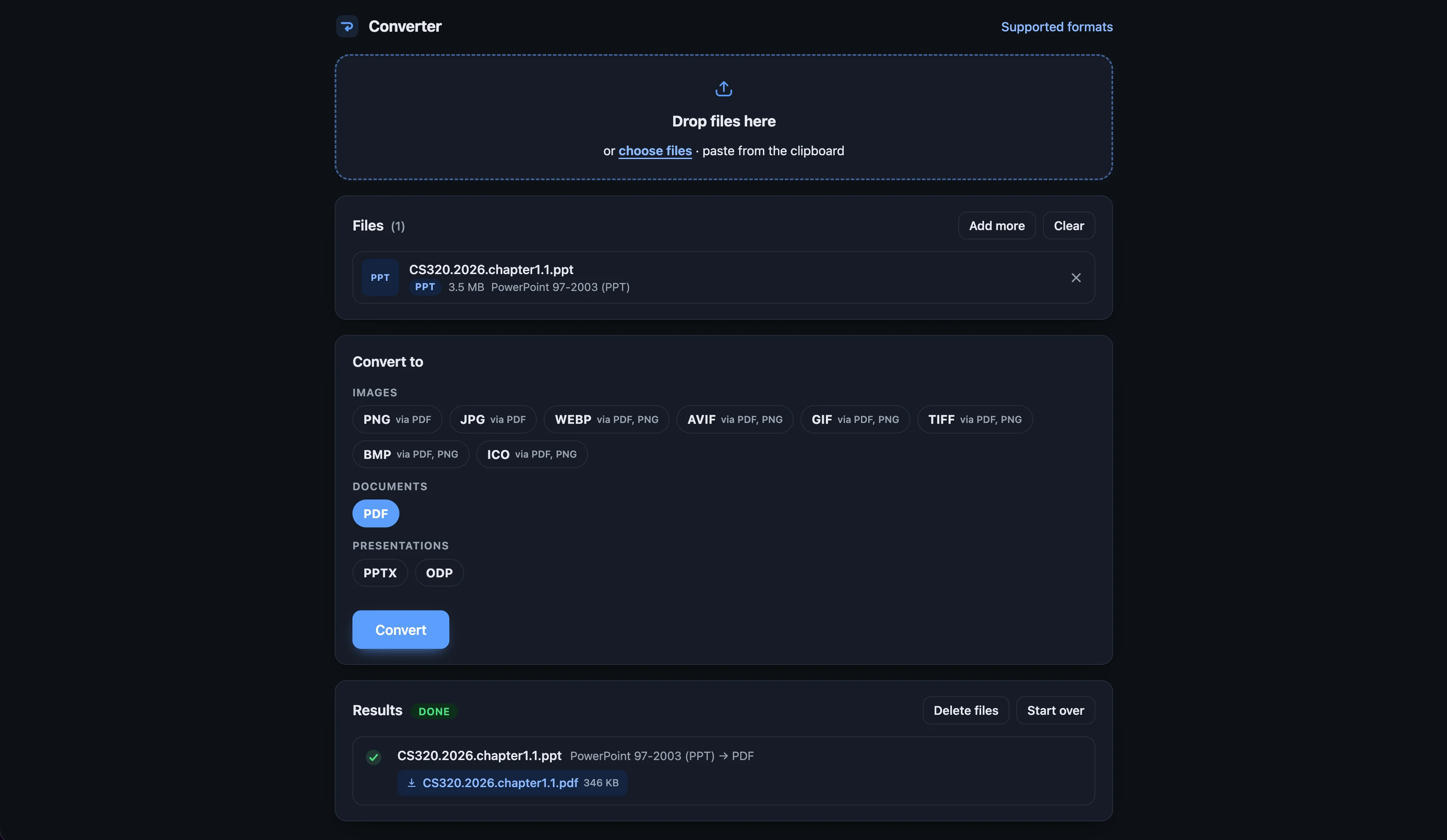
Public Service / Self-Hosted Software — convert.cyberconnectit.com — 2026

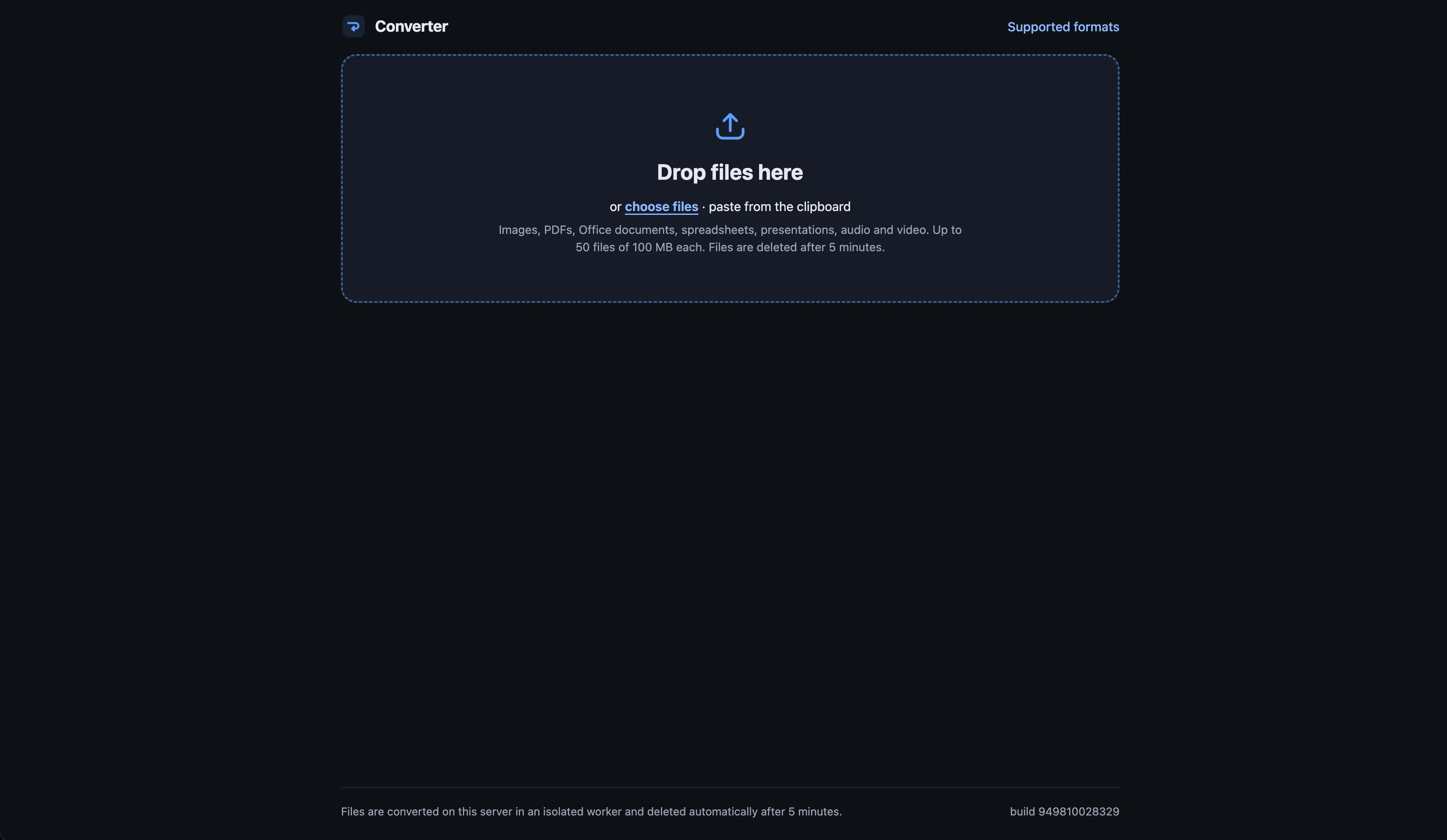
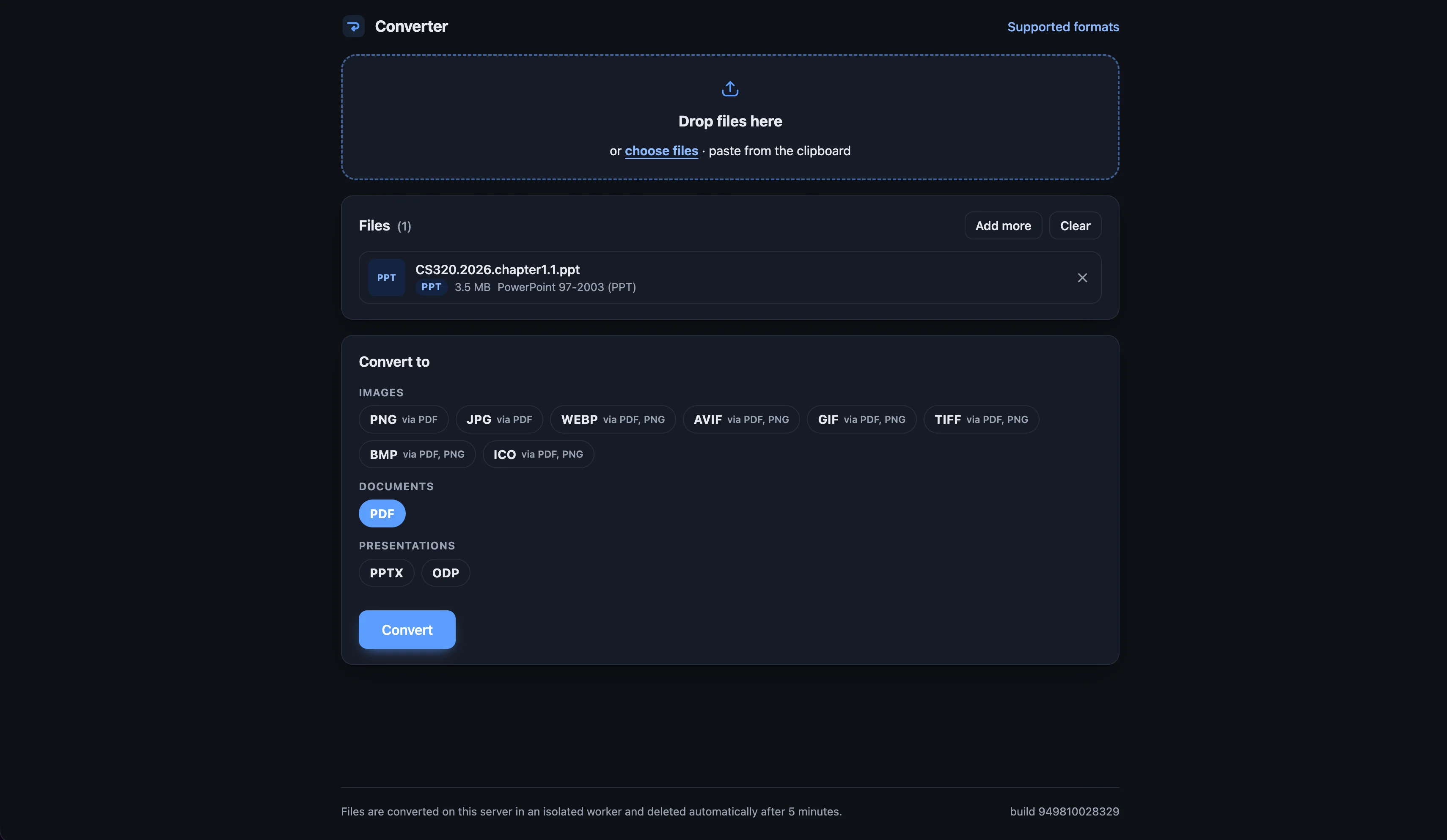
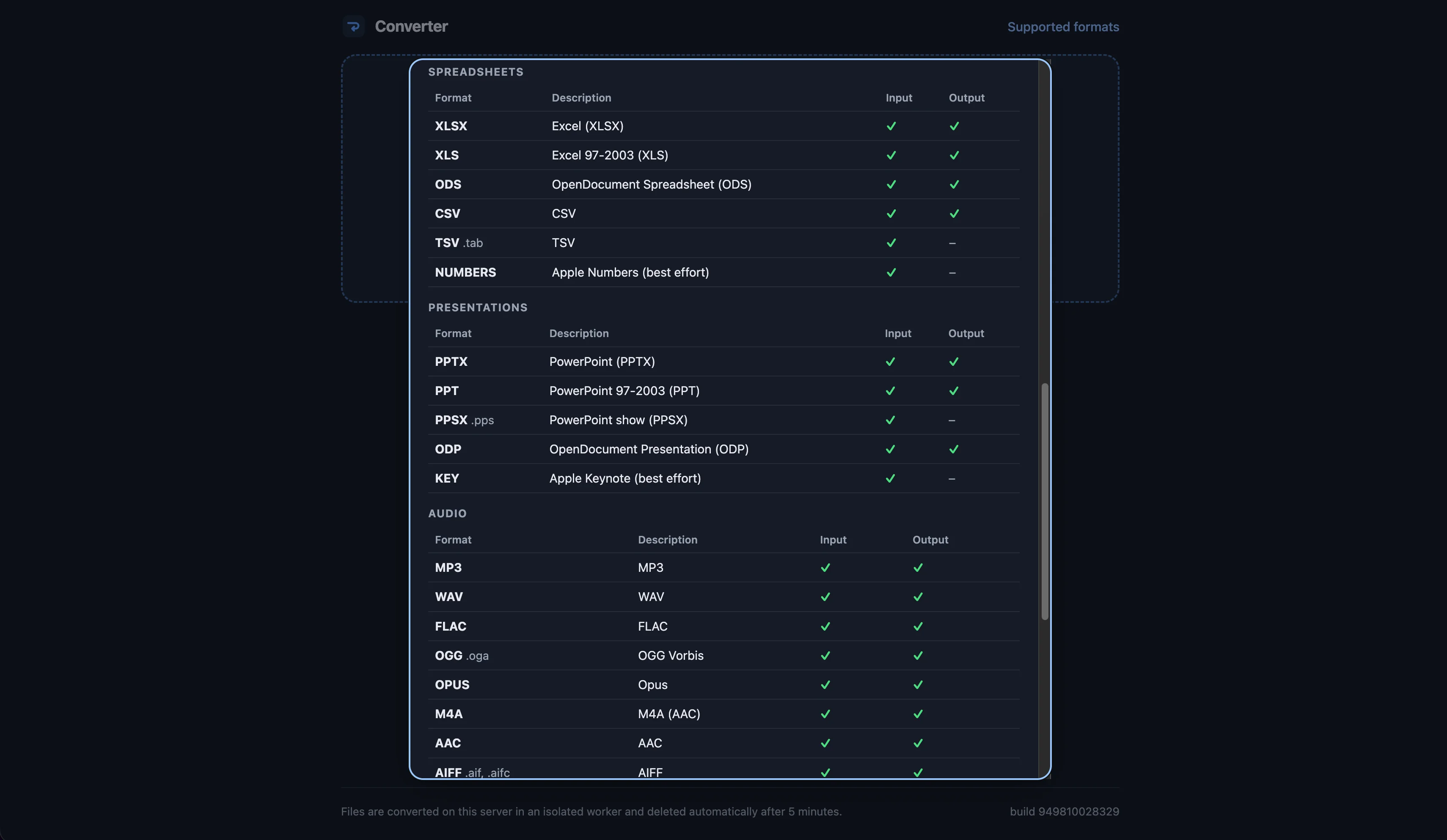
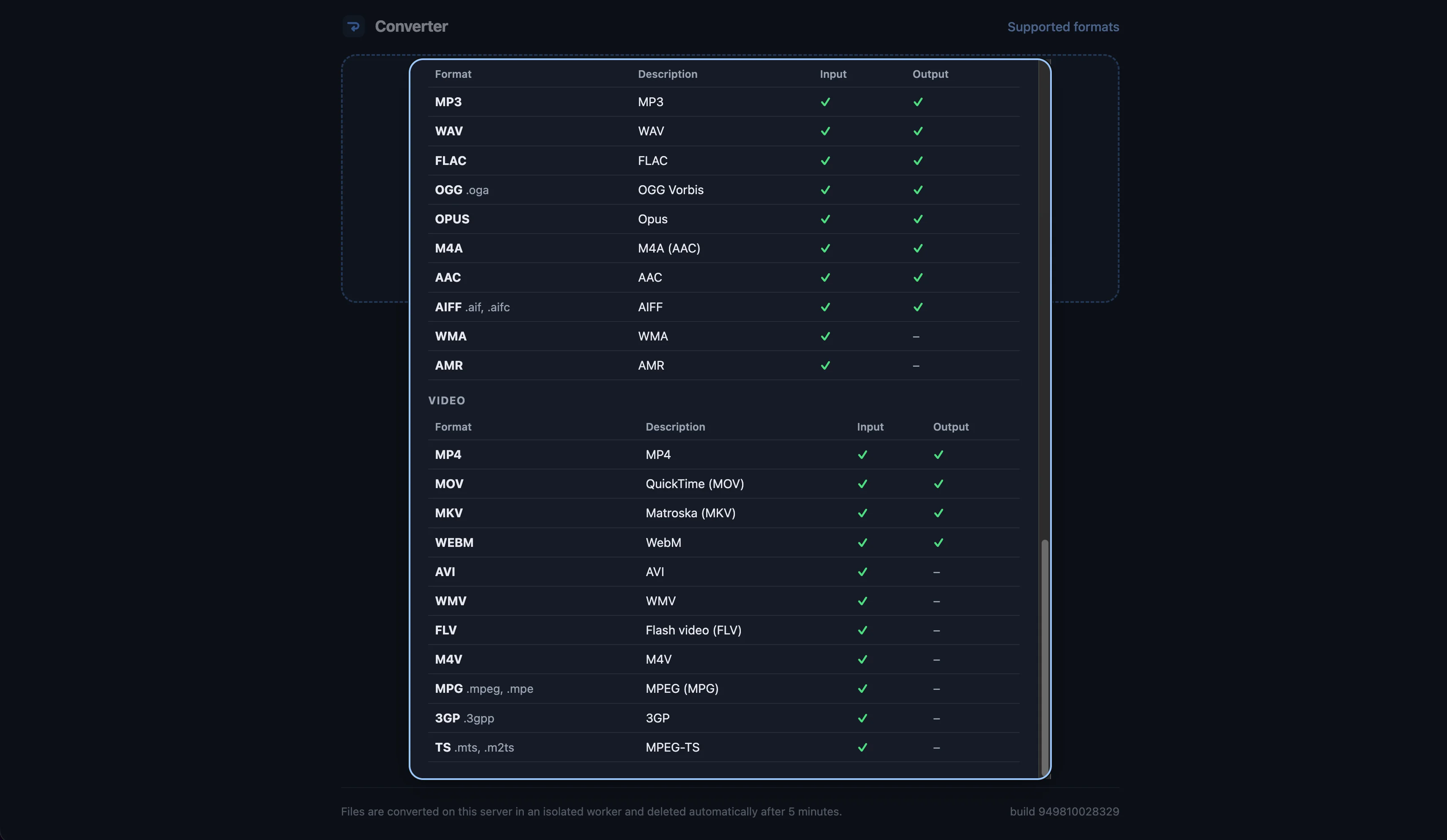
Drop in a file — or paste one from the clipboard — pick what you want it to become, and download the result. No account, no watermark, no upsell. It accepts 58 formats across images, documents, spreadsheets, presentations, audio, and video, outputs 39 of them, and works out the route itself: a PowerPoint deck becomes a WebP the way it should, by going through PDF and PNG first, and the interface tells you that's what it's doing.

What it does

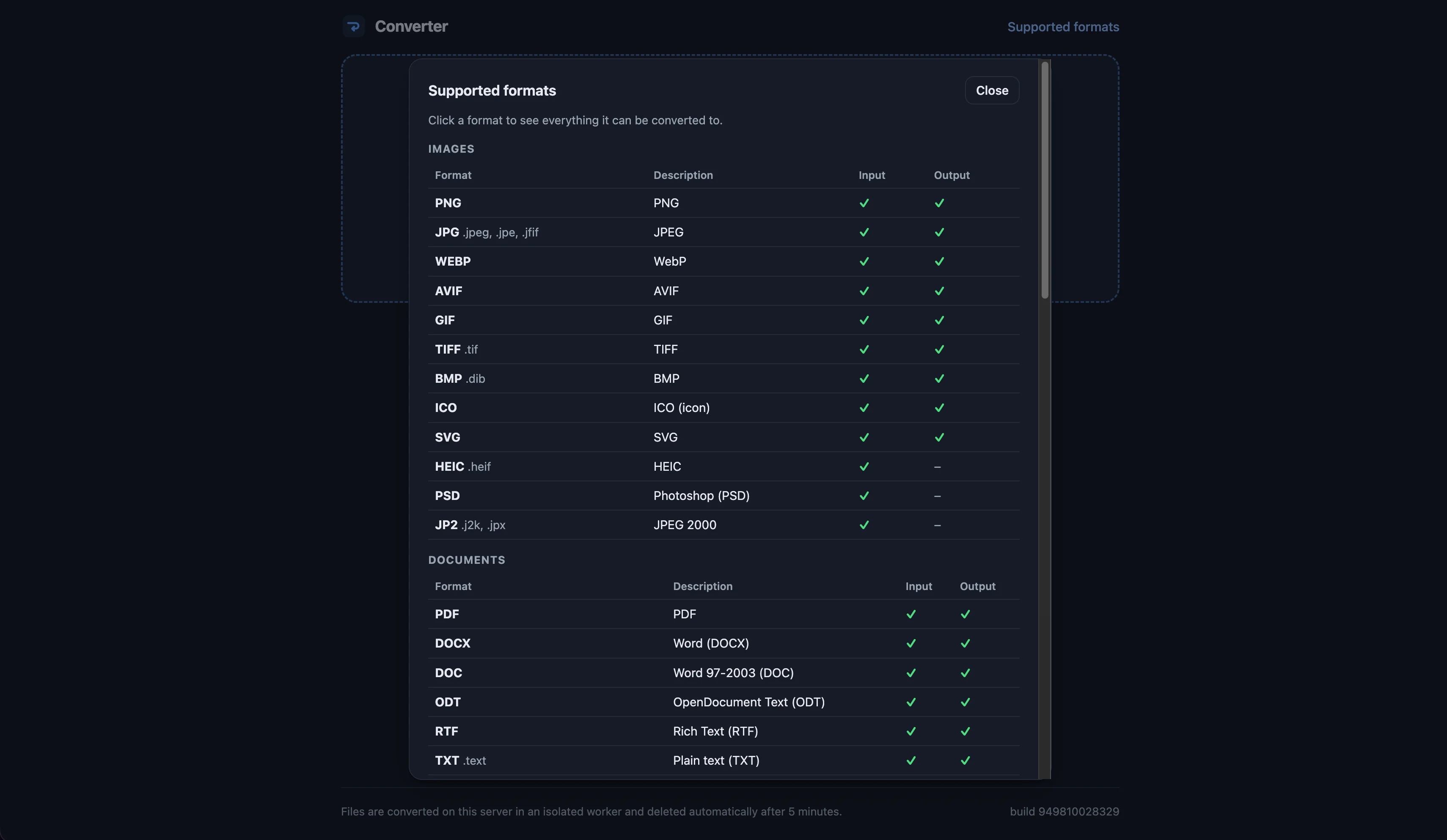
  • 58 formats in, 39 out, across six categories — images (PNG, JPG, WebP, AVIF, GIF, TIFF, BMP, ICO, SVG, HEIC, PSD, JPEG 2000), documents (PDF, DOCX, DOC, ODT, RTF, TXT and more), spreadsheets (XLSX, XLS, ODS, CSV, TSV, Numbers), presentations (PPTX, PPT, PPSX, ODP, Keynote), audio (MP3, WAV, FLAC, OGG, Opus, M4A, AAC, AIFF, WMA, AMR), and video (MP4, MOV, MKV, WebM, AVI, WMV, FLV, M4V, MPG, 3GP, TS)
  • 673 conversion routes, 217 of them multi-step chains it plans for you — the format picker shows the path ("via PDF, PNG"), so nothing is a black box
  • Batch by default: up to 50 files of 100 MB each per job, a "Download all" zip, and a "Combine everything into one PDF" option for scans and photos
  • Quality and resolution controls where they matter: a quality slider for lossy images, and 72 to 600 dpi when rasterizing a PDF
  • A Supported Formats reference built into the app — click any format to see everything it can be turned into
  • Private by default: files are converted on our own server in an isolated worker, never handed to a third party, and deleted automatically after five minutes — and the app says so on every screen rather than burying it in a policy
  • Built on the tools that actually do this well — LibreOffice, ffmpeg, ImageMagick, libvips, Poppler, and pandoc — instead of one lowest-common-denominator library trying to do everything

The screenshots on this page were converted from PNG to WebP with it. Free to use, no account required — convert.cyberconnectit.com.

free, no account needed

Copy Paste — An Online Clipboard

Public Service / Self-Hosted Software — paste.cyberconnectit.com — 2026

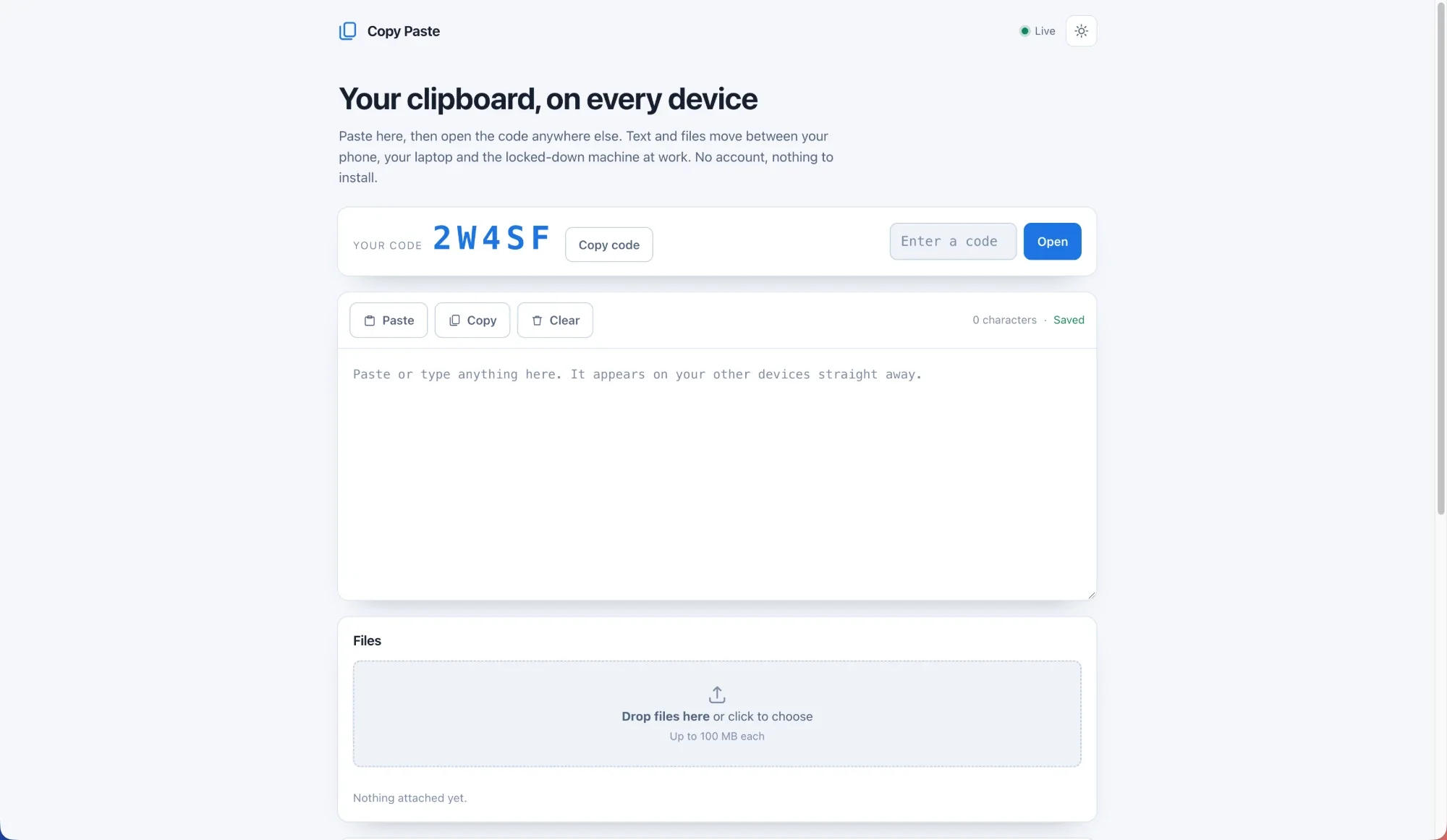
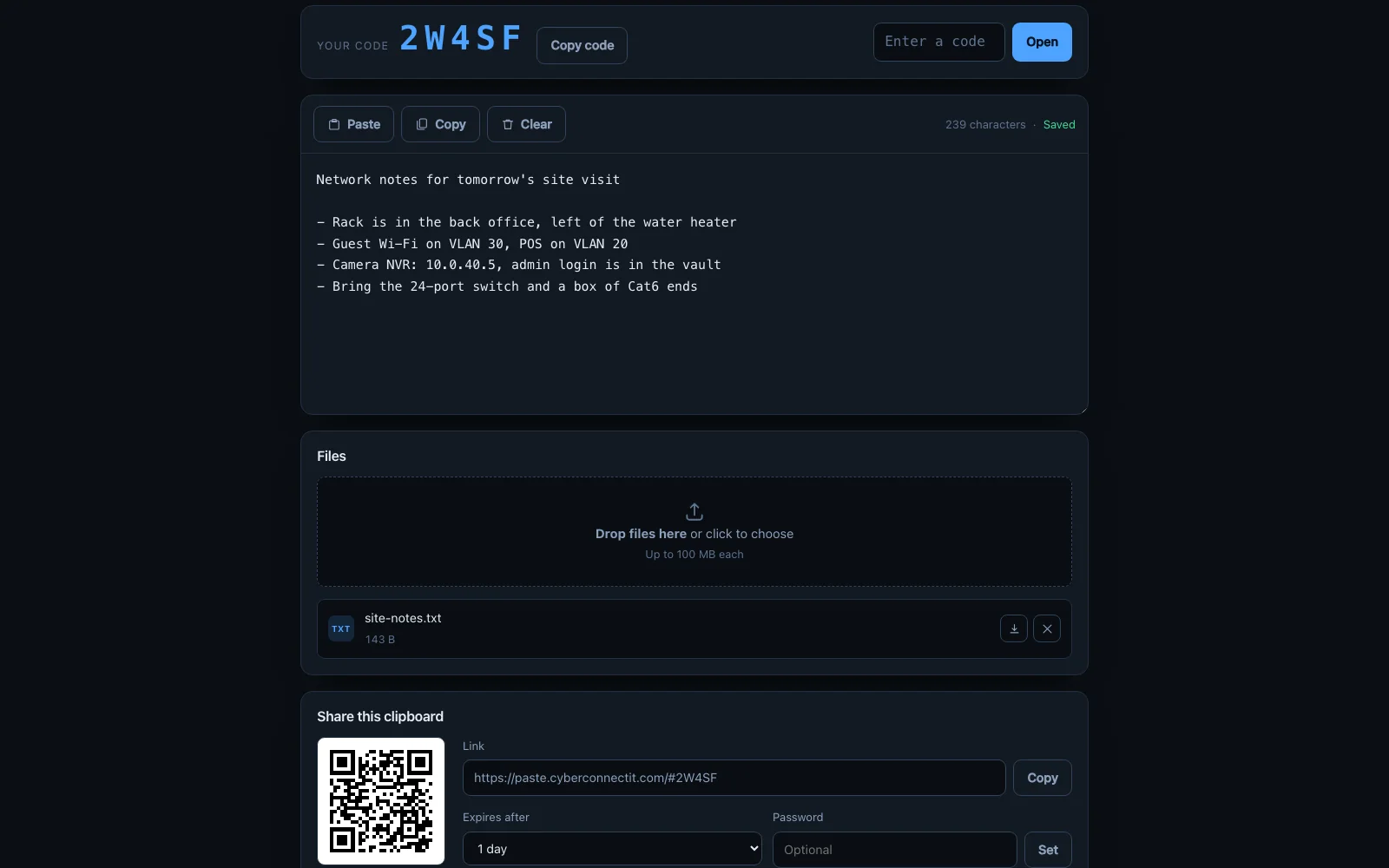
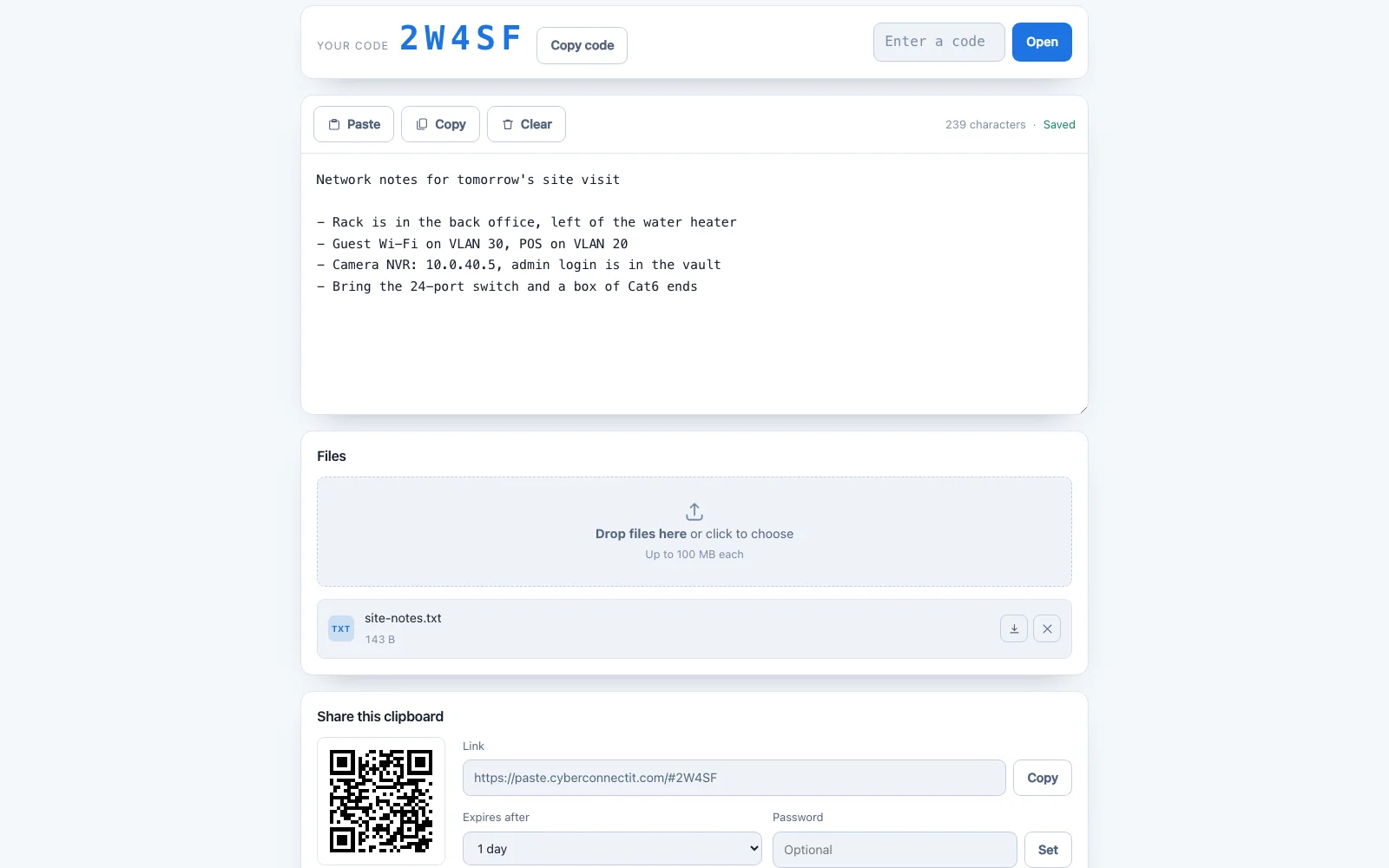
Paste text or drop files on one device, open a five-character code on another, and it's there. No account, nothing to install — built for moving things onto the locked-down machine at work, or off your phone and onto your laptop.

What it does

  • Text that syncs live: two devices on the same code see each other's edits over a websocket, with a debounced autosave in between
  • Files: drag and drop, paste an image straight into the page, or pick them — download one at a time or the whole clipboard as a zip
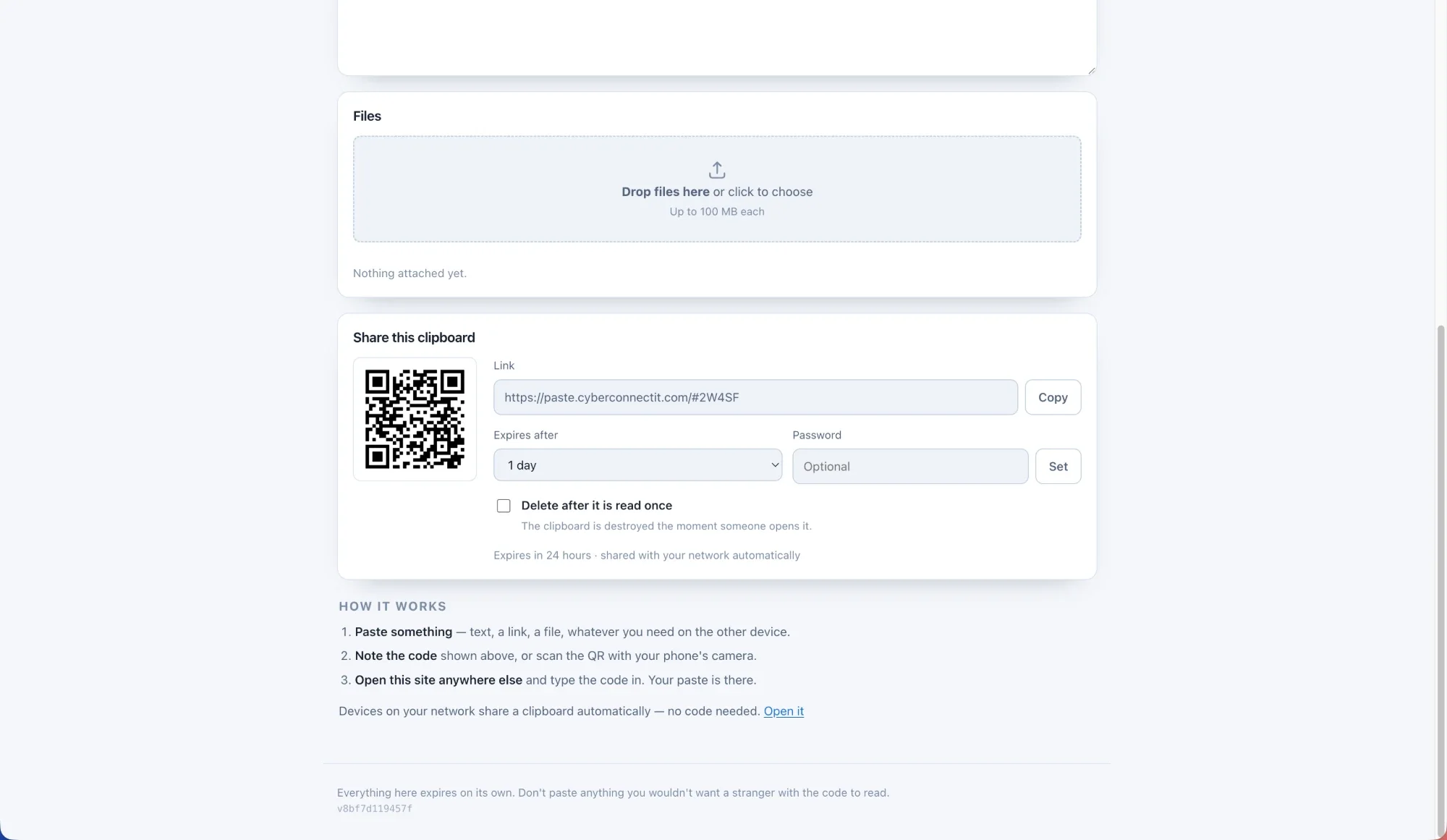
  • A code, a link and a QR: type the code, follow the link, or point a phone camera at the QR
  • Automatic network clipboard: devices sharing a public IP get a clipboard with no code to type at all — and it can be switched off per deployment
  • Expiry, passwords and burn-after-reading: everything expires on its own — a day by default, a week at most. A clipboard can be locked with a password, or set to destroy itself the moment someone reads it
  • No accounts, no IP addresses stored: the network clipboard is keyed by an HMAC of the address, never the address itself

It runs on the same principle as everything else on this site: self-hosted, free of accounts and tracking, and free to use — paste.cyberconnectit.com.

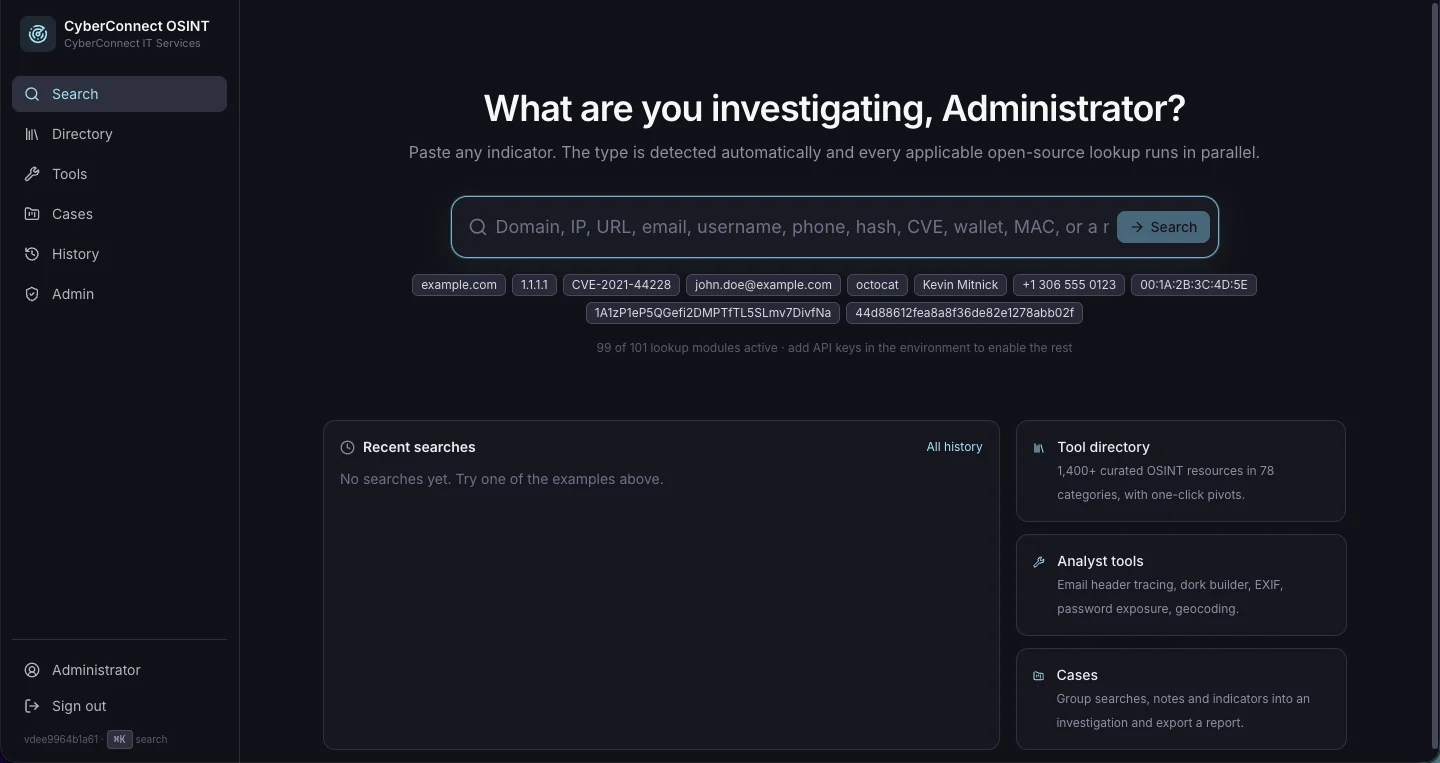
CyberConnect OSINT — Investigation Workbench

Security Tooling / Self-Hosted Software — 2026

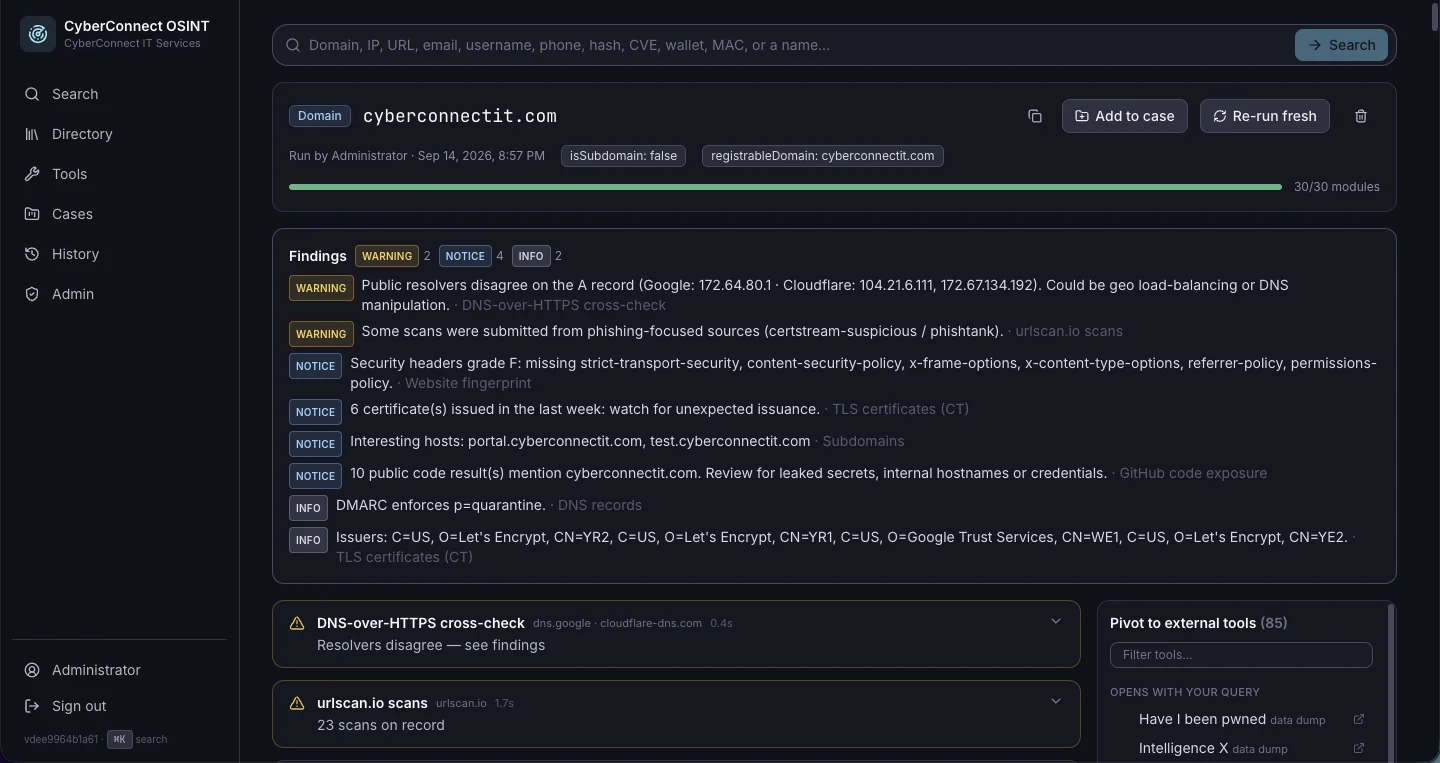
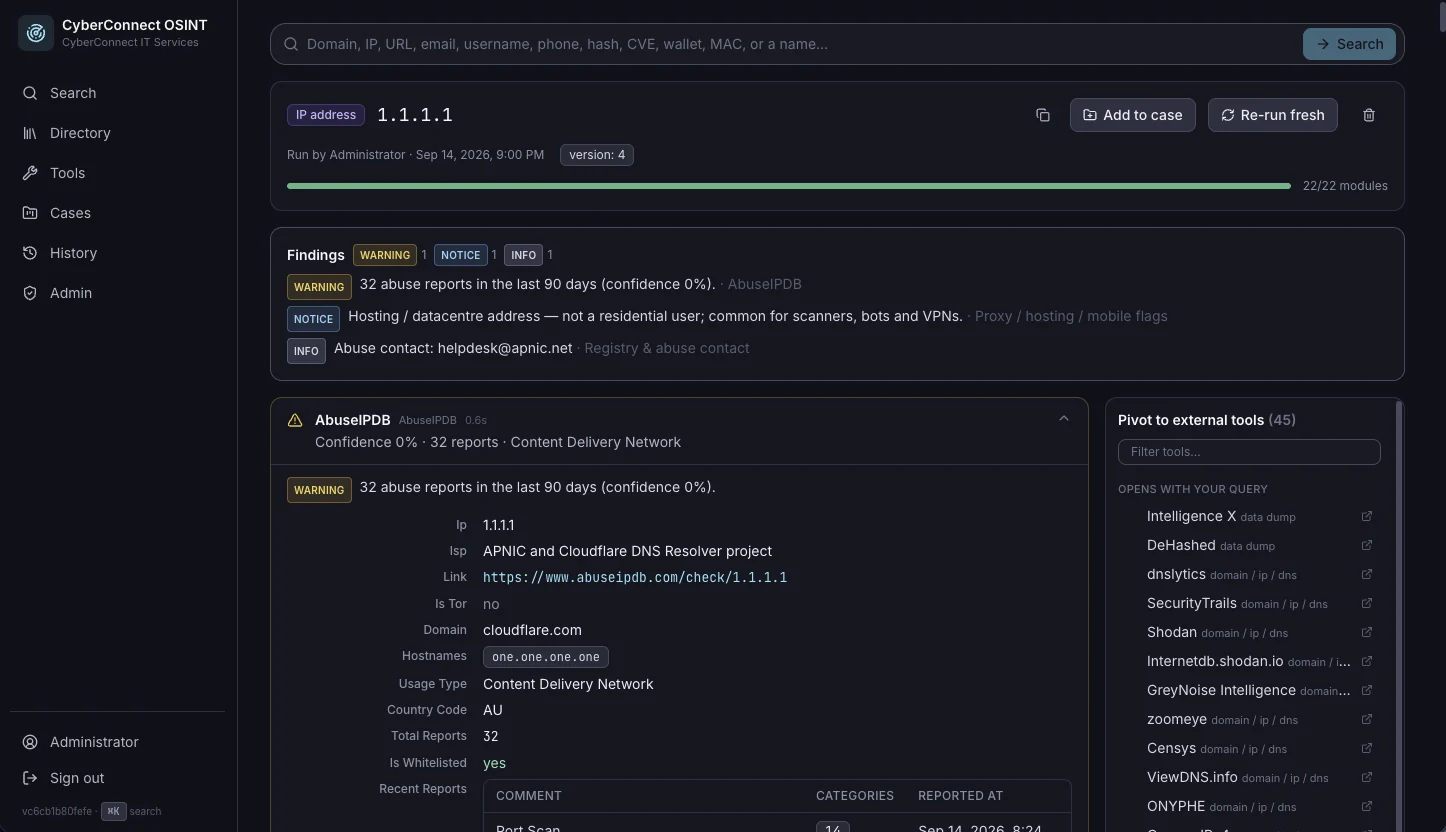
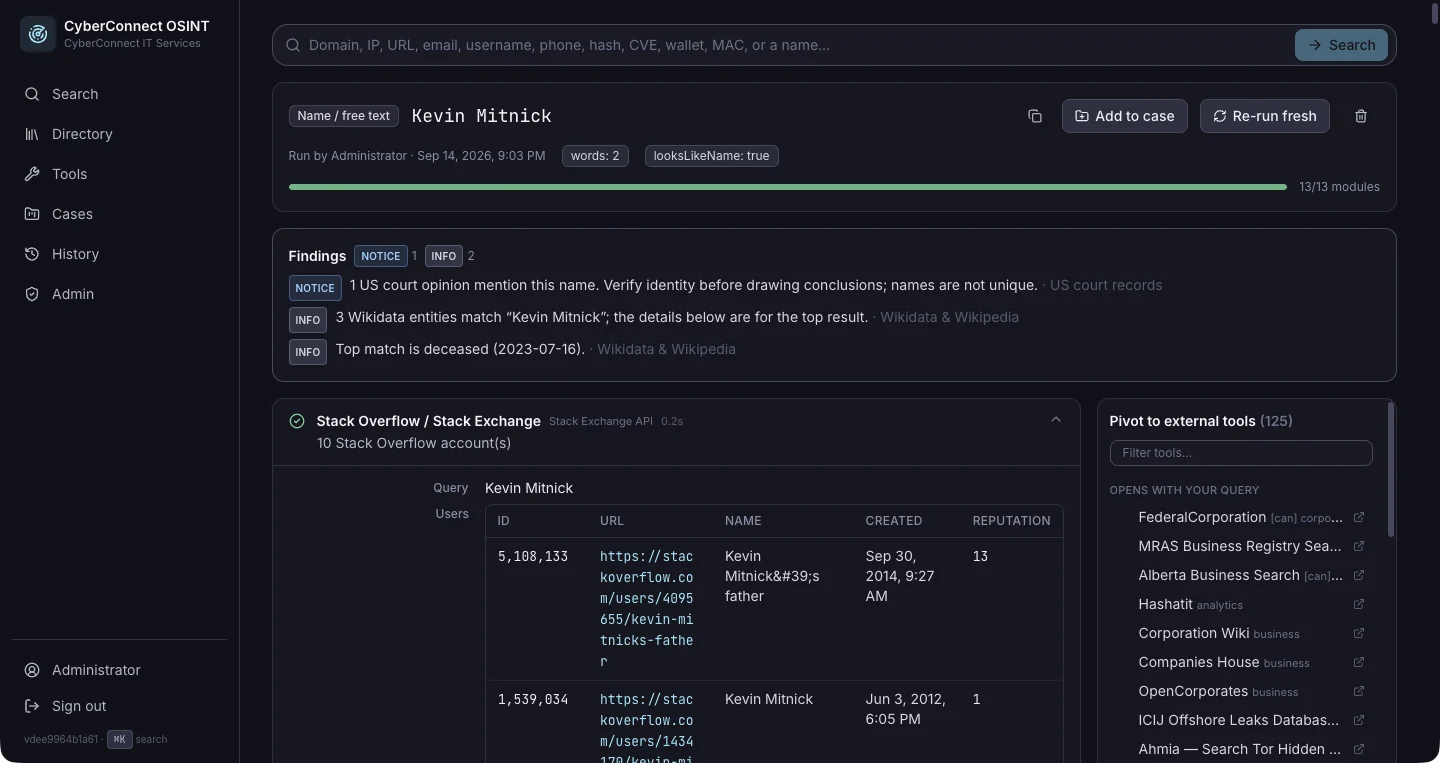
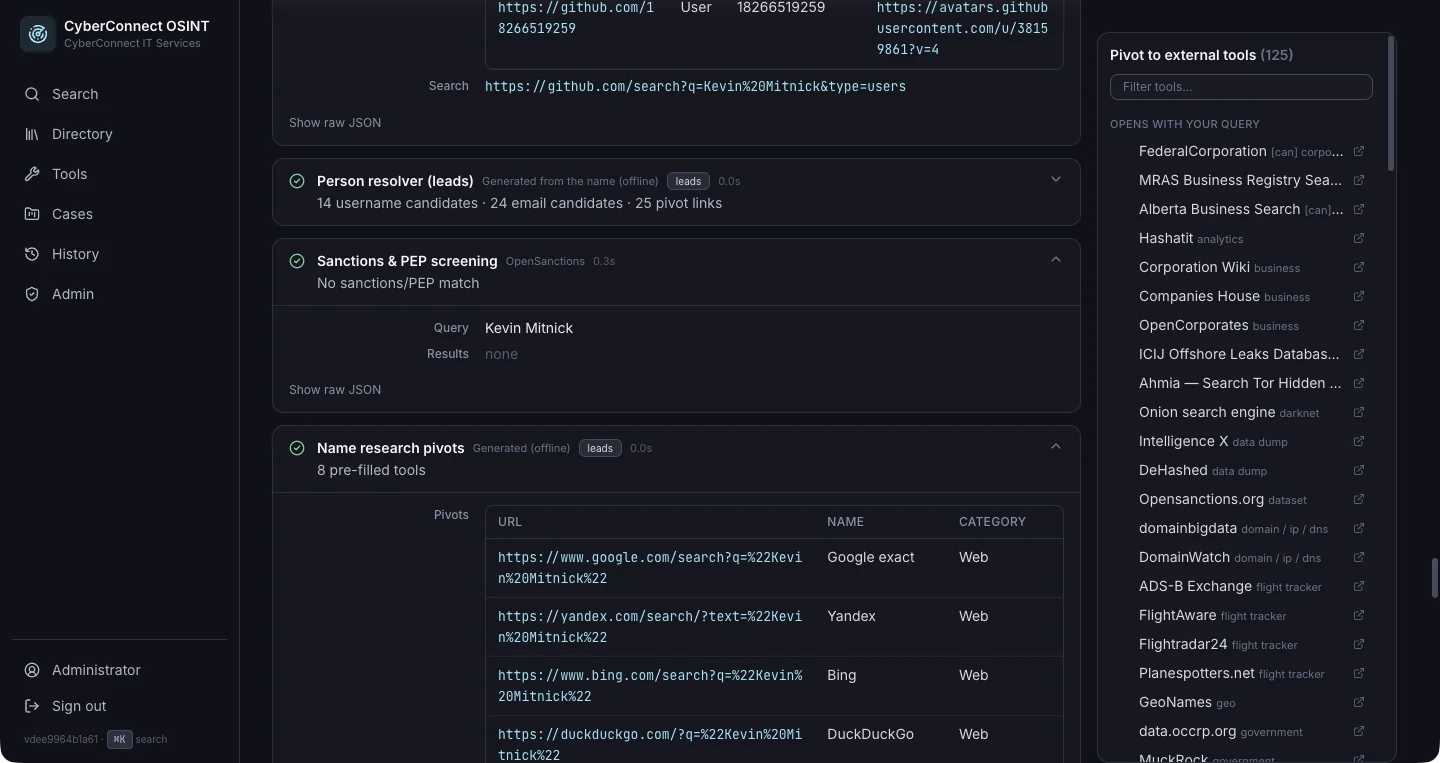
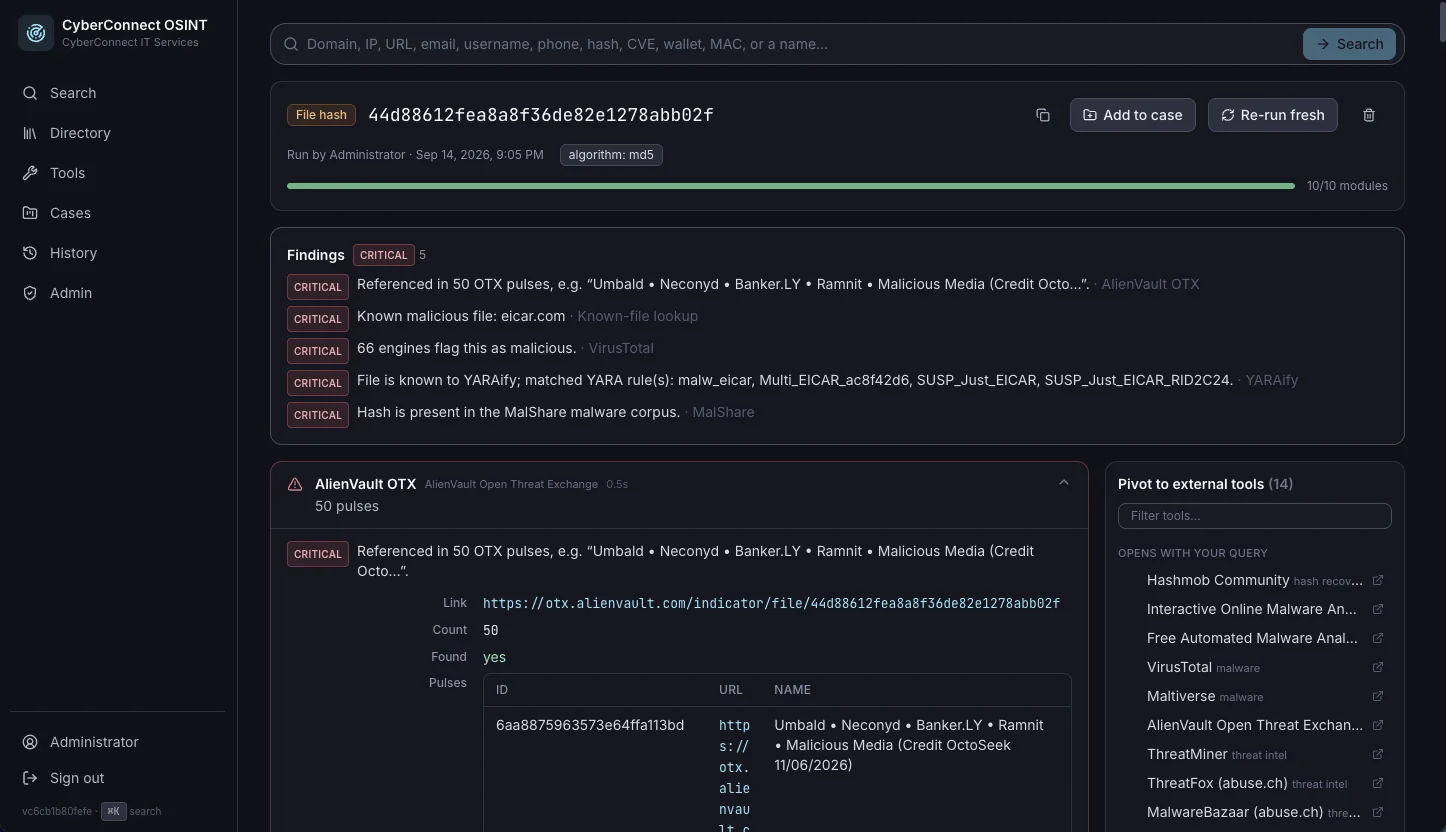
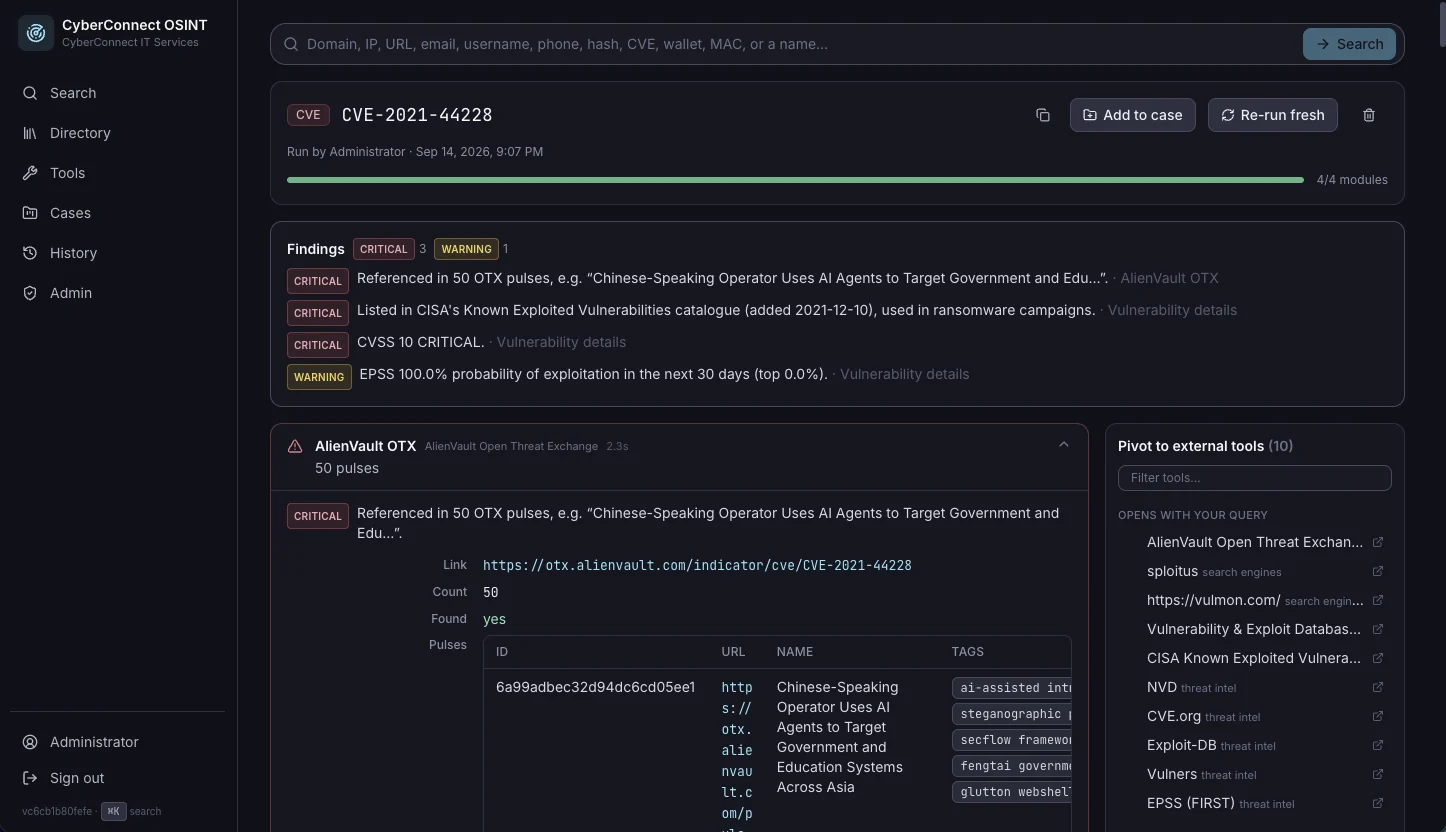
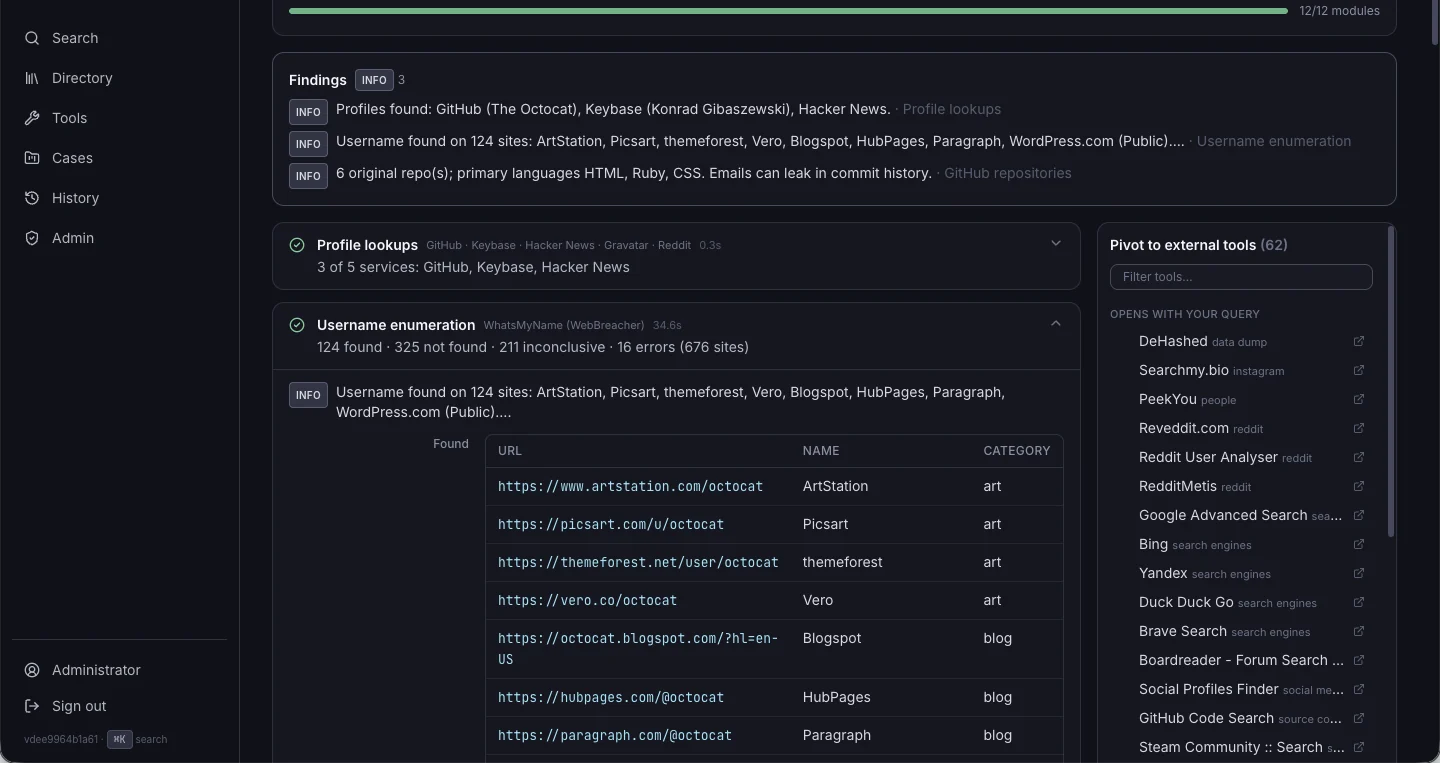
A self-hosted OSINT search and investigation workbench, built for our own security work. Paste any indicator — a domain, IP, CIDR, ASN, URL, email, username, phone number, file hash, CVE, Bitcoin or Ethereum address, MAC address, or a person's name — and it detects what it is, runs every applicable open-source lookup in parallel, highlights the findings that matter, and offers one-click pivots into more than 1,500 curated external tools. It runs on our own infrastructure, every lookup is audited, and files dropped in for malware triage are analysed in memory and never stored.
What it does

  • Unified search: automatic indicator detection across 15 types, defanged input like hxxp://evil[.]com refanged on the way in, live type hints, and "search as…" overrides for when it guesses wrong
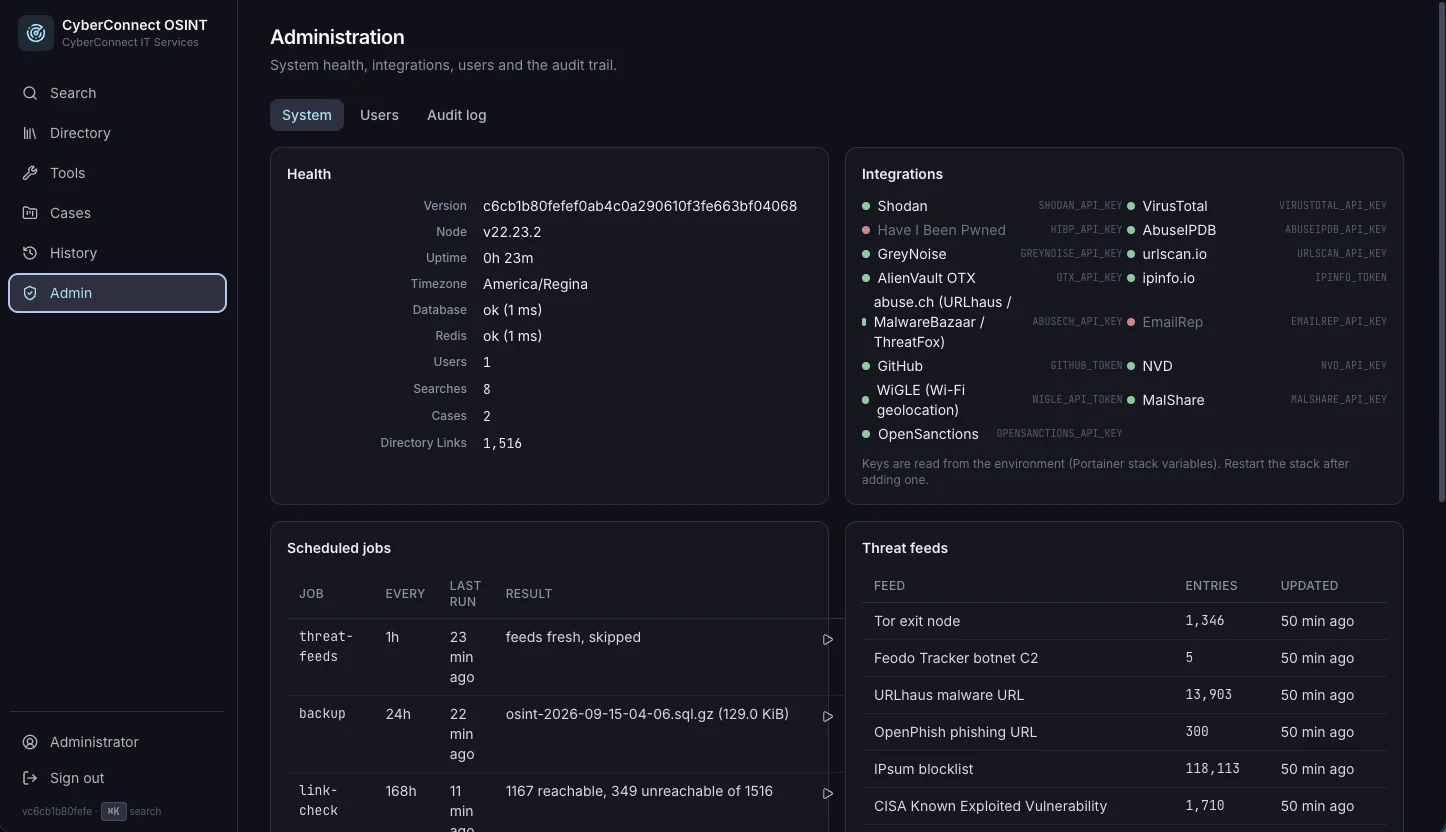
  • 100+ lookup modules streamed to the browser as each one finishes, with a one-line summary, severity-tagged findings, structured data, and raw JSON — built on Shodan InternetDB, RDAP, Certificate Transparency, HackerTarget, the Internet Archive, RIPEstat, urlscan.io, AlienVault OTX, Have I Been Pwned, CIRCL hashlookup, NVD, FIRST EPSS, CISA KEV, and the abuse.ch and OpenPhish feeds, with optional API keys for VirusTotal, Shodan, GreyNoise, AbuseIPDB, EmailRep, and MalwareBazaar
  • People research: resolve a name from Wikidata, Wikipedia, DuckDuckGo, CourtListener, Hacker News, GitHub, and OpenSanctions, plus a person resolver that generates likely usernames, email addresses, people-search pivots, and a dork pack
  • Location: IP geolocation from two independent sources, and Wi-Fi geolocation from a network name or access-point MAC via WiGLE, rendered on an interactive map
  • Malware triage: drag in a file for hashes, type detection, entropy and packing signals, a PE-header summary, embedded IOCs, and one-click sandbox and multiscanner pivots
  • Findings and pivots: a findings panel that surfaces critical and warning items across every module first, and a pivot panel of 216 templated tools with the query already filled in
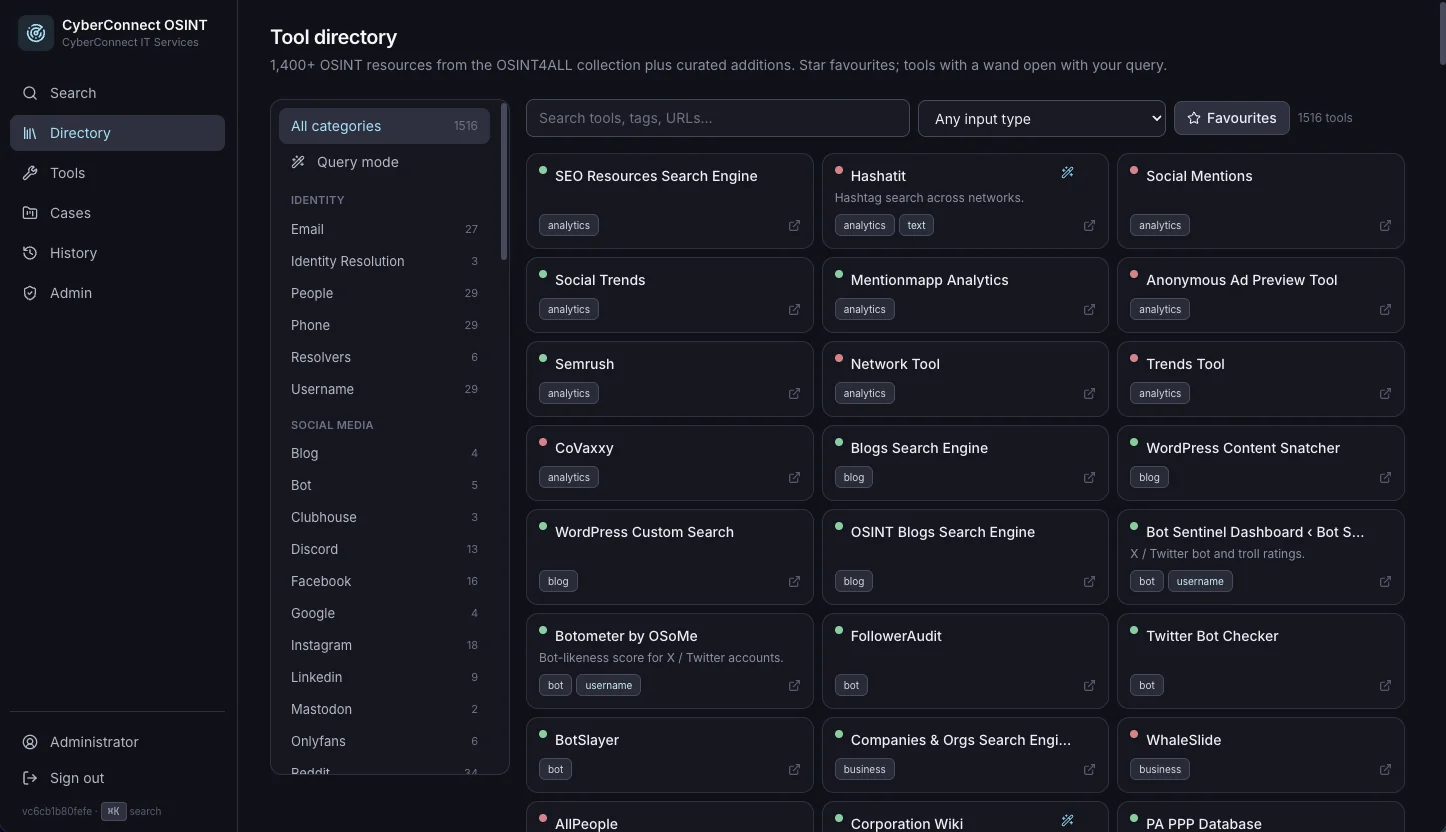
  • Tool directory: the OSINT4ALL collection (1,455 links across 77 categories) plus 61 curated modern additions, searchable, with per-user favourites and a weekly dead-link checker
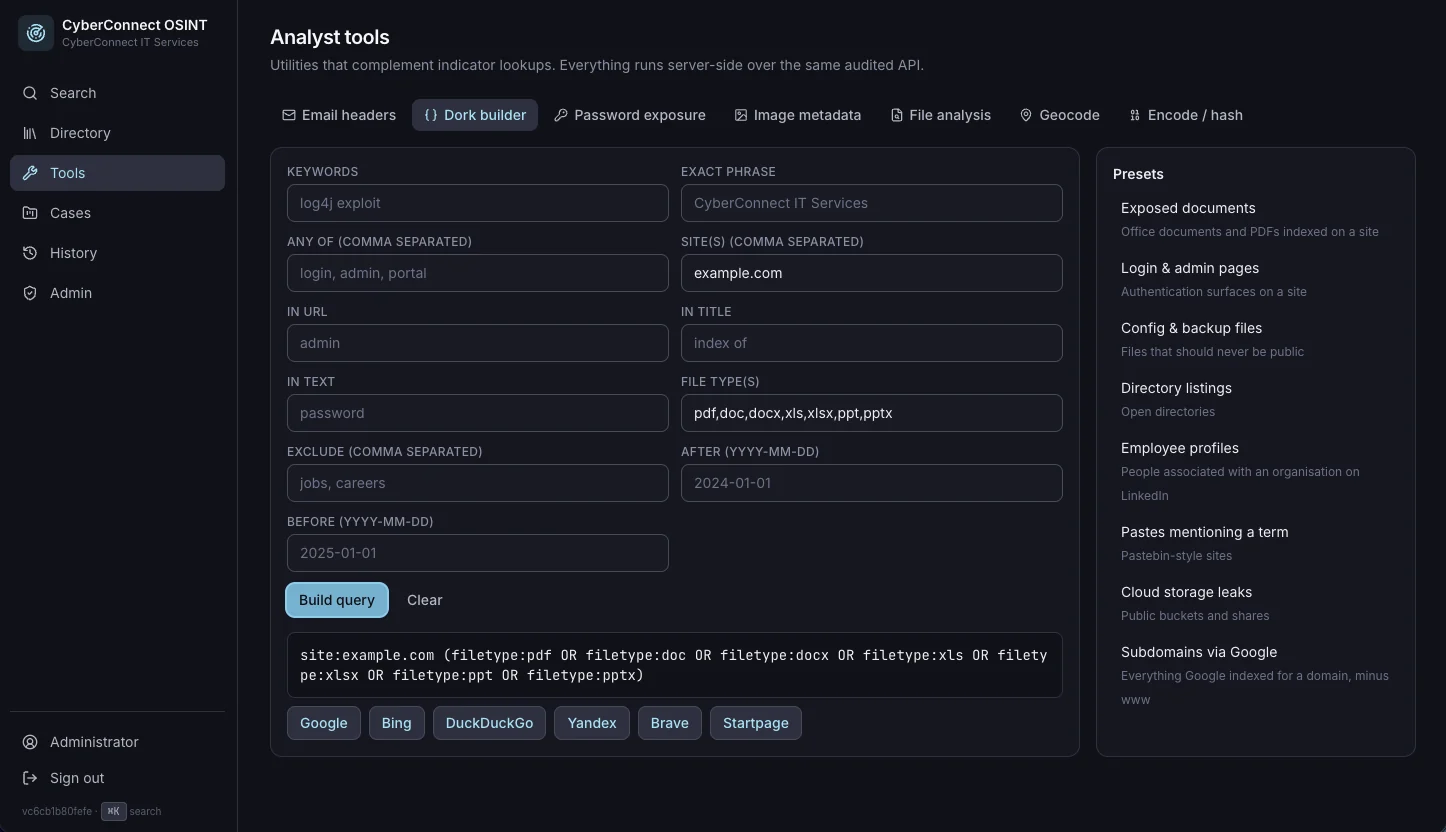
  • Analyst tools: email header tracing (delivery path, originating IP, SPF/DKIM/DMARC, red flags), a Google-dork builder with presets, password exposure checks via k-anonymity, image EXIF/GPS extraction, geocoding, and encode/decode/hash/defang utilities
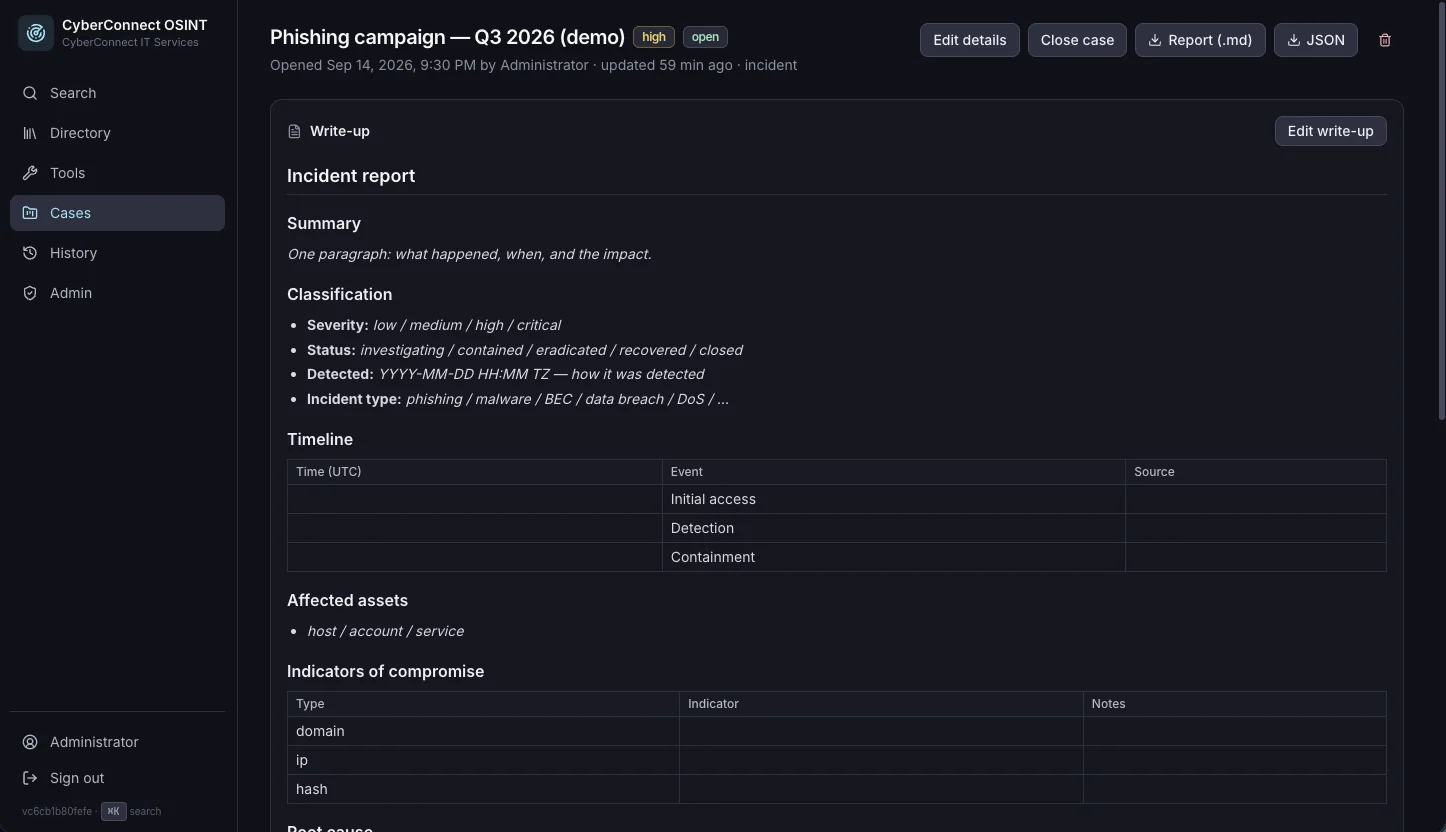
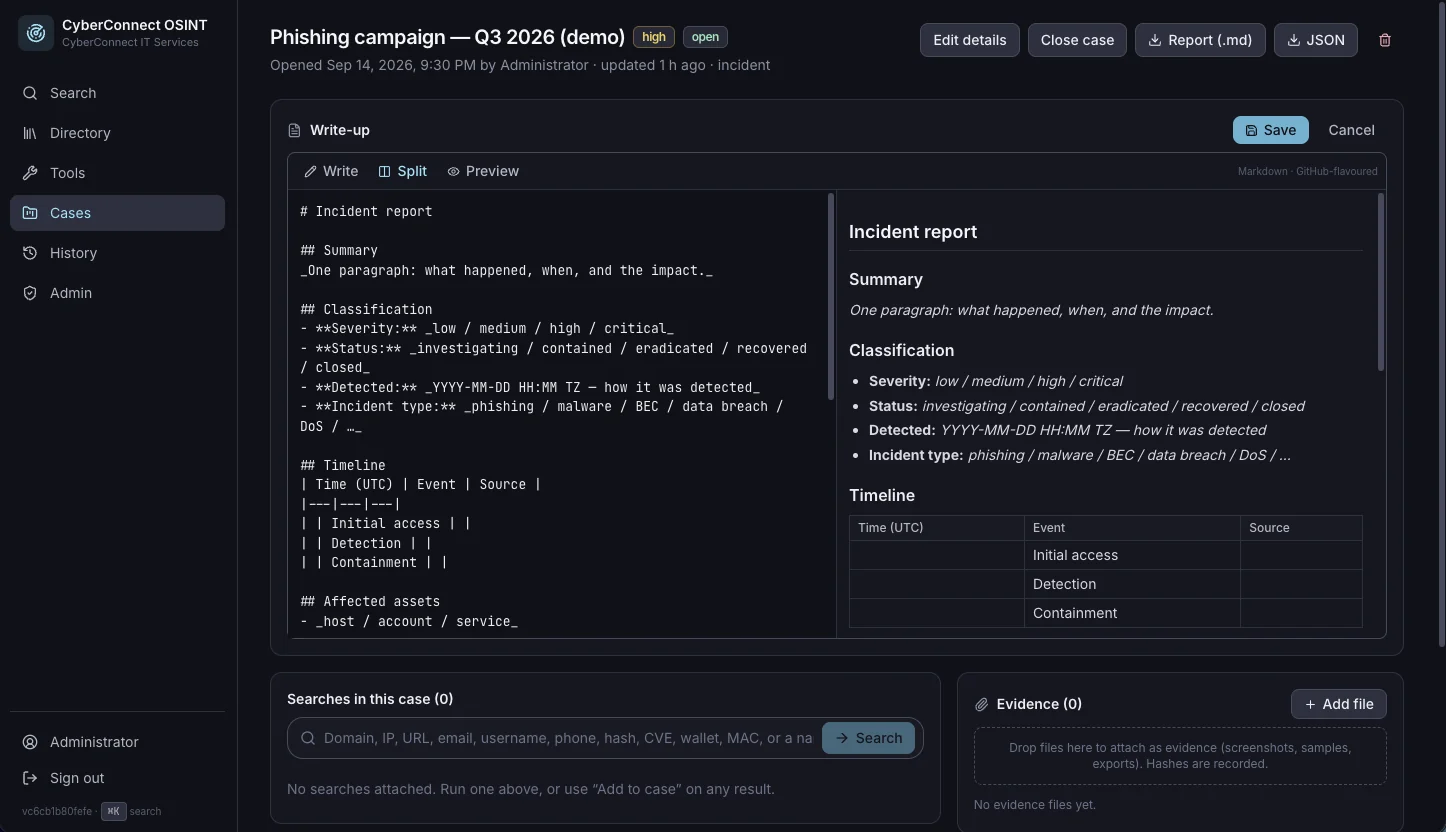
  • Cases: a full write-up workspace — Markdown editor with live preview, starter templates for incident reports, malware analysis, threat intel, OSINT investigations, and vulnerability write-ups, evidence attachments with recorded hashes, and Markdown/JSON report export — with a shared team history of every search and its finding count
  • Ops: one container serving API and UI on Postgres 16 and Redis 7, with SSRF-guarded outbound requests, CSRF-protected sessions, login rate limiting, scheduled backups, and a full audit log
open source, yours to run

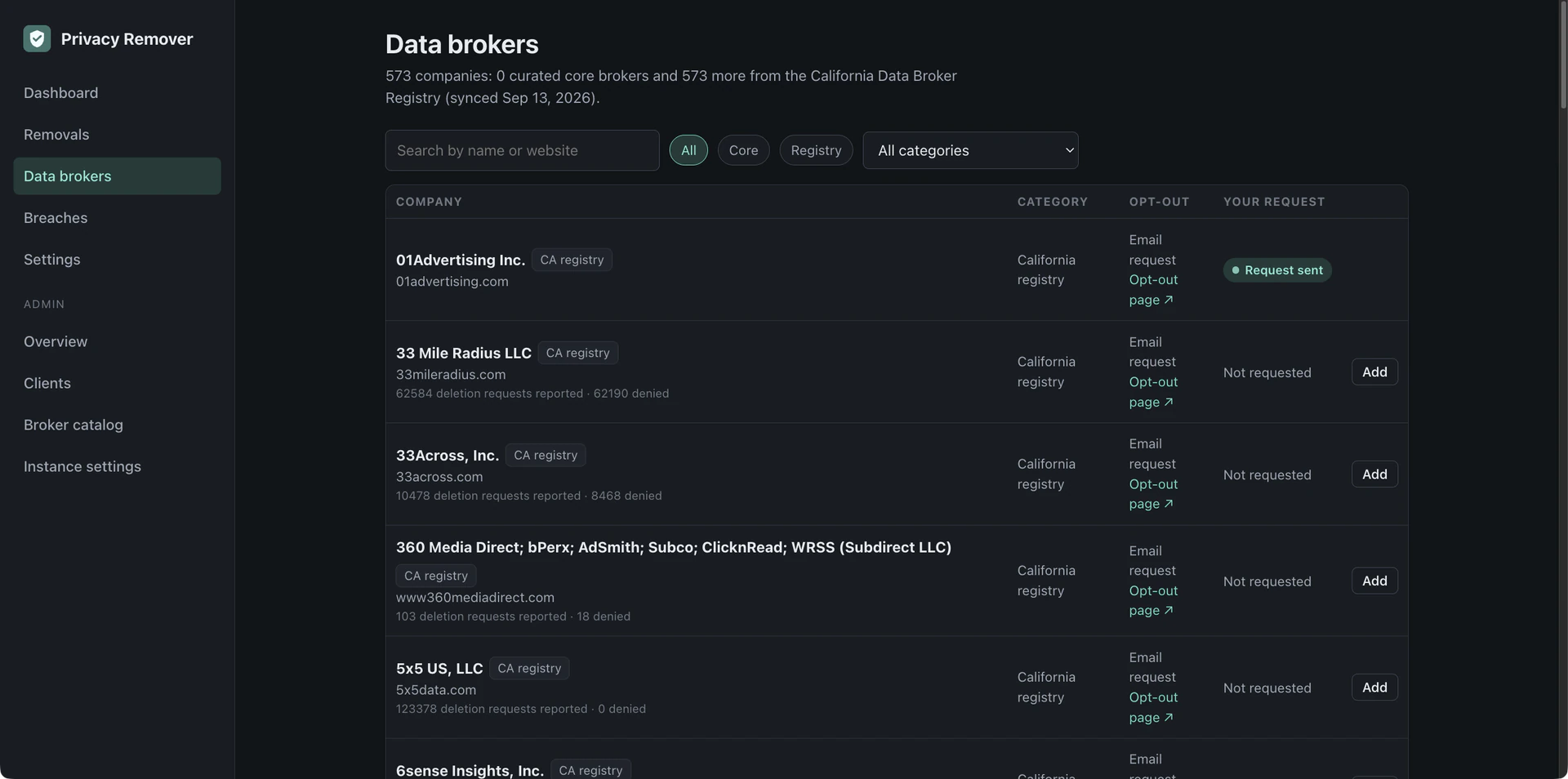
Privacy Remover — Personal Data Removal

Privacy Service / Self-Hosted, Open-Source Software — 2026

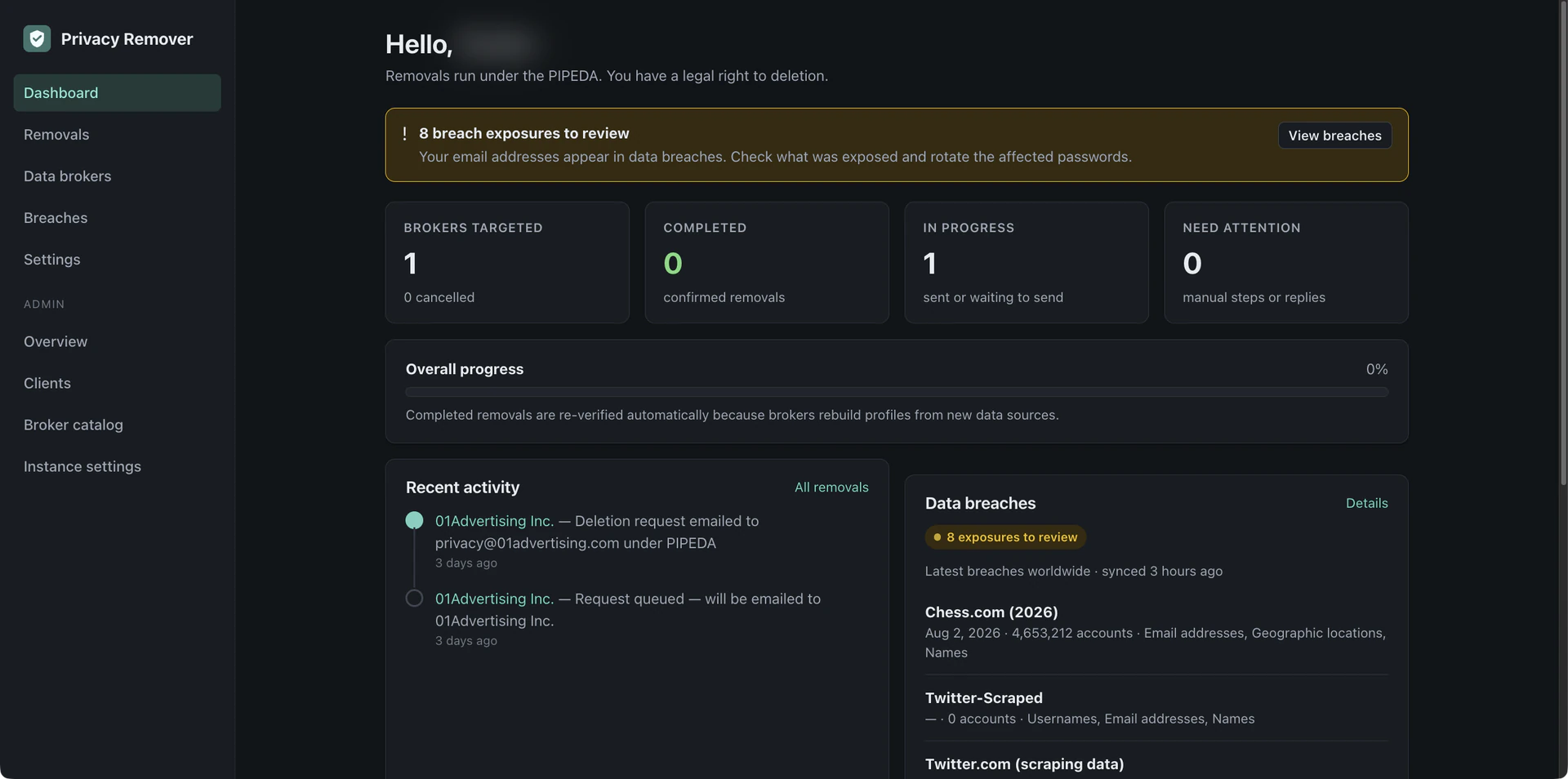
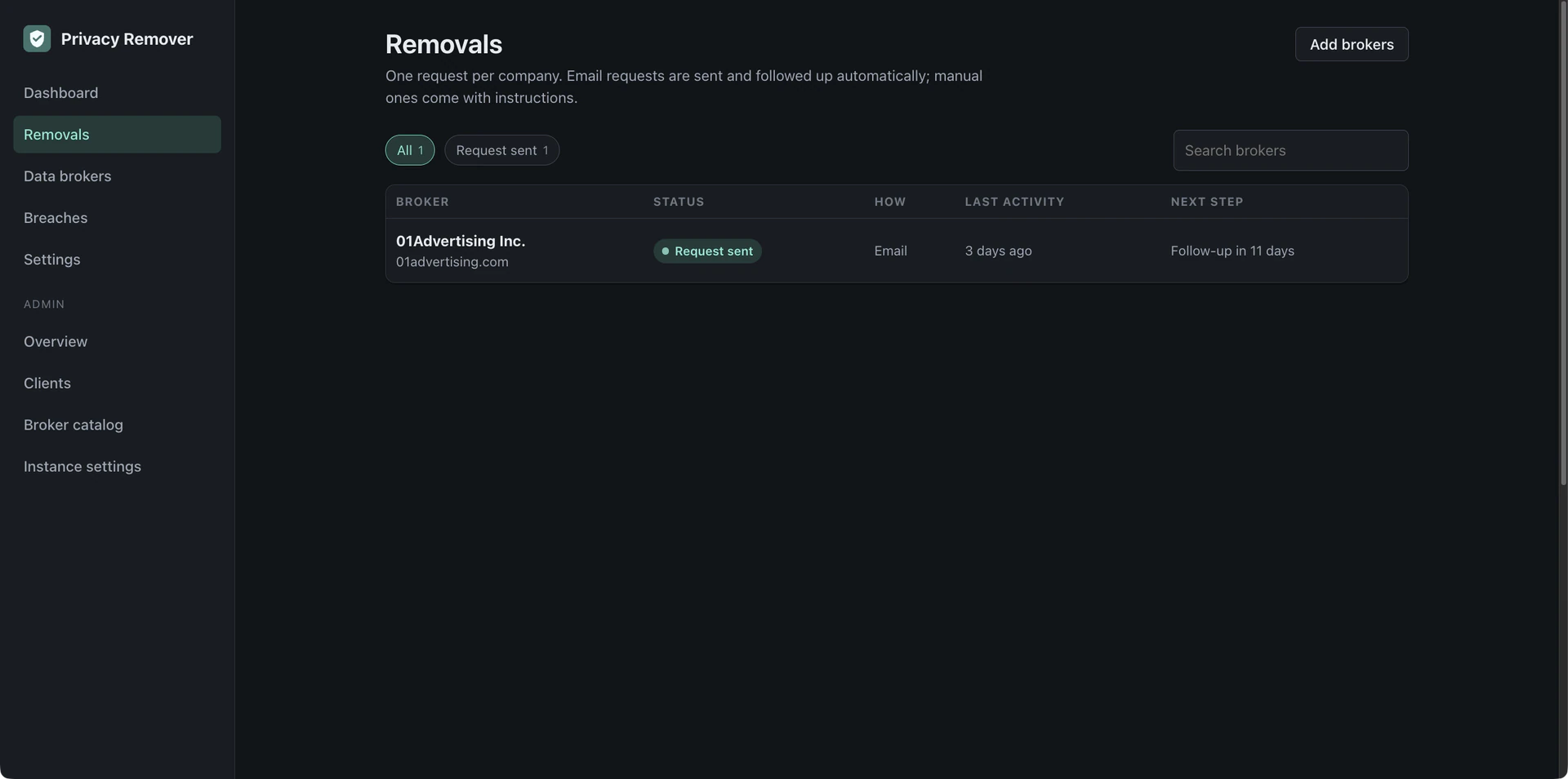
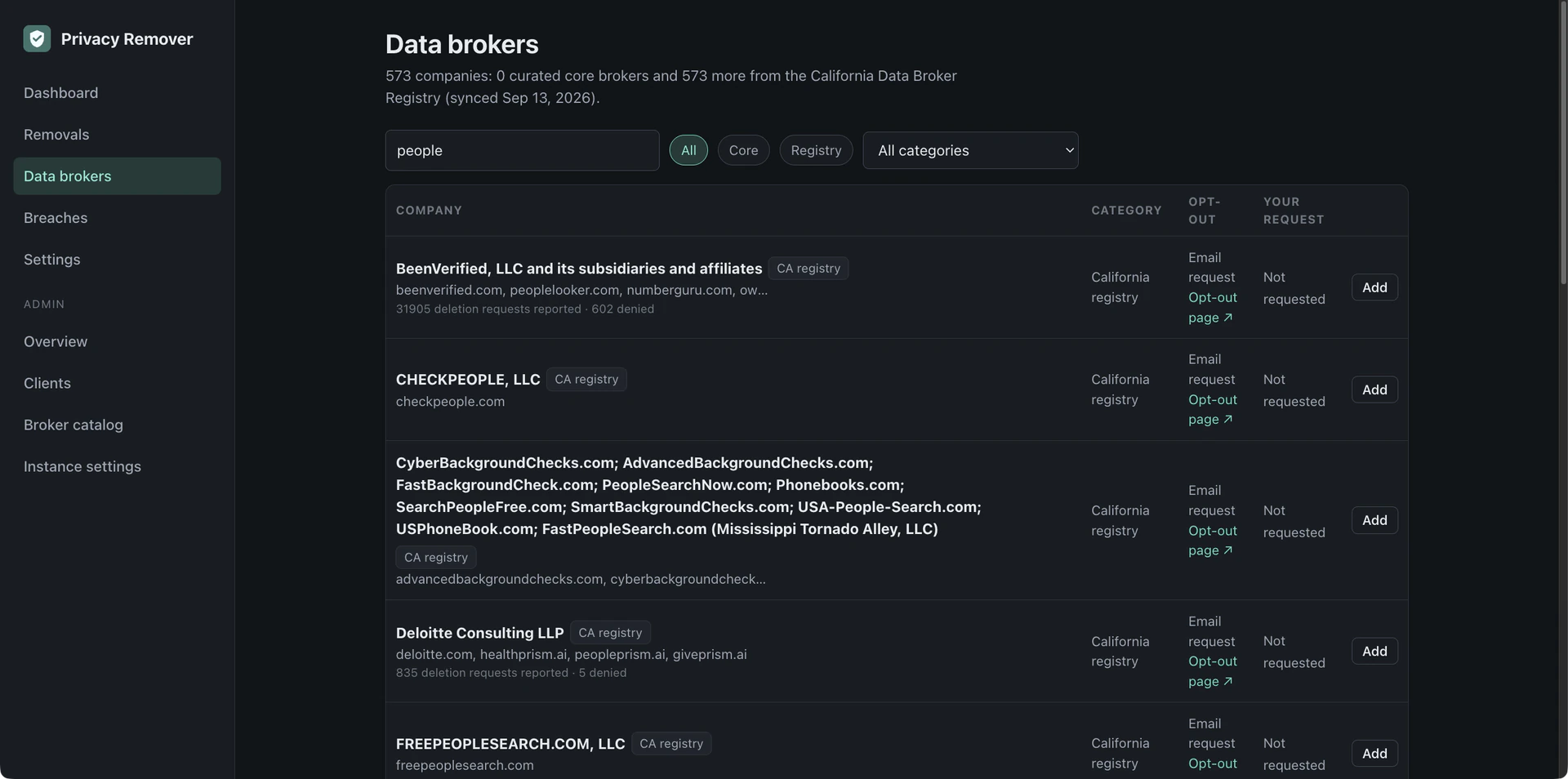
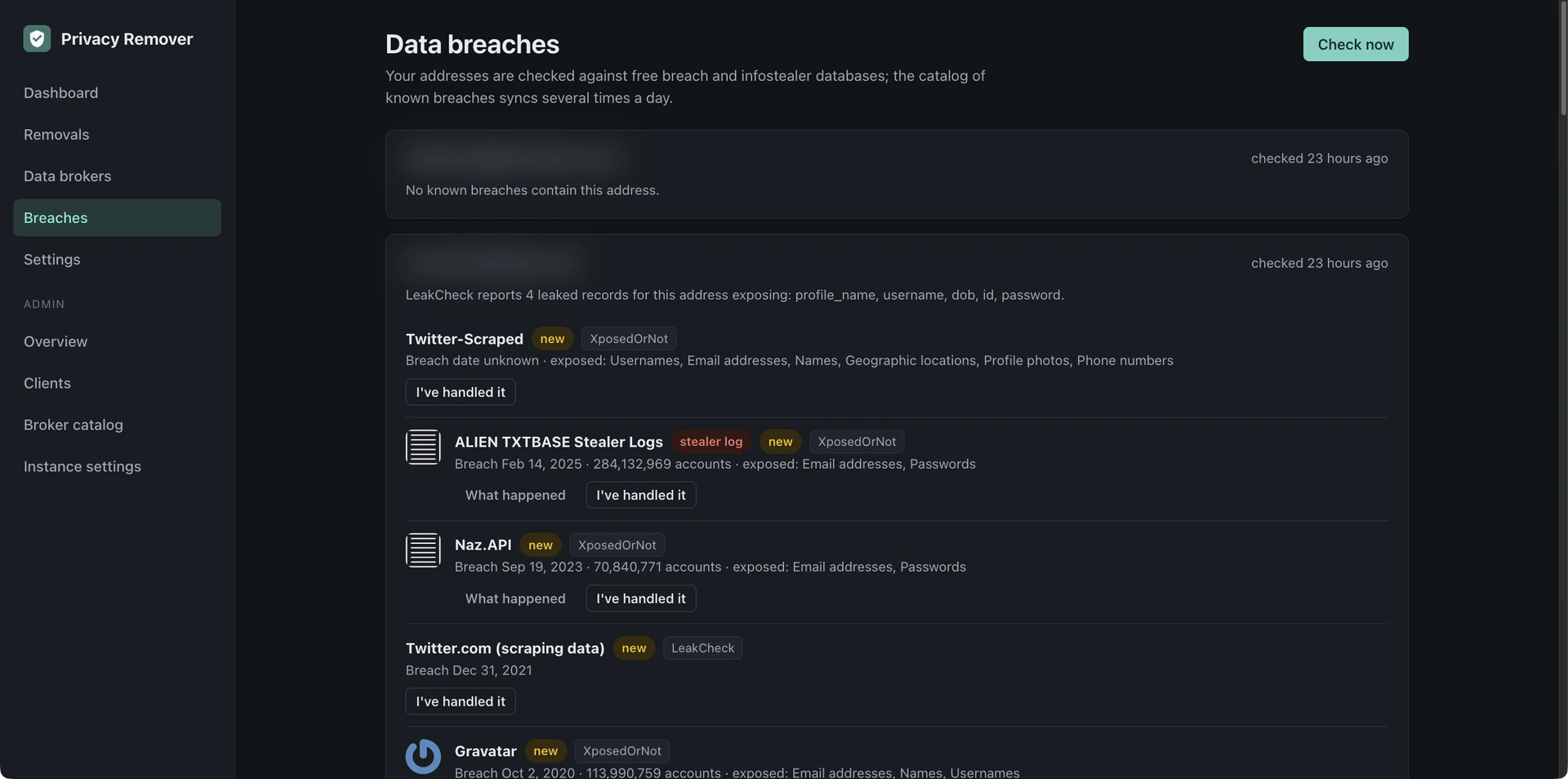
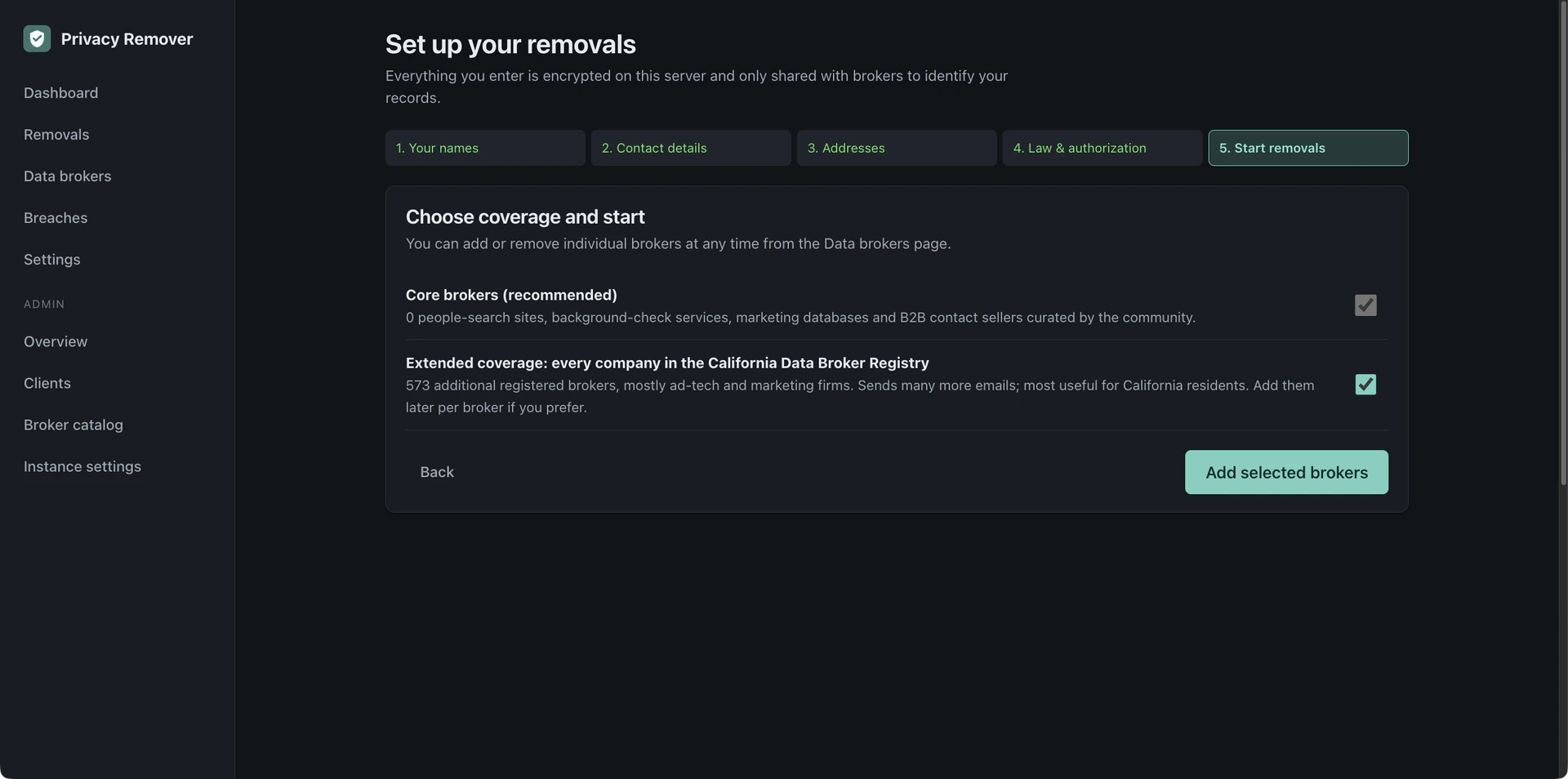
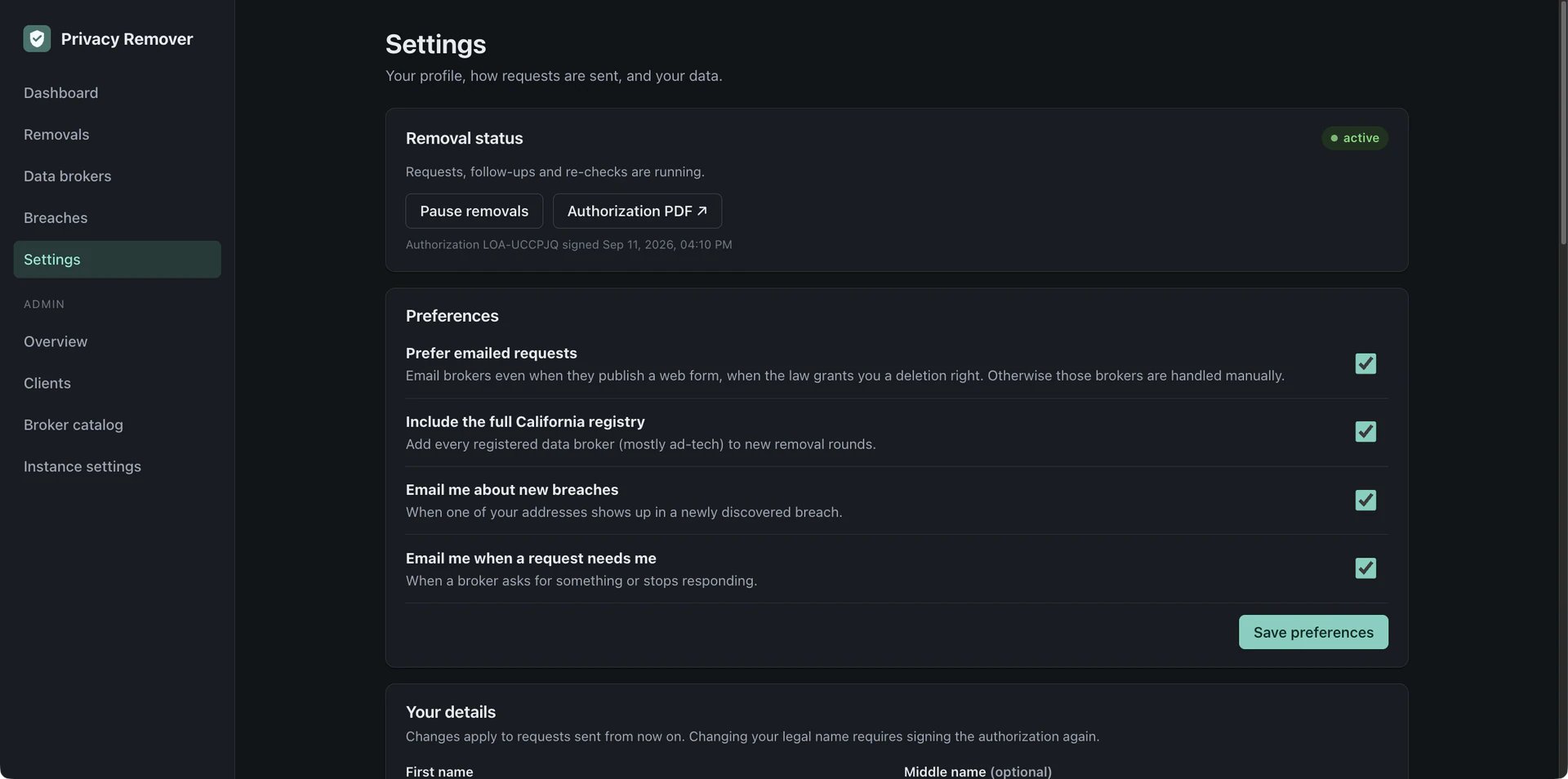
Self-hosted, open-source personal data removal — like Incogni or DeleteMe, but yours. Privacy Remover sends legally grounded deletion requests to data brokers on behalf of the people you host it for, follows up until brokers comply, re-checks them every few months, and warns each person when their email address turns up in a new data breach. One Docker Compose file, one Postgres database, no third-party services required.
What it does

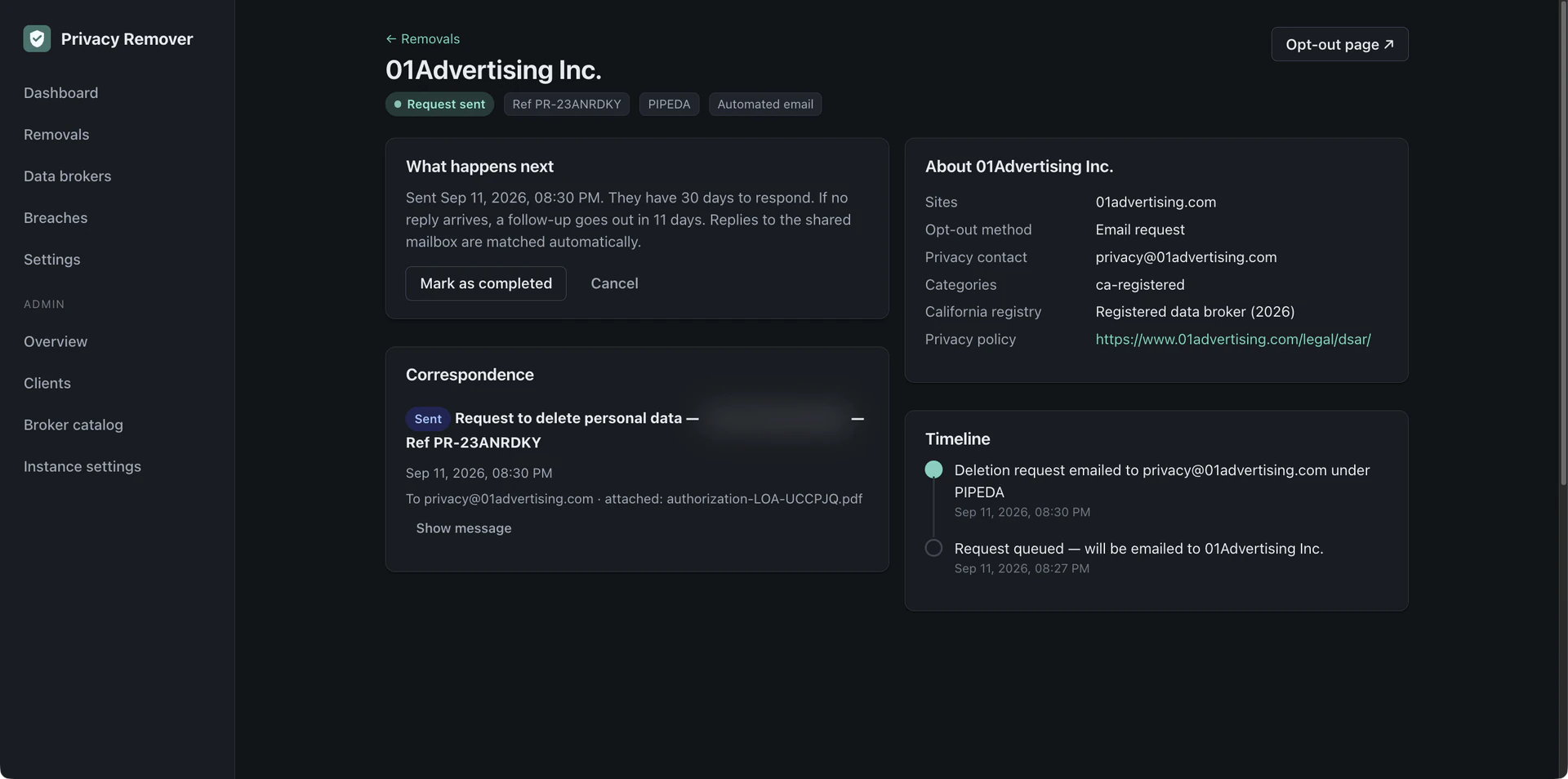
  • Automated deletion requests: one profile (names, emails, phones, addresses) becomes one request per broker, citing the law that applies to the person — CCPA/CPRA, the state laws of Virginia, Colorado, Connecticut, Texas, Oregon and a dozen more, GDPR, UK GDPR, Swiss FADP, PIPEDA, LGPD, or a generic opt-out where no deletion right exists — emailed automatically with a signed authorization letter attached, so brokers accept it from an authorized agent
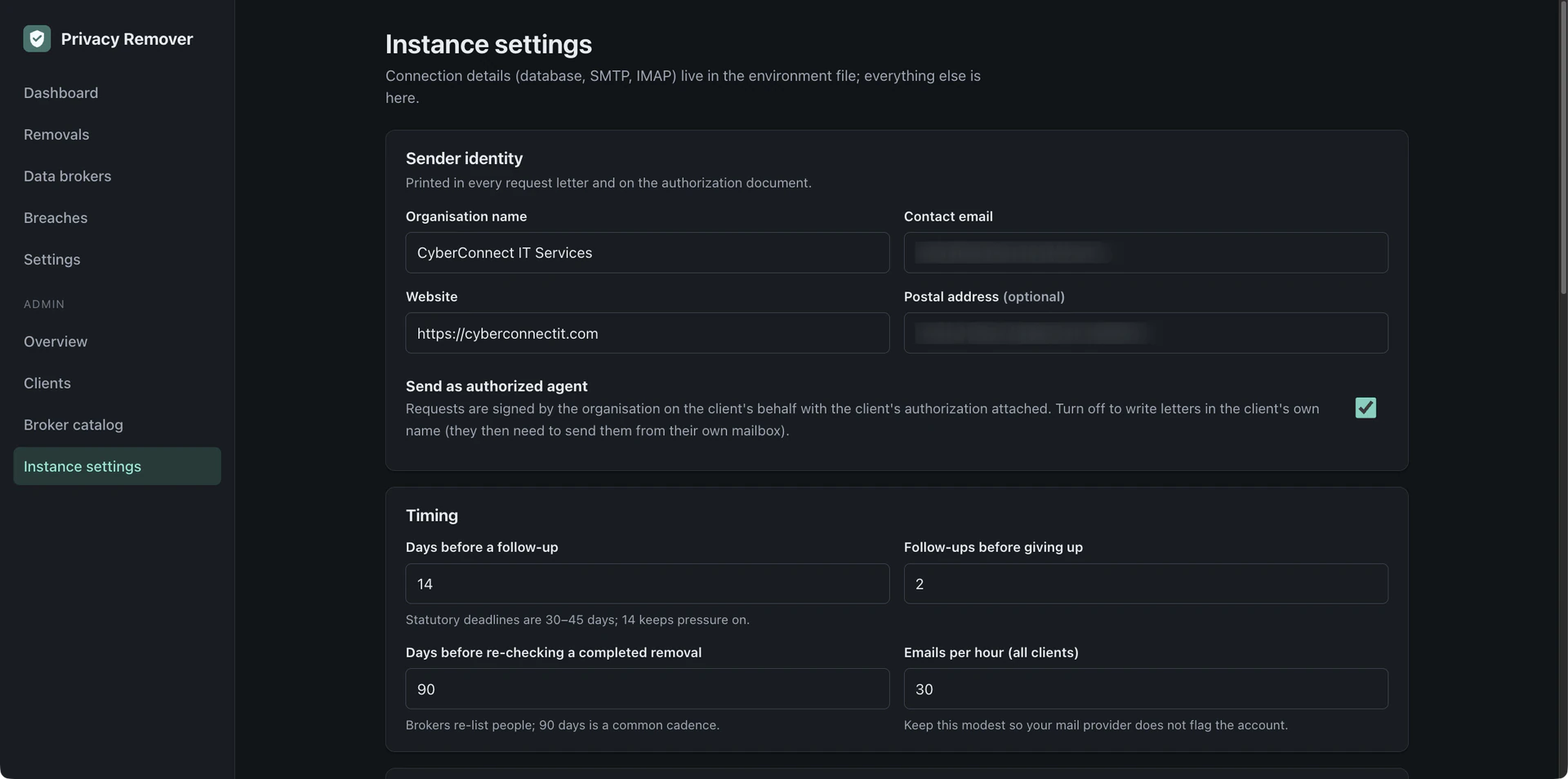
  • Follow-ups and escalation: no answer in 14 days means a follow-up; still nothing means a final notice; then the request is flagged with a link to the regulator to complain to
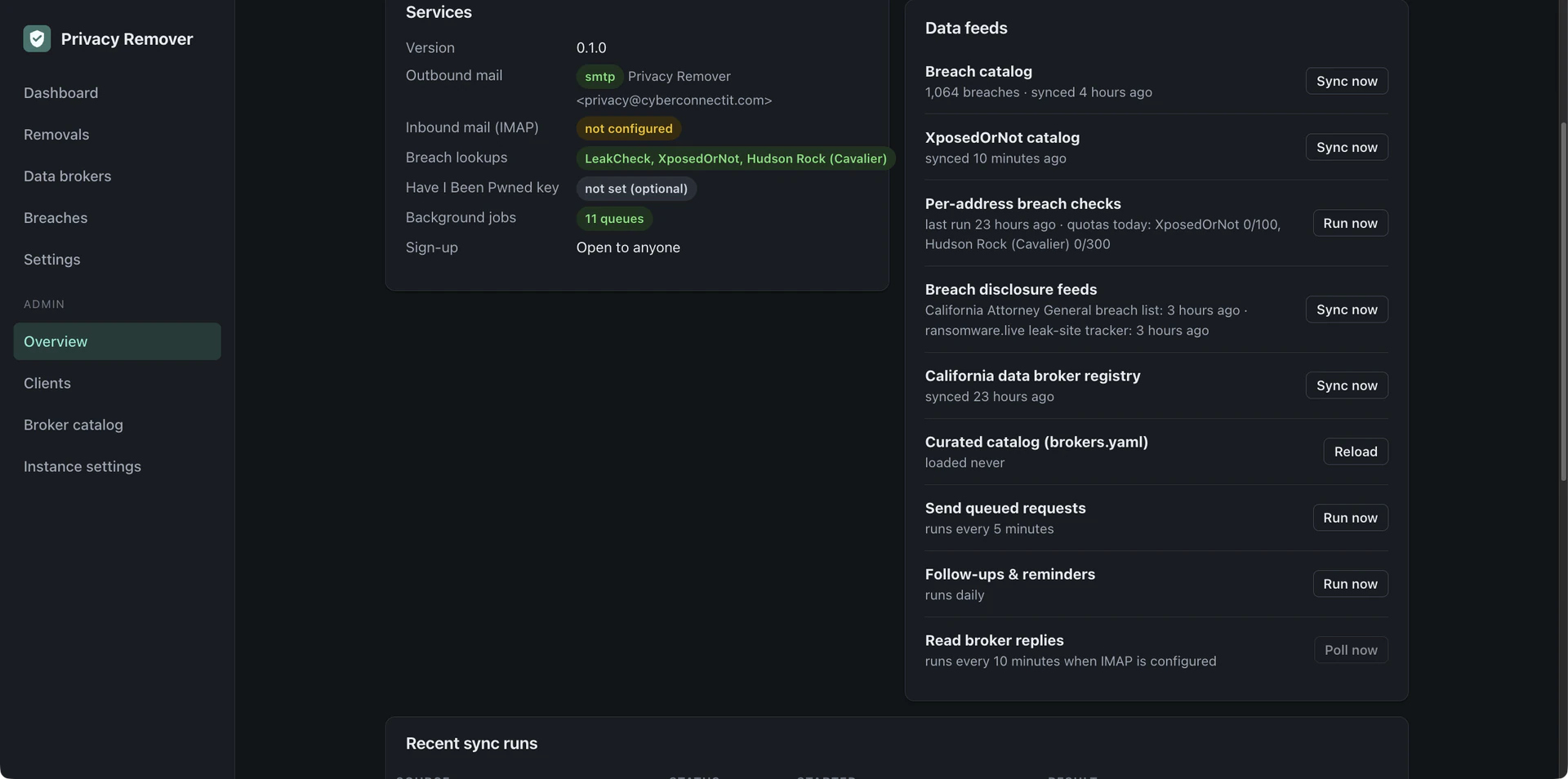
  • Reply matching: point it at an IMAP mailbox and broker replies are matched to requests, classified as completed, needs your action, rejected, or acknowledged, and the status updates itself — while form-only sites get step-by-step instructions with the request text ready to paste
  • Re-checks: brokers re-list people from new data sources, so completed removals are queued again after a configurable period, 90 days by default
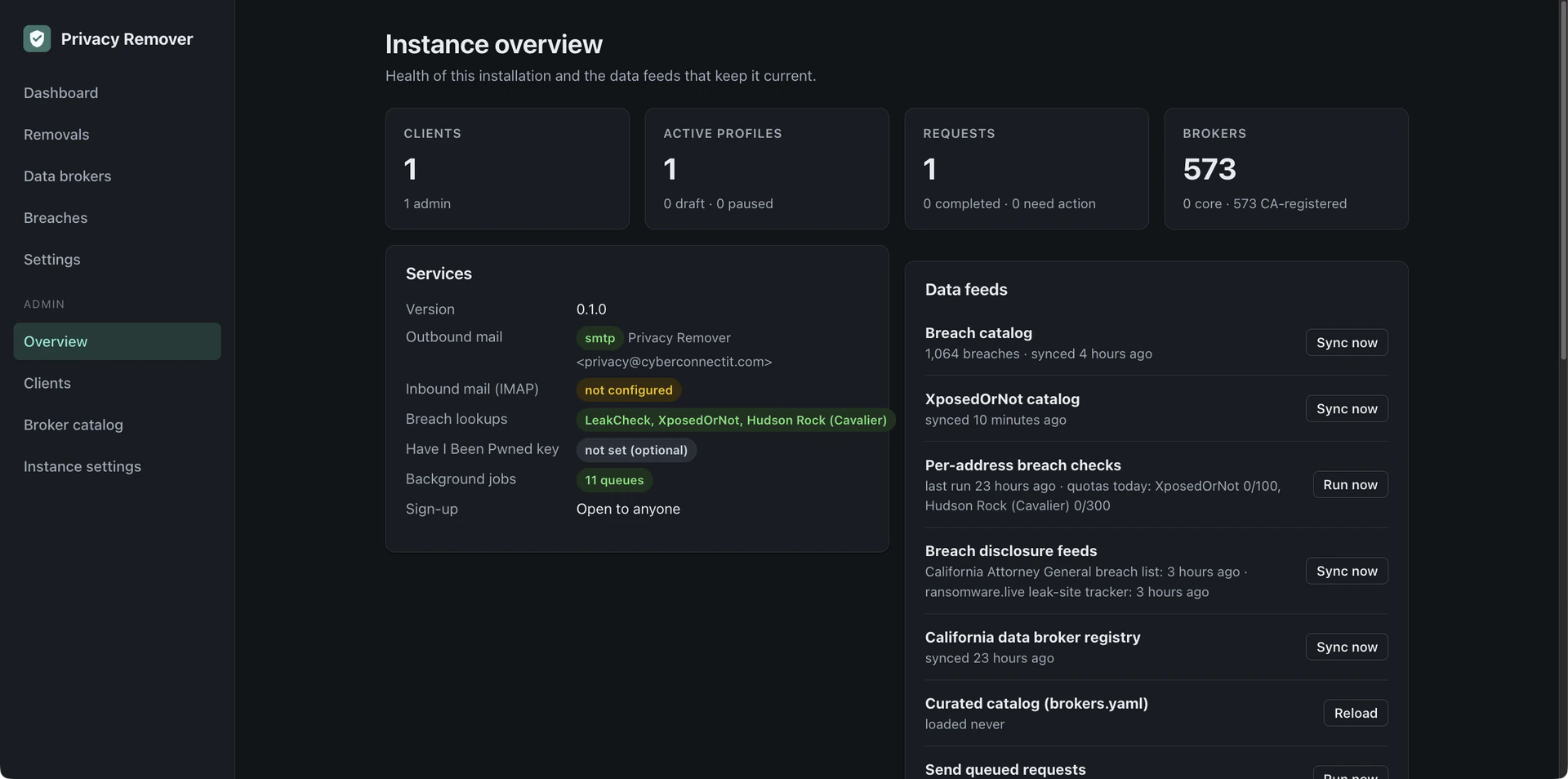
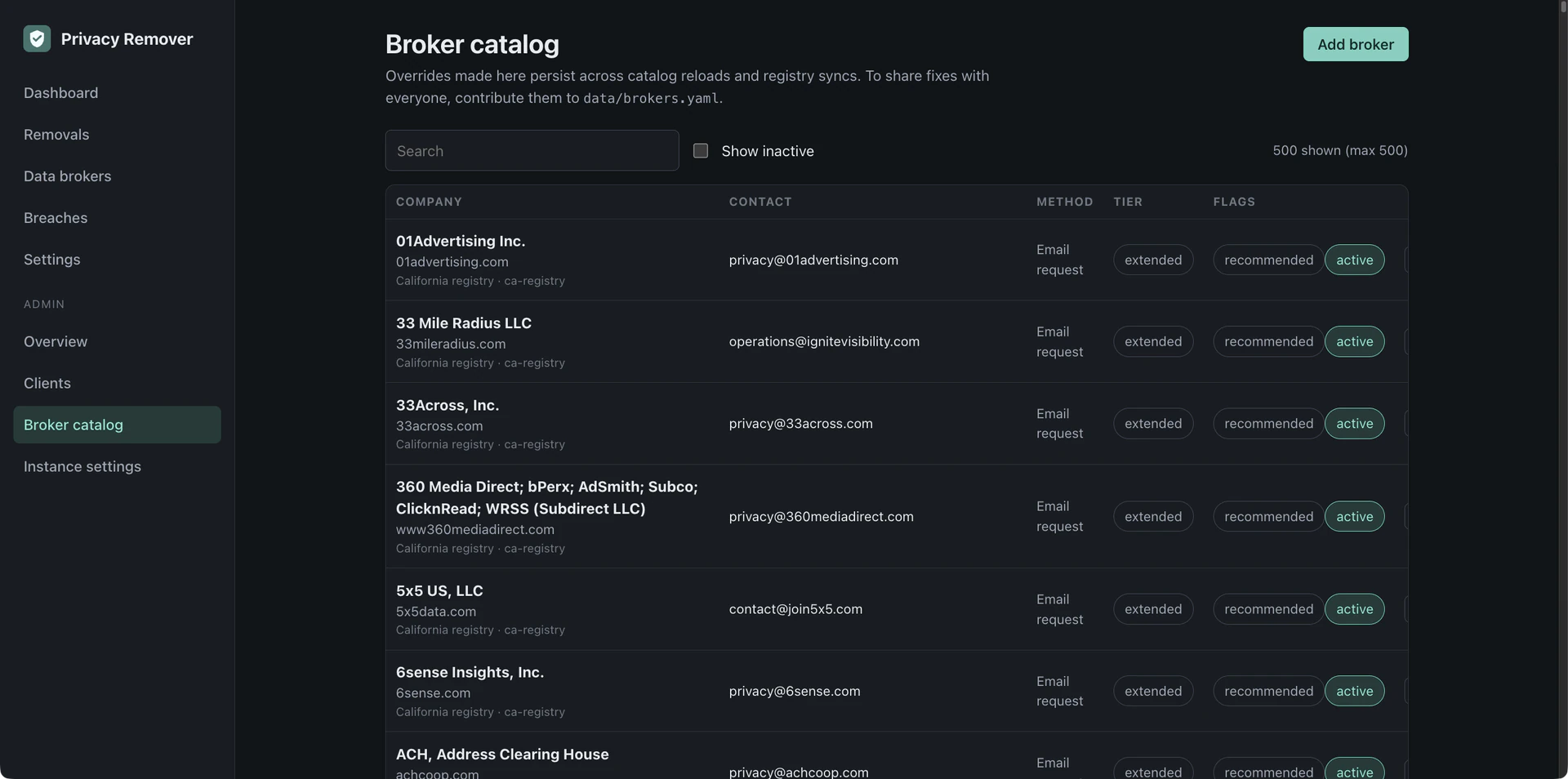
  • A broker catalog that stays current: a community-curated core list of 48 companies covering about 110 sites, merged weekly with the official California Data Broker Registry, with each broker's compliance record — how many deletion requests it honoured or denied — shown alongside
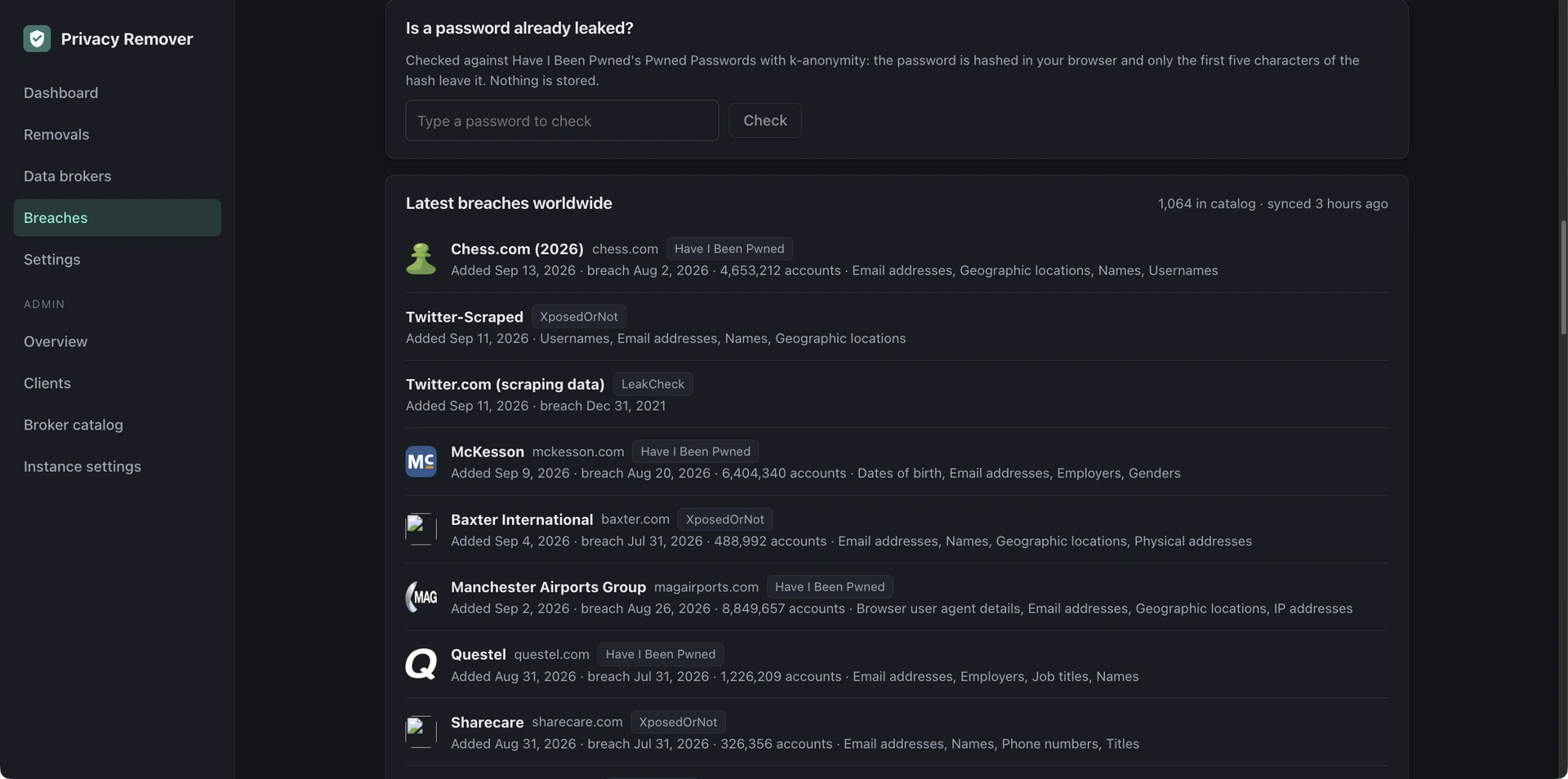
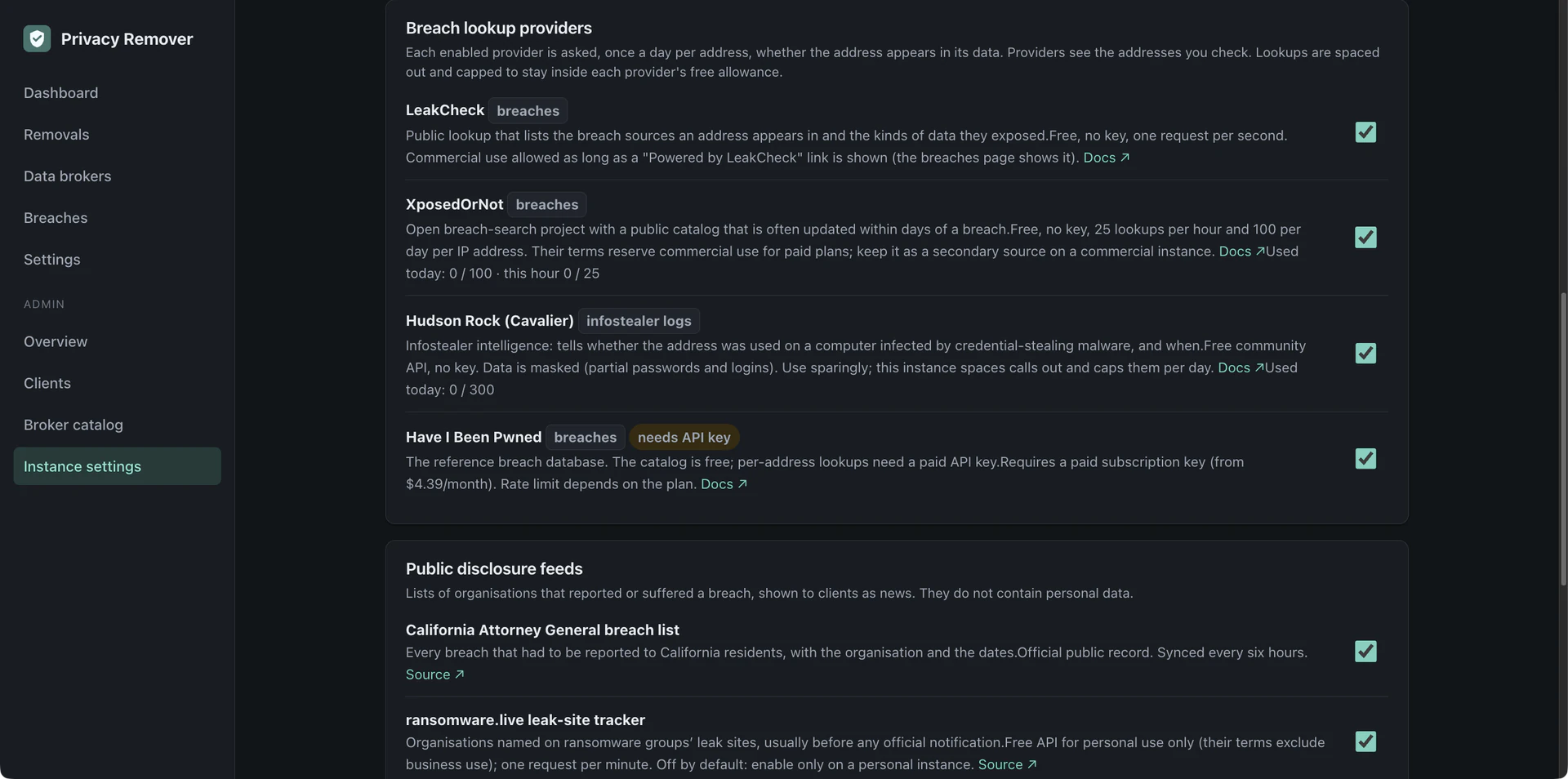
  • Breach monitoring, free: every email address on every profile is checked daily against LeakCheck, XposedOrNot, and Hudson Rock (infostealer infections), no API key needed, with Have I Been Pwned as an optional fourth provider; people are alerted to new exposures and compromised devices, with a one-click removal request when the breached company is a data broker
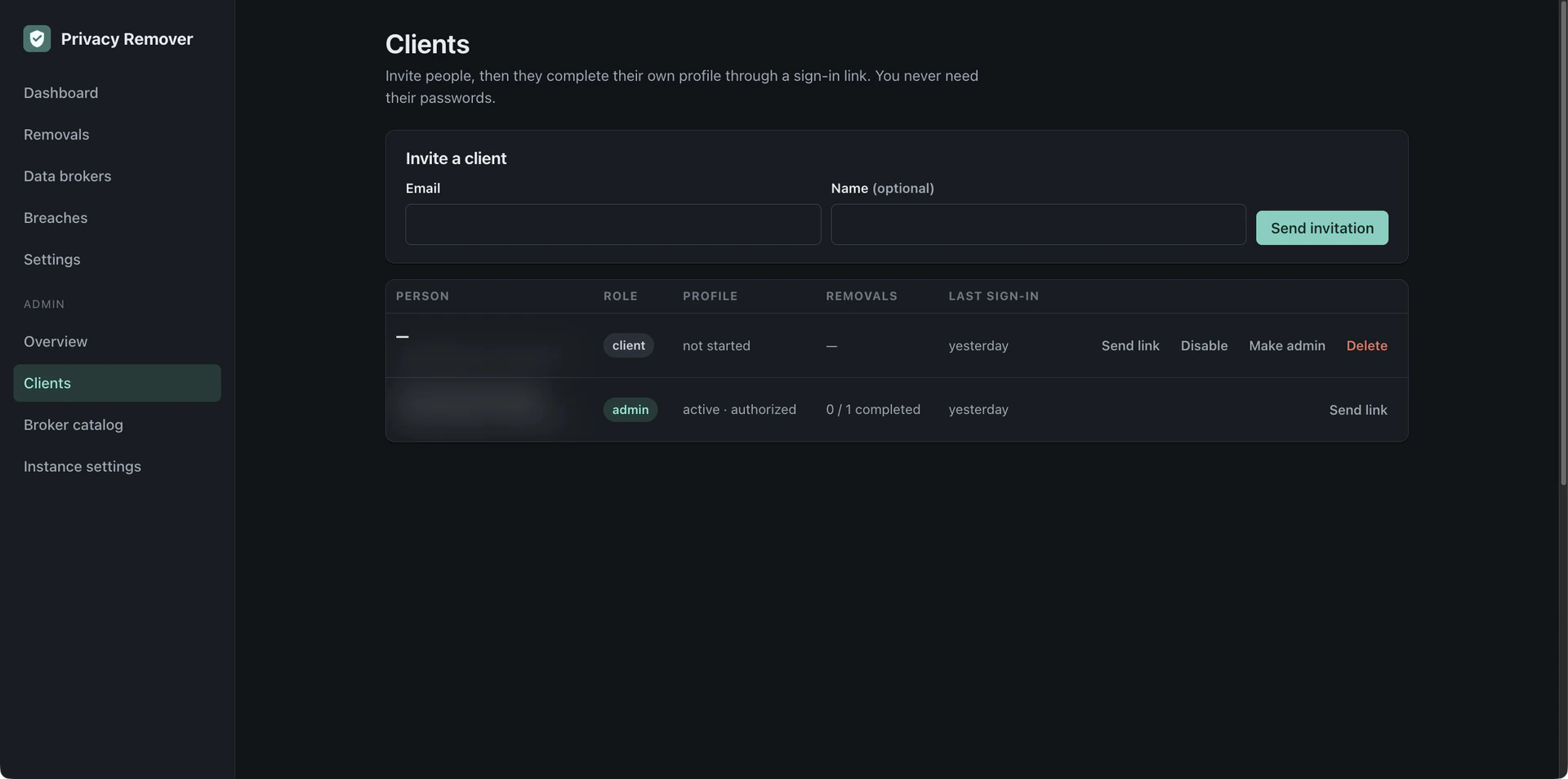
  • Multi-client hosting: admins invite clients by email, clients sign in with magic links — no passwords — fill in their own profile, and watch progress; admins see instance health and per-client progress, never the clients' data in the clear unless they open it
  • Privacy by design: personal data is encrypted at rest (AES-256-GCM), never written to logs, exportable as JSON, and erasable in one click; no analytics, no telemetry, and no outbound calls except to the brokers, the breach providers, and the registry

Built to host for clients, and open source for anyone who would rather run it themselves.
free and open source

True News — Media Bias Tracking

Public Service / Self-Hosted Software — truth.cyberconnectit.com — 2026

A free, open-source alternative to paid media-bias trackers: hundreds of news outlets, every story grouped by the event rather than the publisher, with each outlet's political lean shown up front before you read a word.
What it does

  • Groups articles by meaning rather than keyword, using a multilingual model that runs locally — the same story pulls in coverage across languages, not just the English-speaking press
  • Rates 324 outlets by averaging three independent monitors (AllSides, Ad Fontes Media, Media Bias/Fact Check) rather than a lean invented in-house — outlets nobody has rated are shown as unrated, not guessed at
  • Surfaces Blindspots: stories one side of the political spectrum is covering heavily while the other barely touches
  • Summaries are extractive only — every sentence lifted verbatim from the article, never generated, so nothing here is a new claim about the world no journalist made
  • No accounts, no tracking — the My Bias reading history is computed and stored entirely in your own browser and can be cleared at any time
  • Honors robots.txt — a publisher that opts out is not scraped, and its coverage is marked missing rather than silently excluded

It runs on the same principle as everything else on this site: self-hosted, checkable, and free of the incentives that come with running ads or selling subscriptions. Free to use, no account required — truth.cyberconnectit.com.

Ballers Network & Camera System Install

Hospitality/Arcade — 2025

Ballers was set to re-open within a month. They needed a full network install and camera system.

Challenge

Zero existing network infrastructure, a tight opening timeline, and many device types needing secure access.

Solution

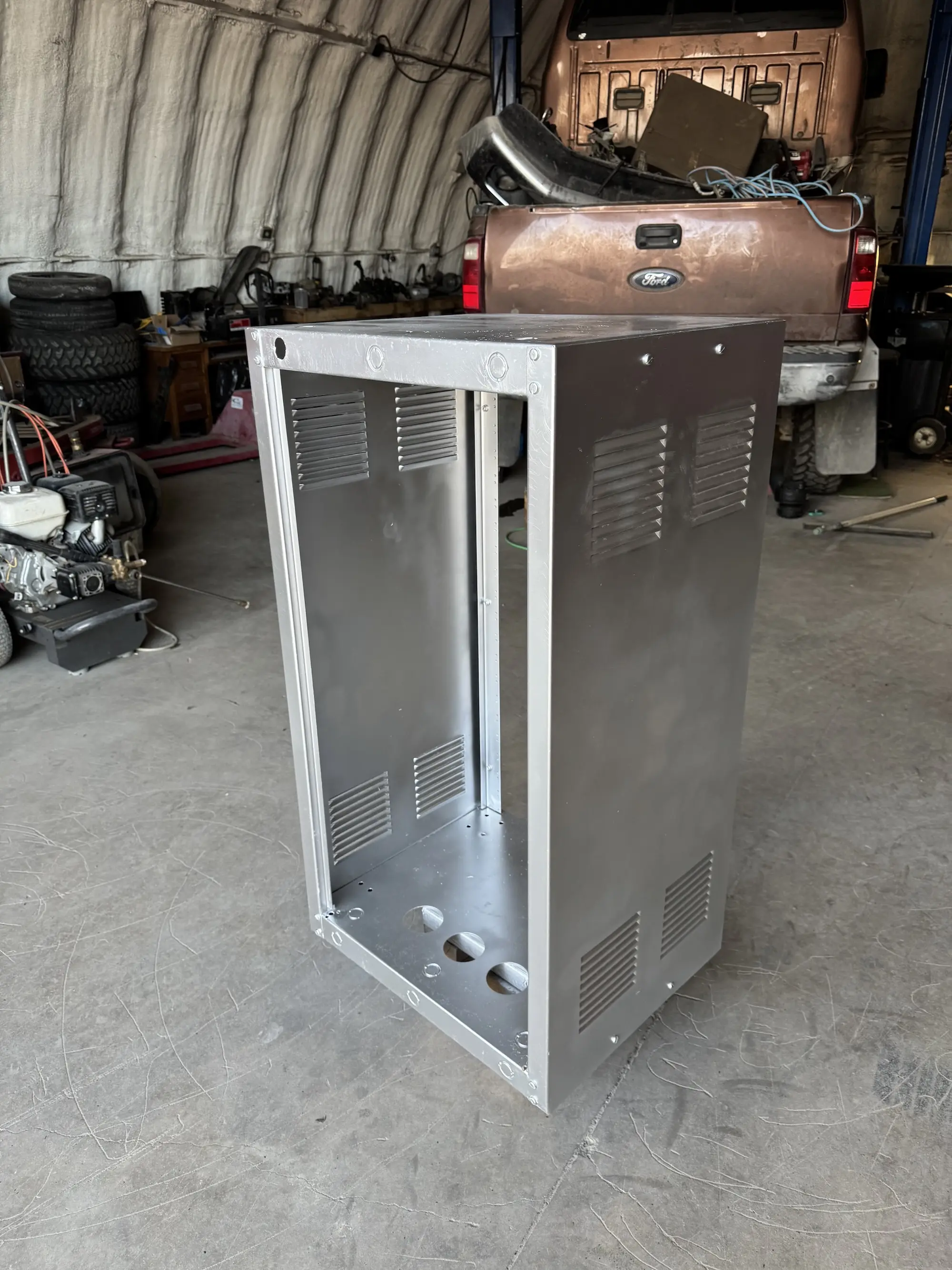
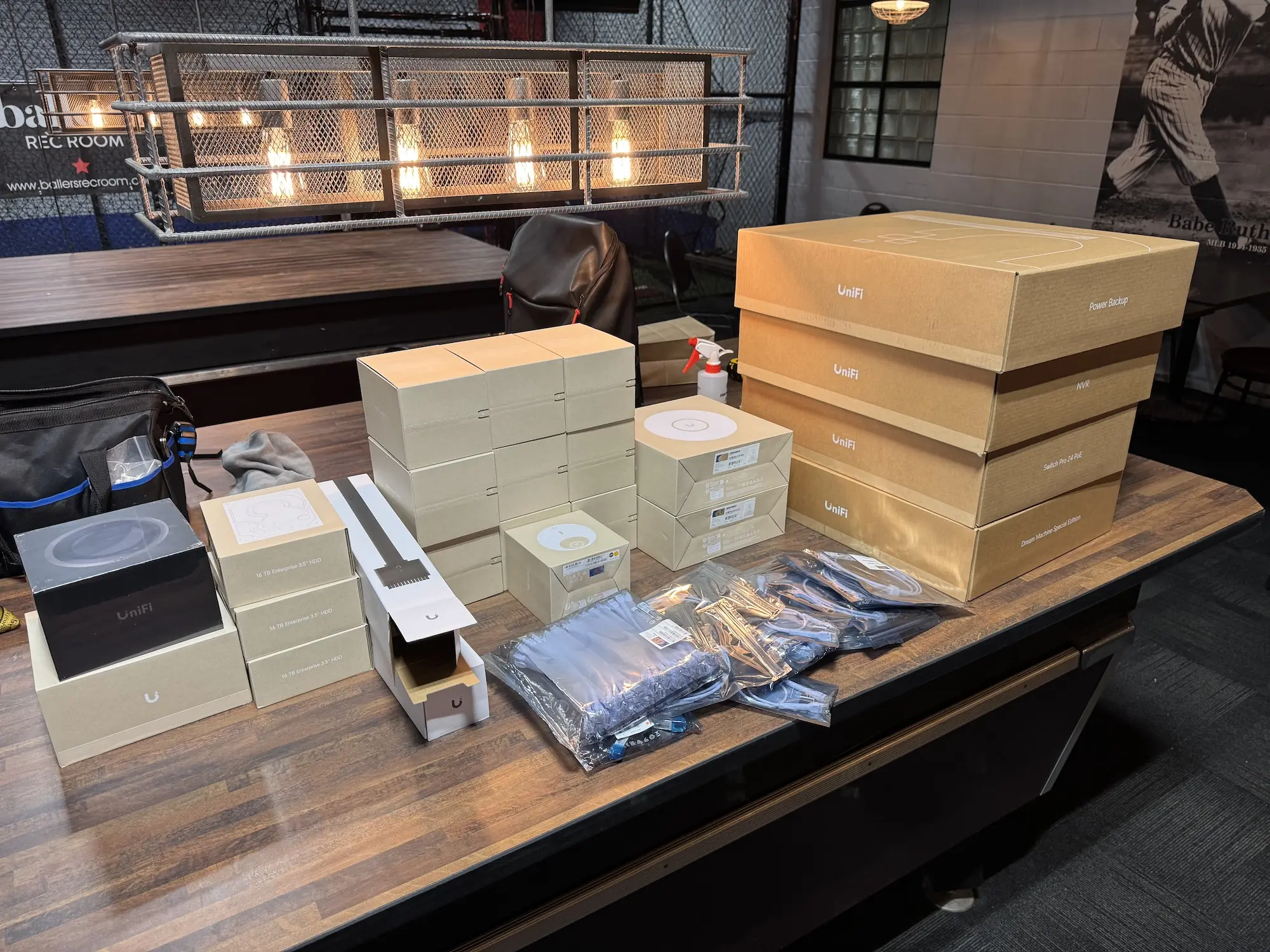
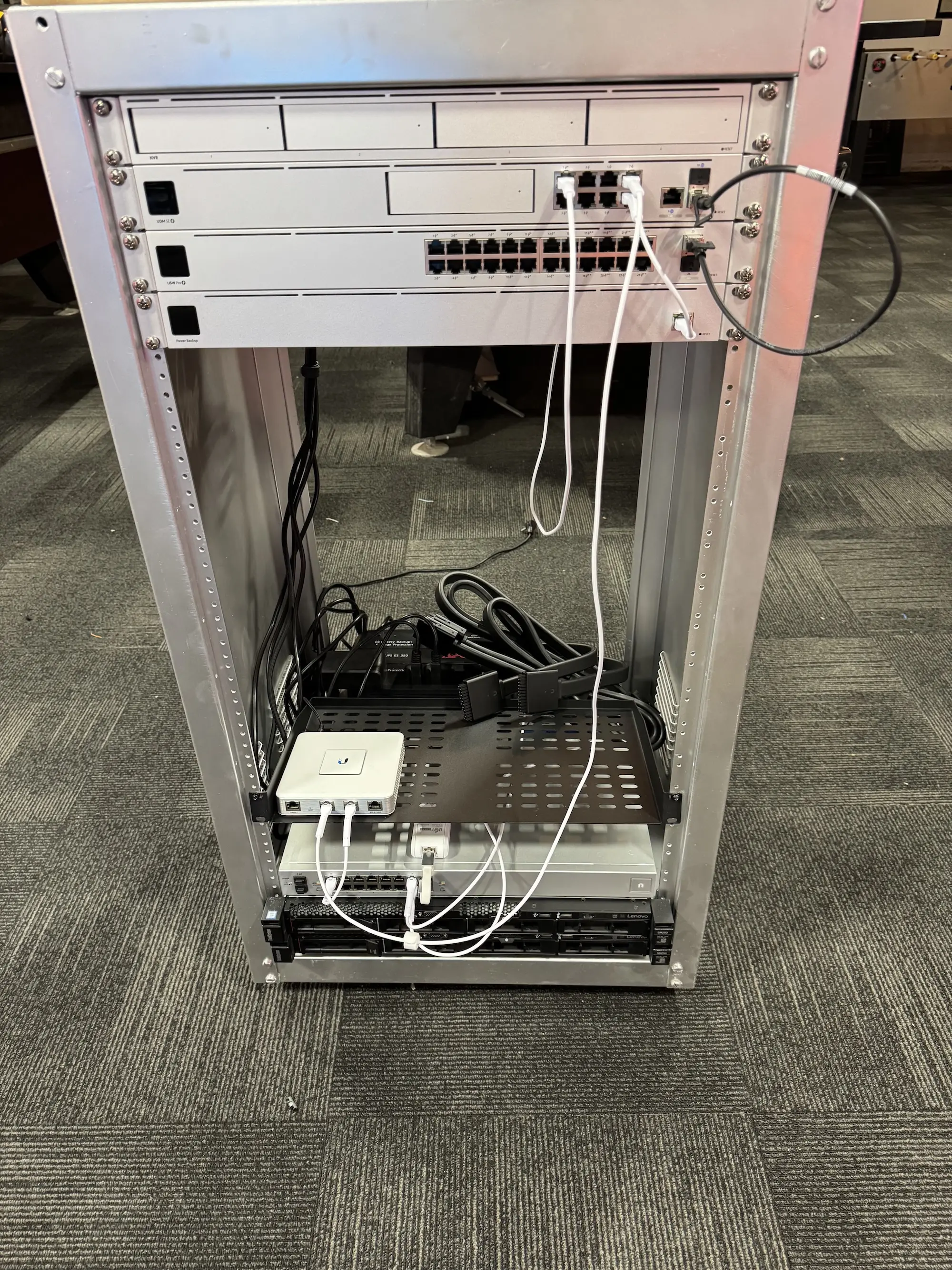
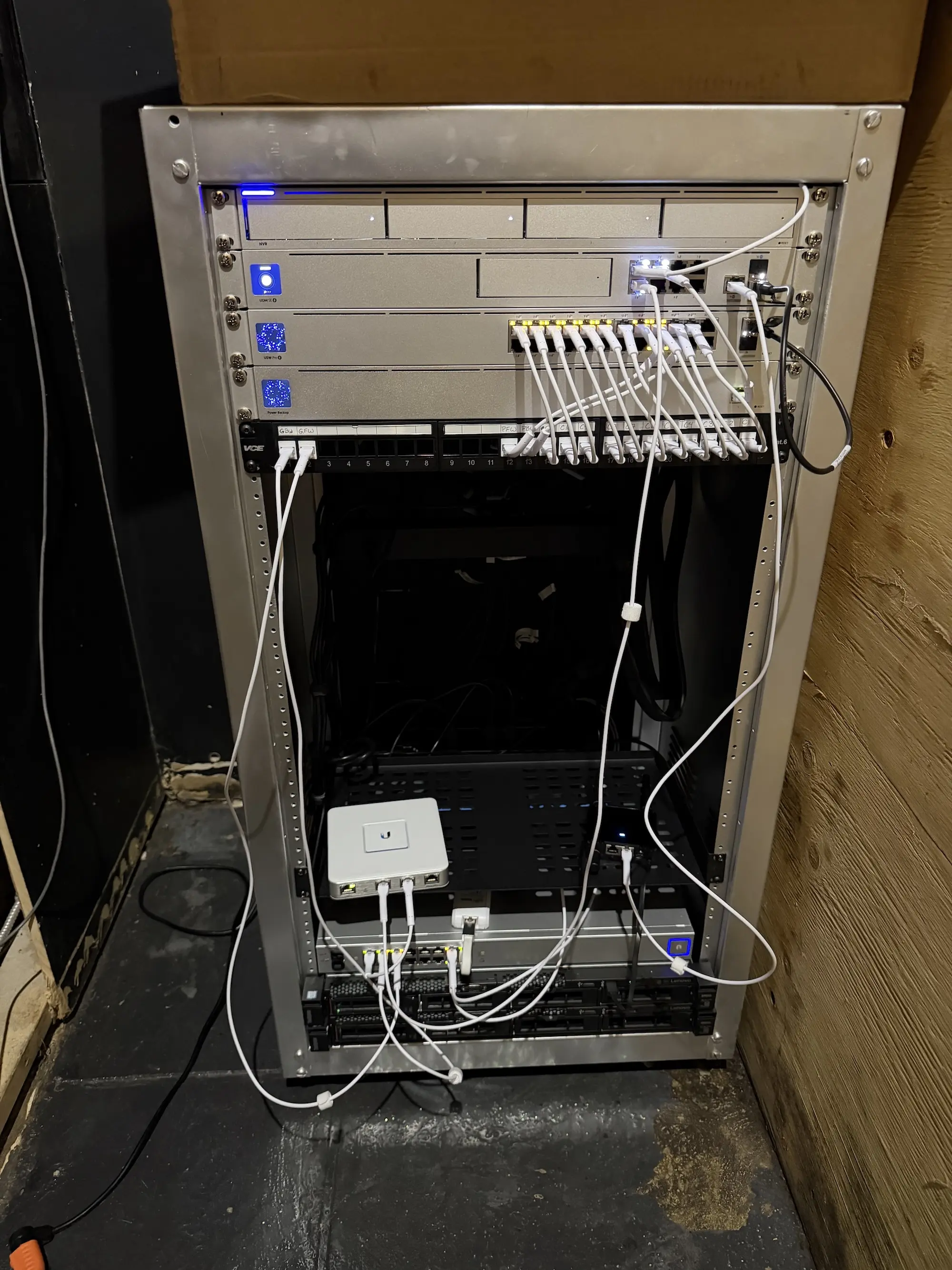
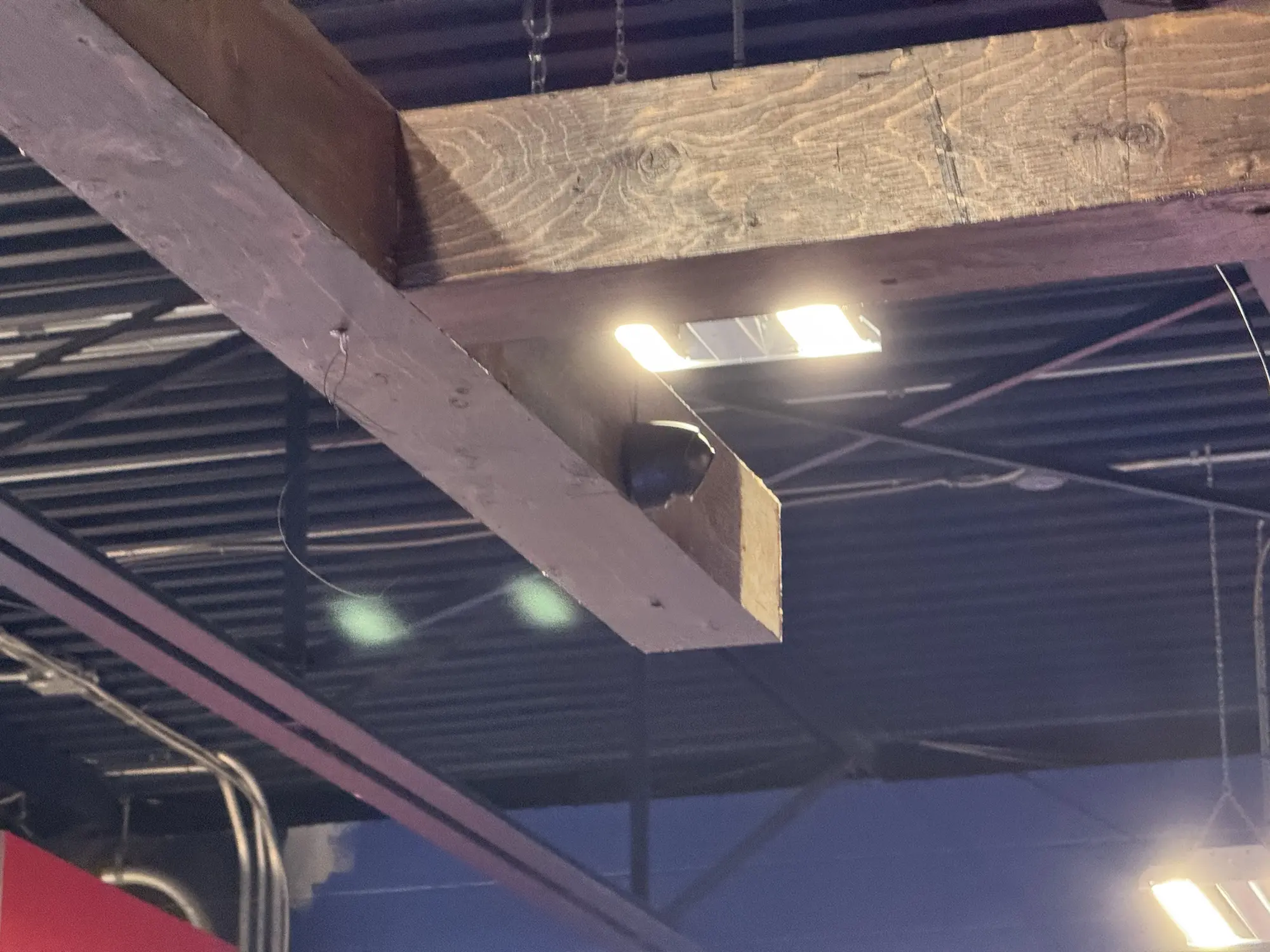
  • Installed 10 cameras, 4 access points, and a full equipment rack, with Cat5e runs to cameras, POS, and key game systems
  • Segmented guest, game, and business traffic for stronger security and easier monitoring
  • Rebuilt and labeled cabling and closet layout for long-term serviceability
  • Placed access points for full-site coverage and enabled secure remote camera access

Outcome

Ballers opened on time with a secure, reliable network and complete camera visibility.

  • Built from nothing to opening day between mid-September and October 8.
  • Deployed 10 cameras, 4 access points, and a fully populated equipment rack.
  • Segmented production/guest/business traffic to reduce cross-network risk.
  • Enabled remote camera visibility for faster response and oversight.

Modernizing & Upgrading the Golf Simulator Systems

Golf Simulator / Golf Course — 2025

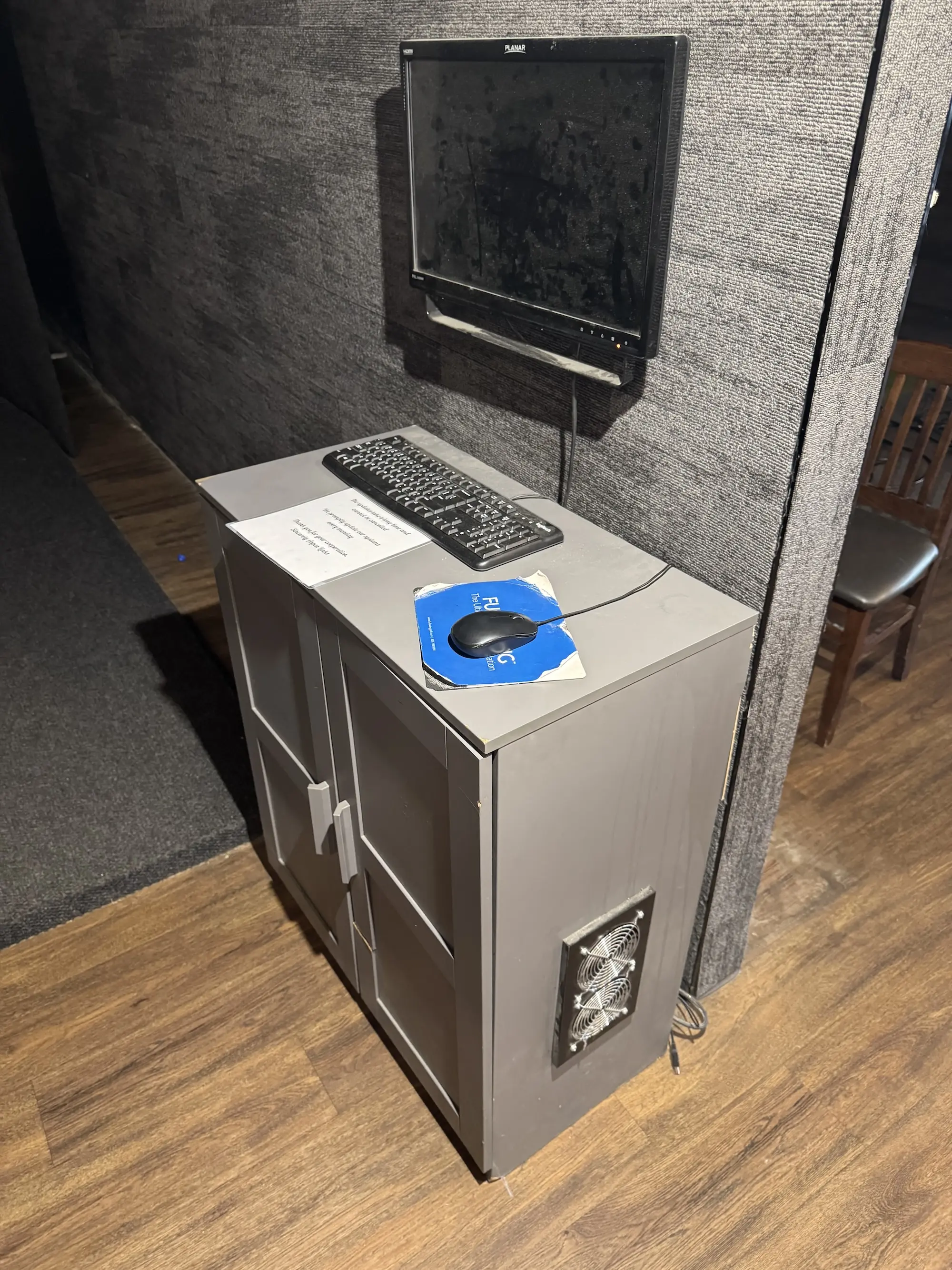
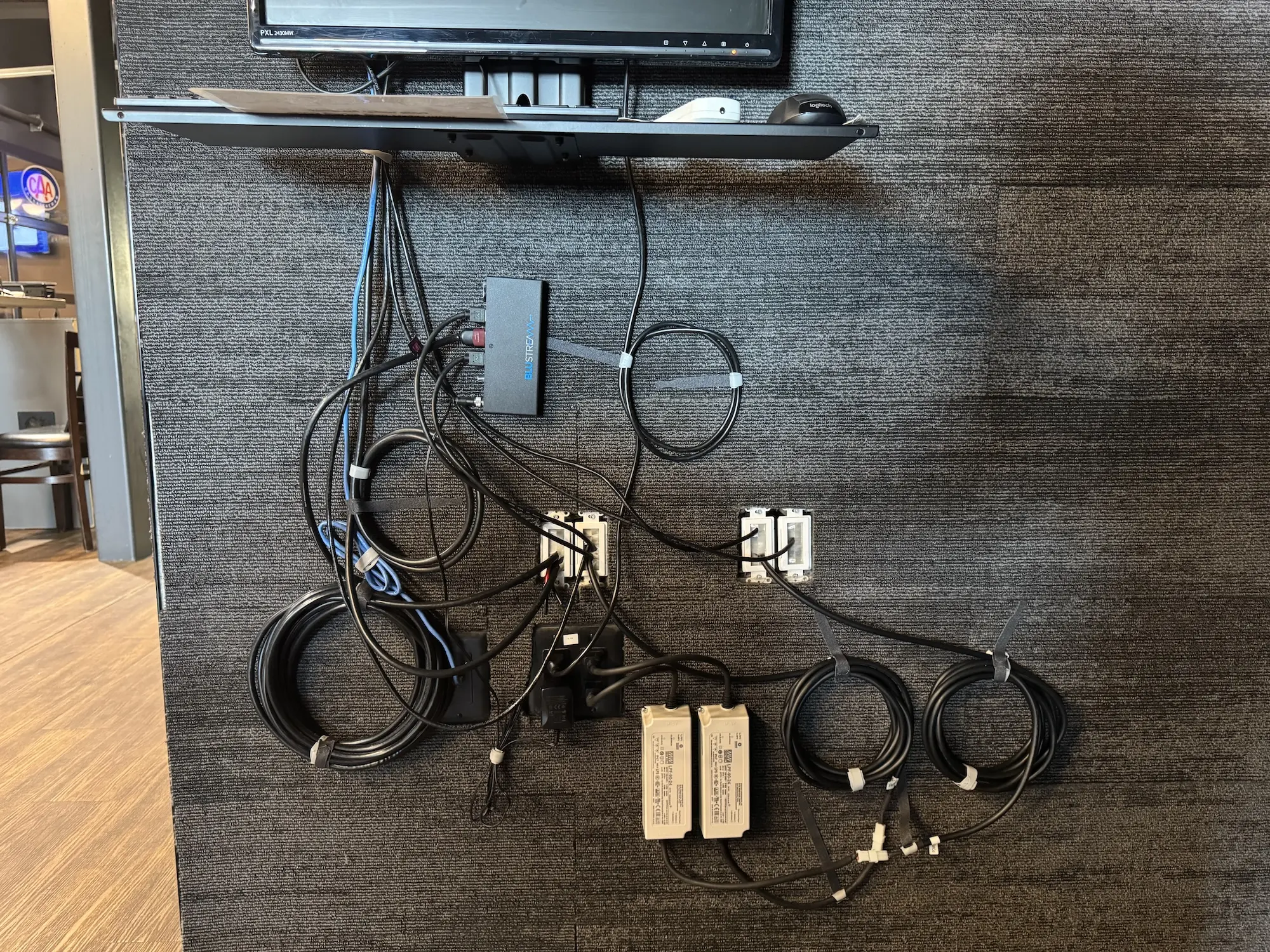
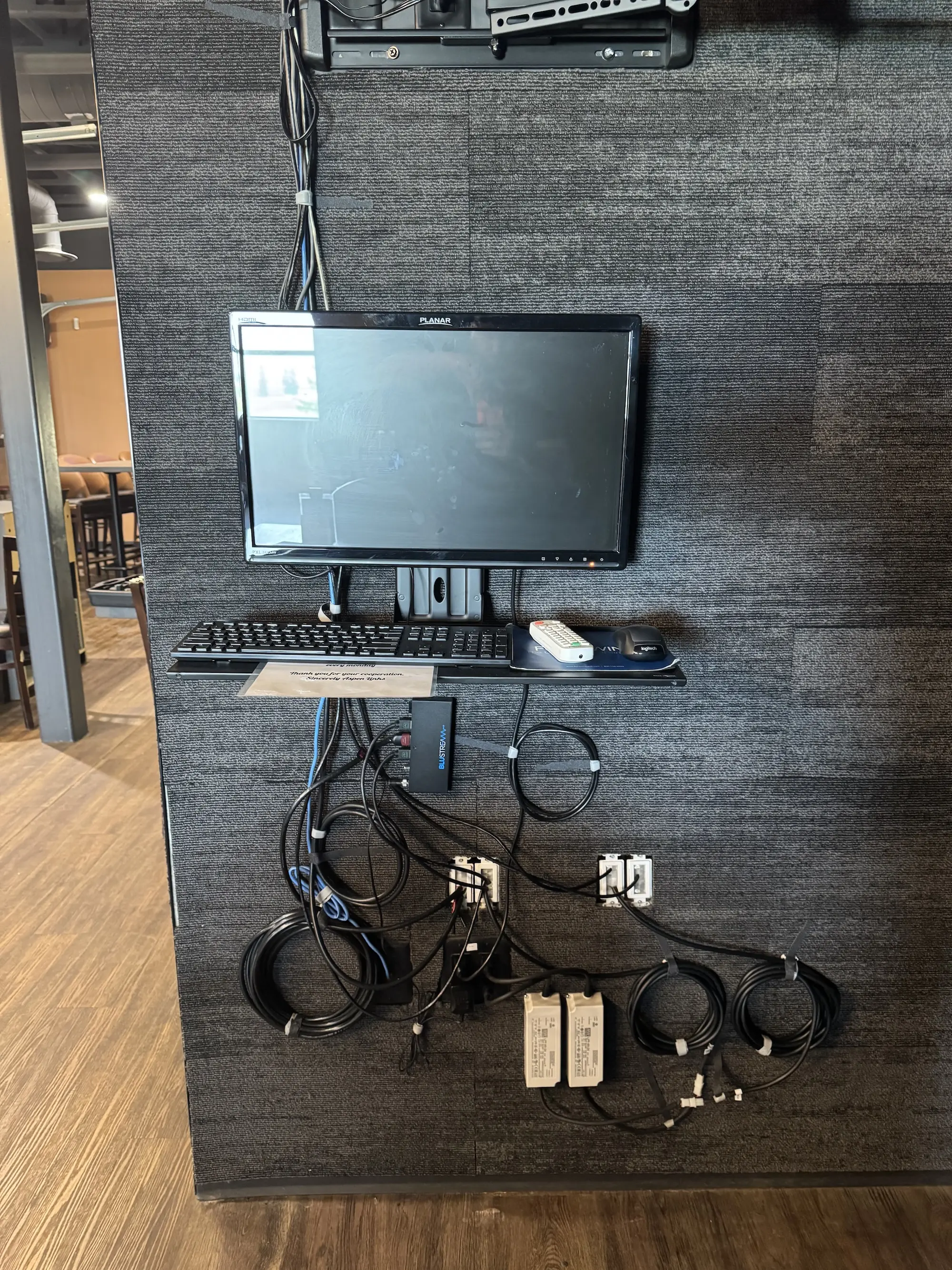
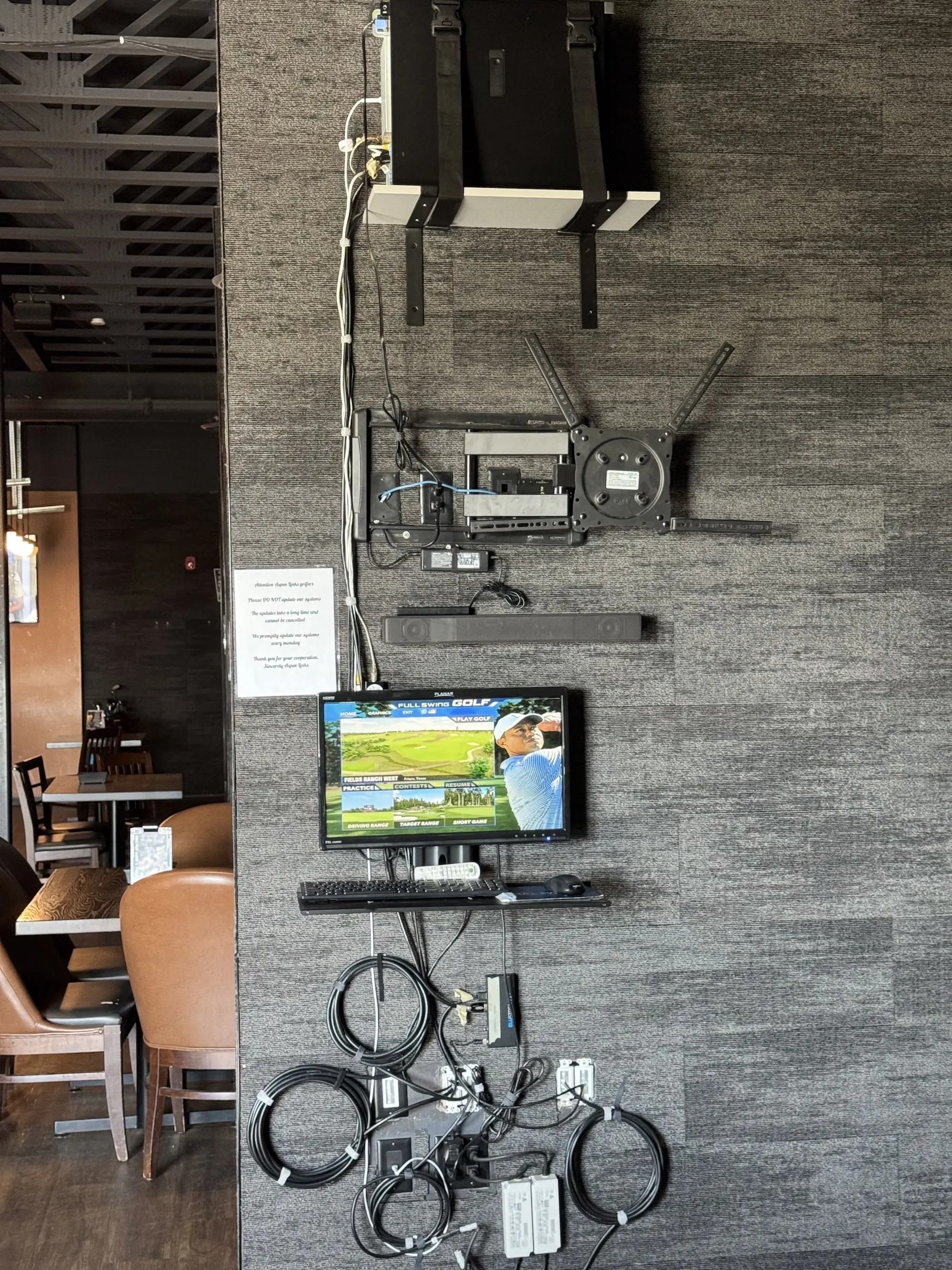
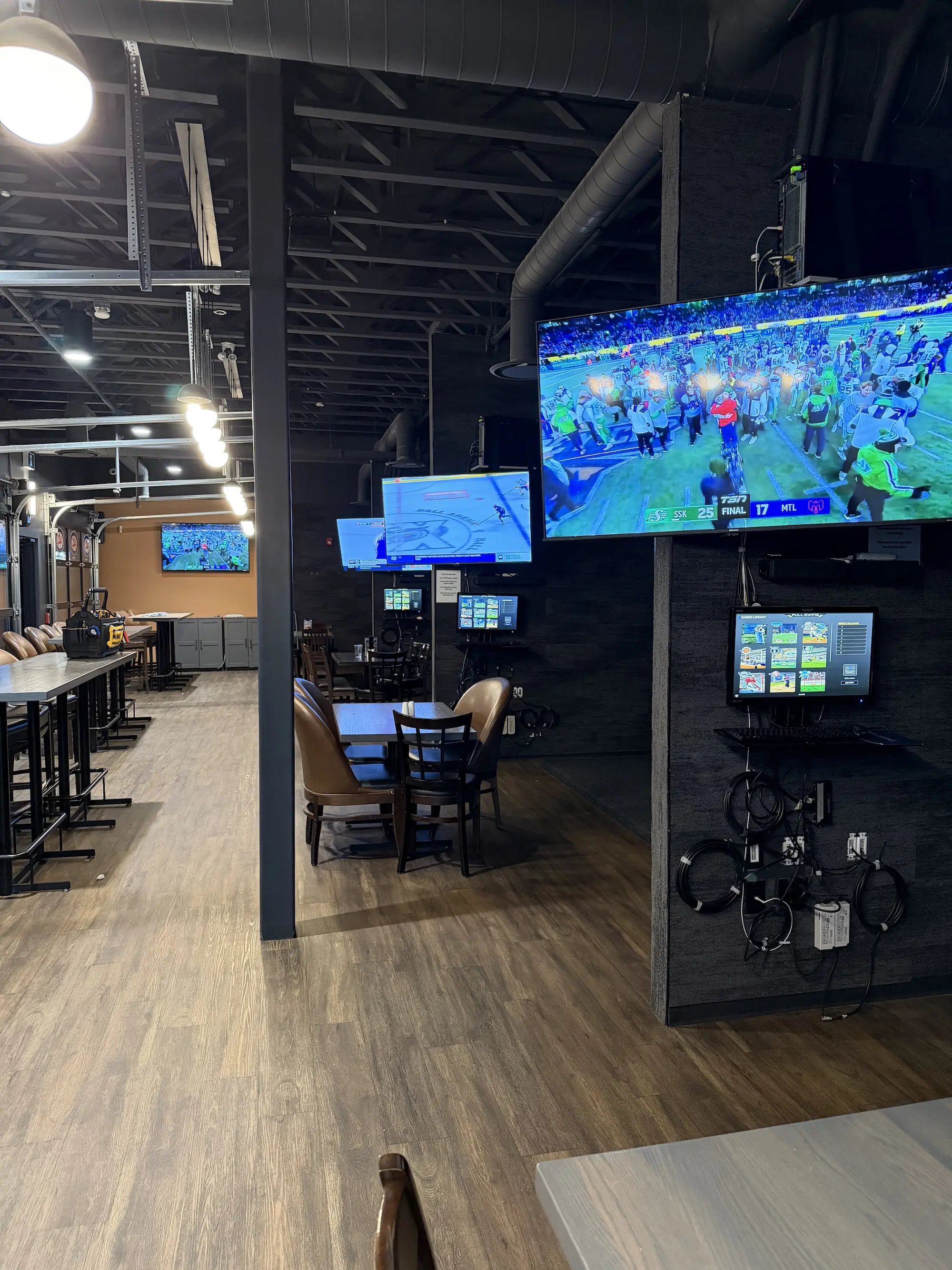
The existing simulator setups were functional but hard to maintain and prone to overheating.

Challenge

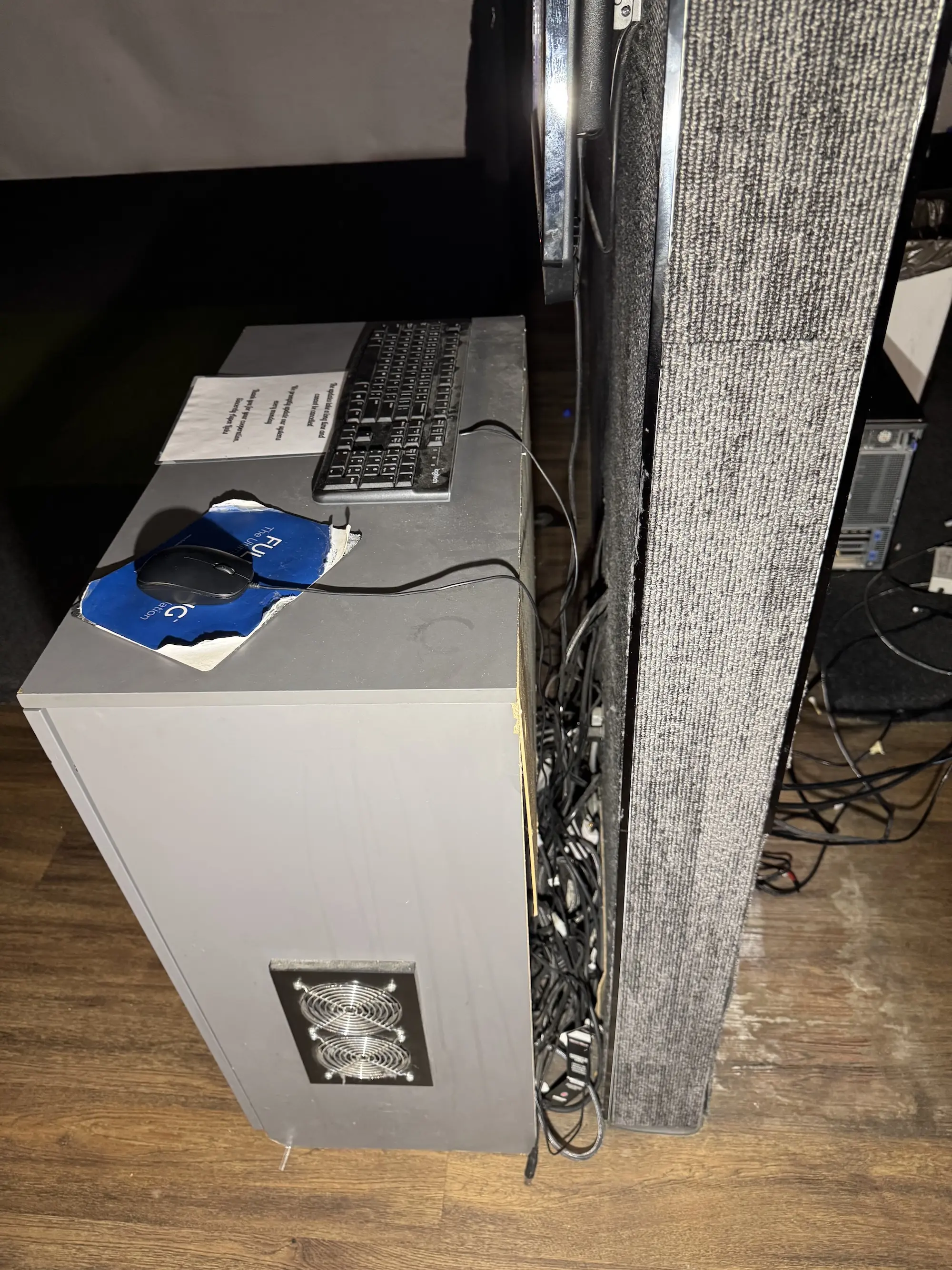
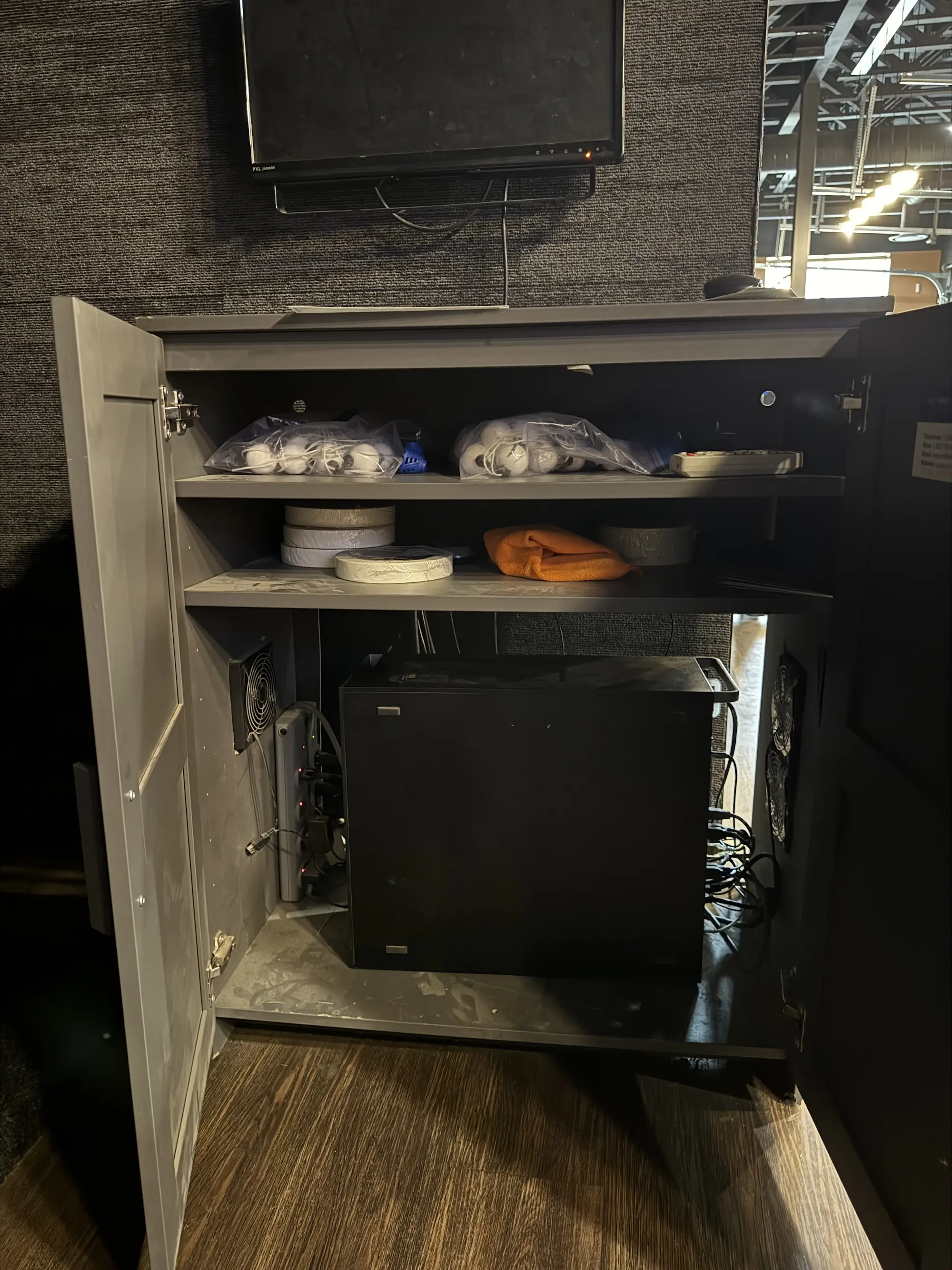
Systems were sealed inside airflow-restricted cabinets. The machines sat at around 90°C during normal operation and shut themselves down mid-session to protect the hardware, which meant a booked bay could stop working with customers standing in it.

Solution

  • Re-wired each simulator for cleaner paths and faster maintenance
  • Relocated computers out of enclosed cabinets to improve cooling
  • Removed restrictive enclosures and simplified monitor/keyboard placement

Outcome

The simulators now run cooler, stay more stable, and are far easier to service and upgrade.

  • Machines were running at roughly 90°C before the rebuild, with repeated thermal shutdowns.
  • Removing the sealed enclosures took away the cause of those shutdowns mid-session.
  • Reduced maintenance friction through cleaner cable paths and layout.

Full Network Rebuild & WiFi Mesh Deployment

Aspen Links Club House & Rec Room + Golf Course — 2025

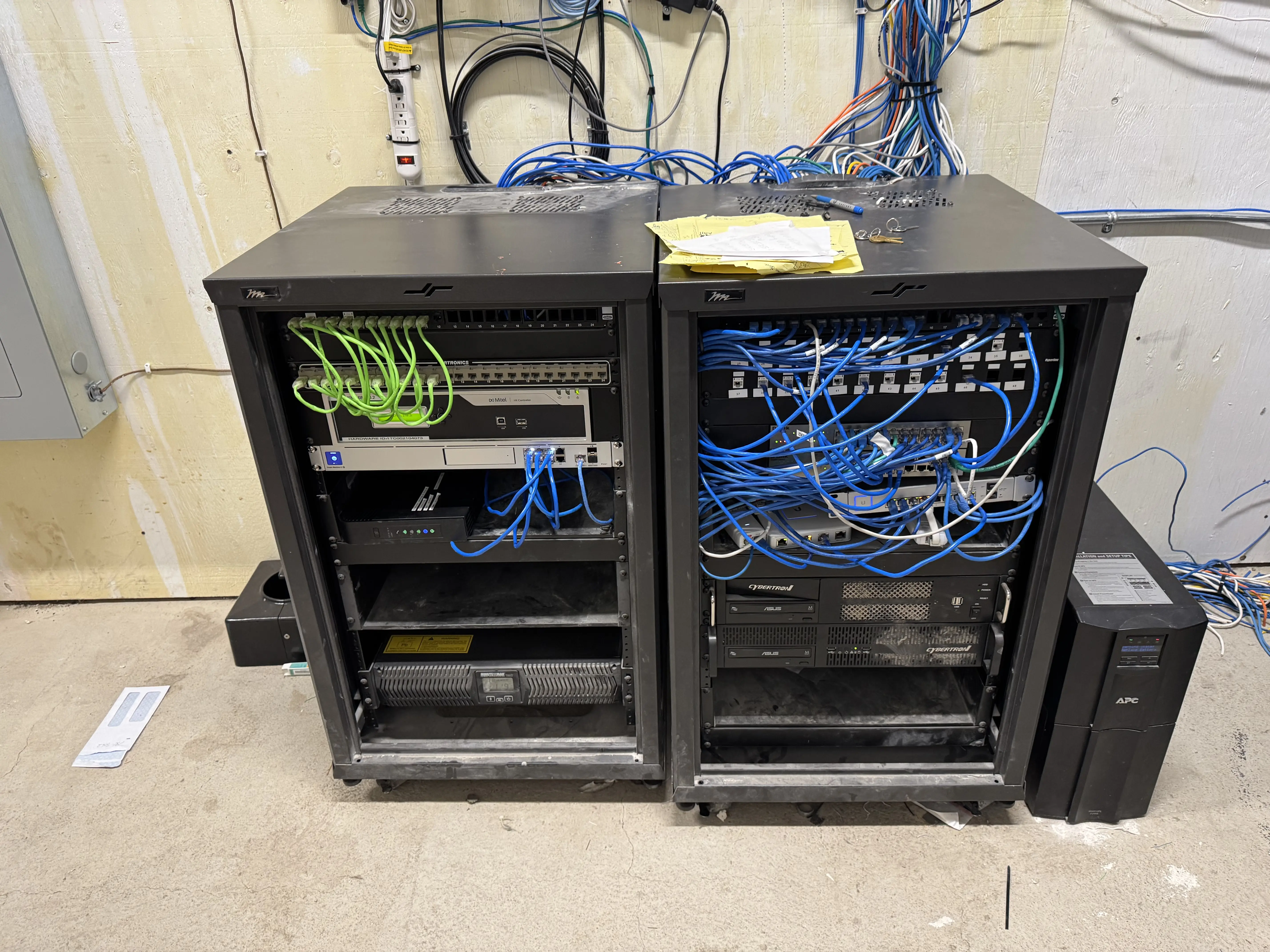
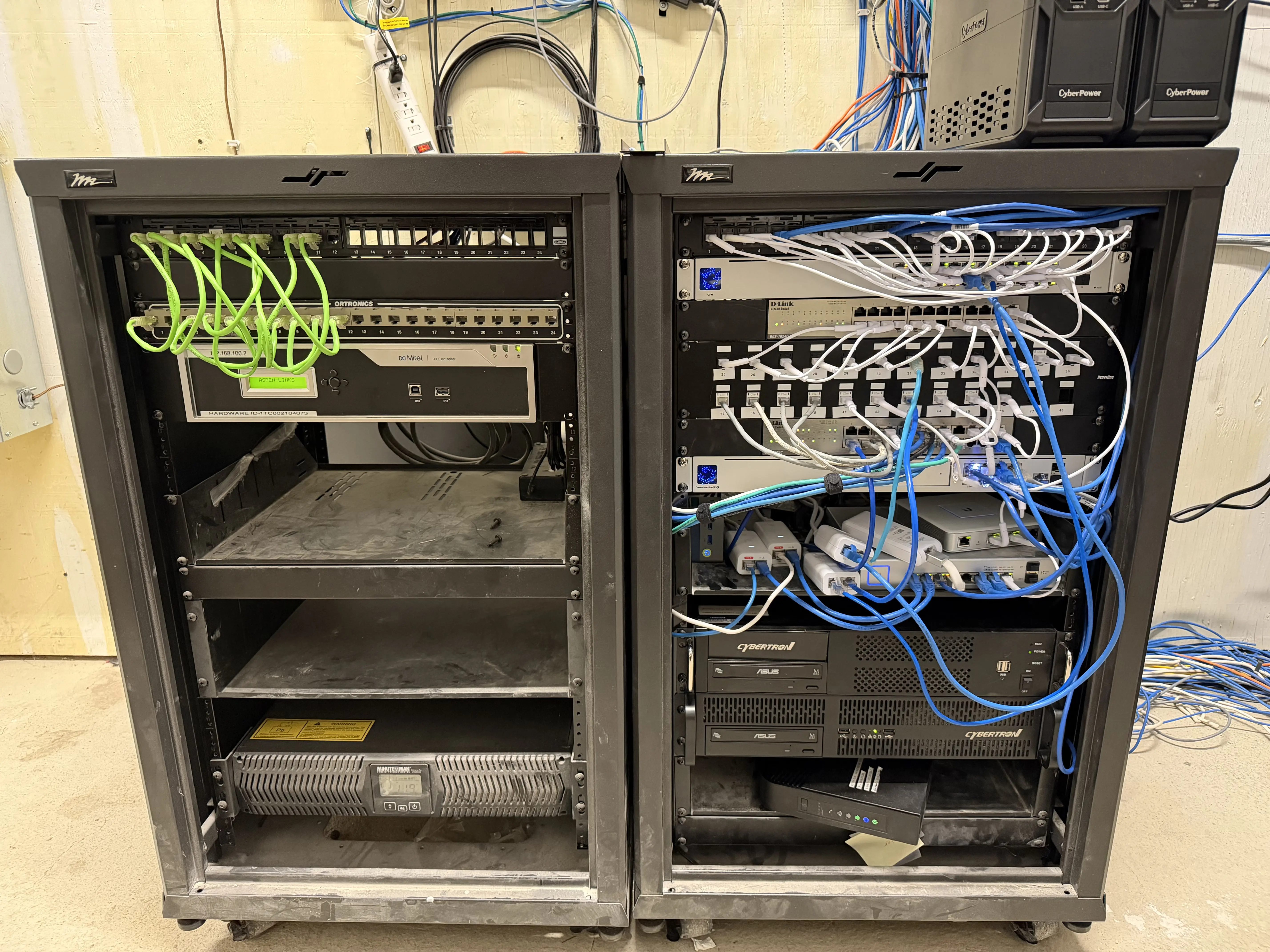
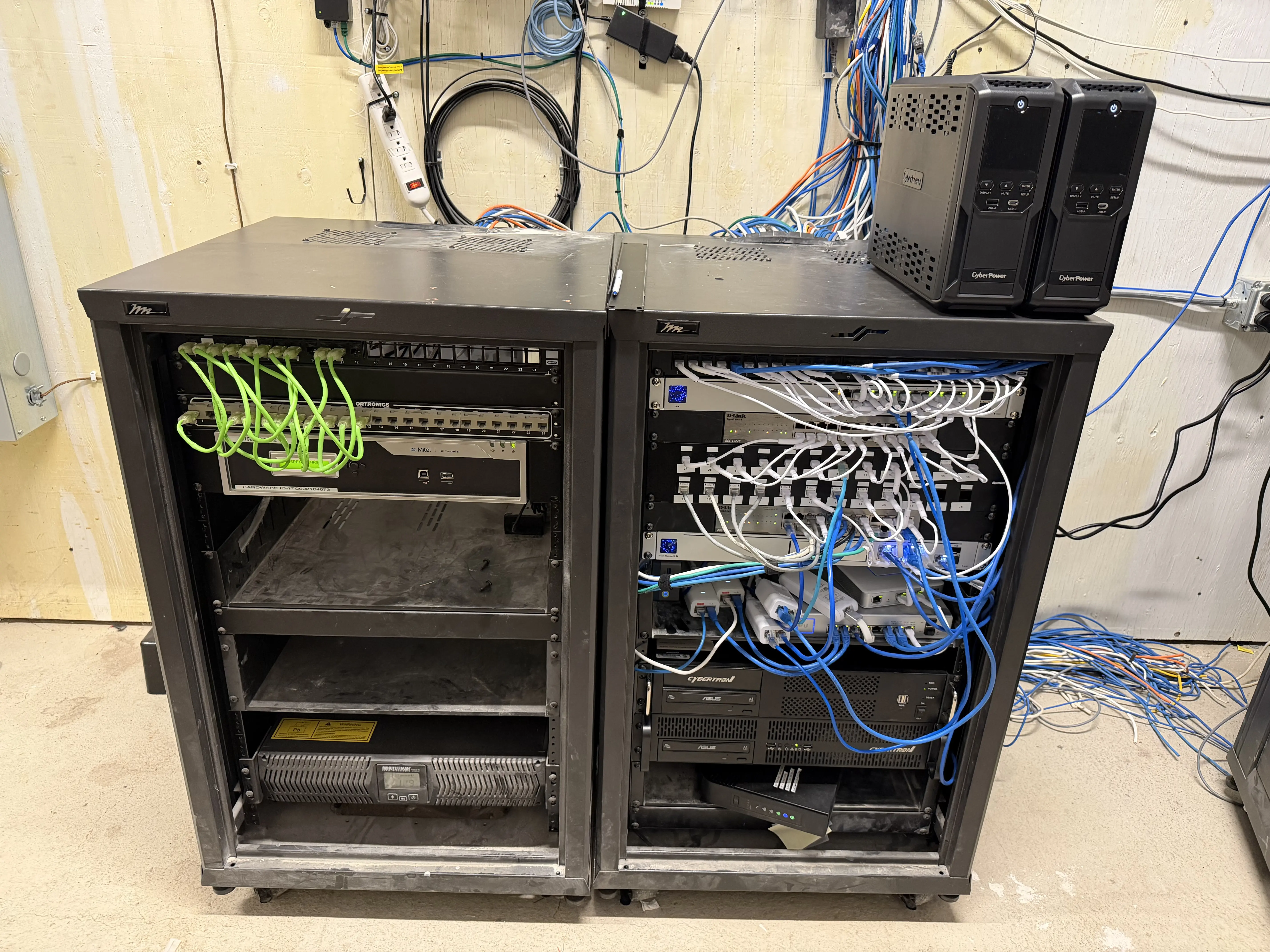
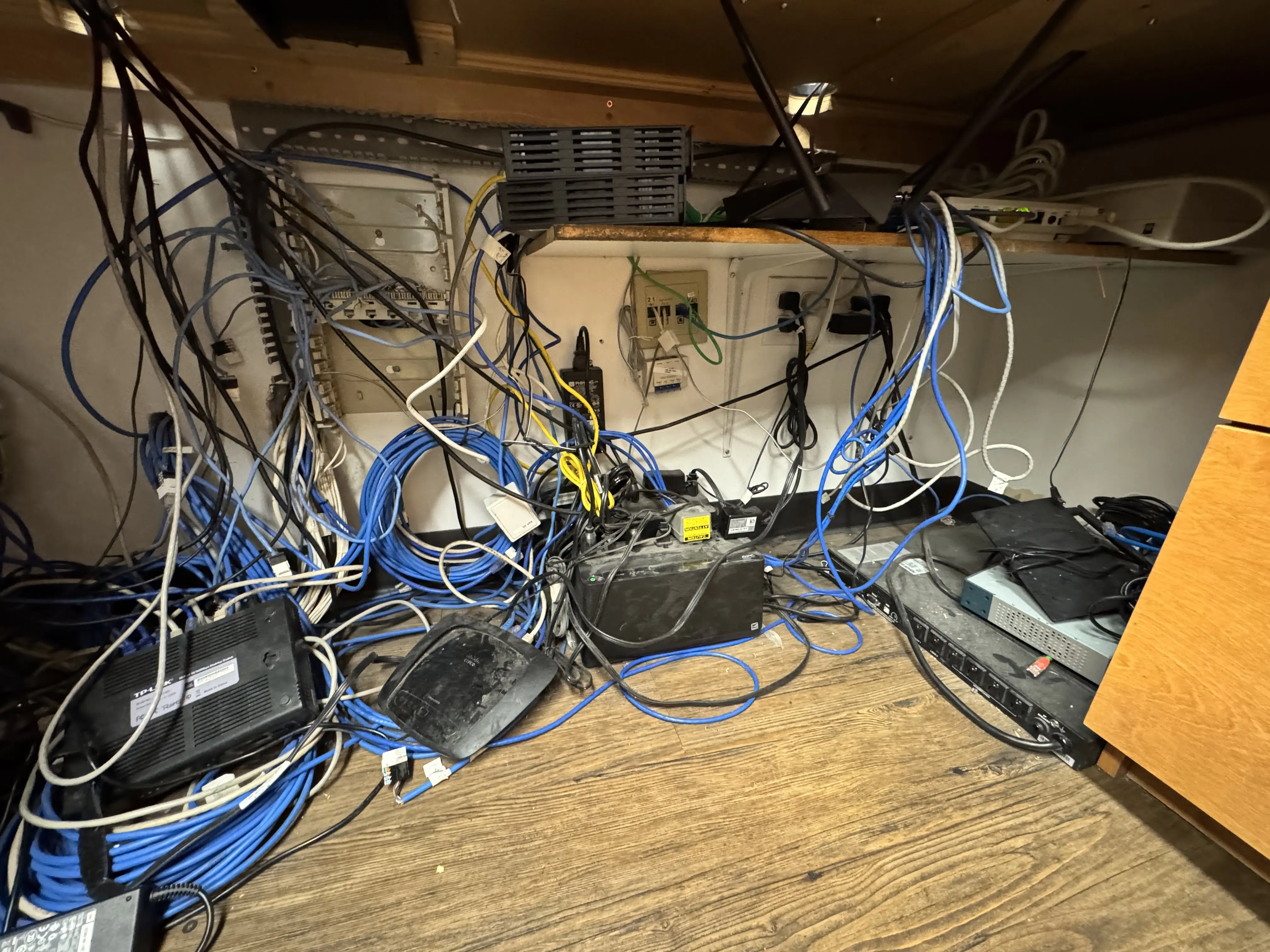
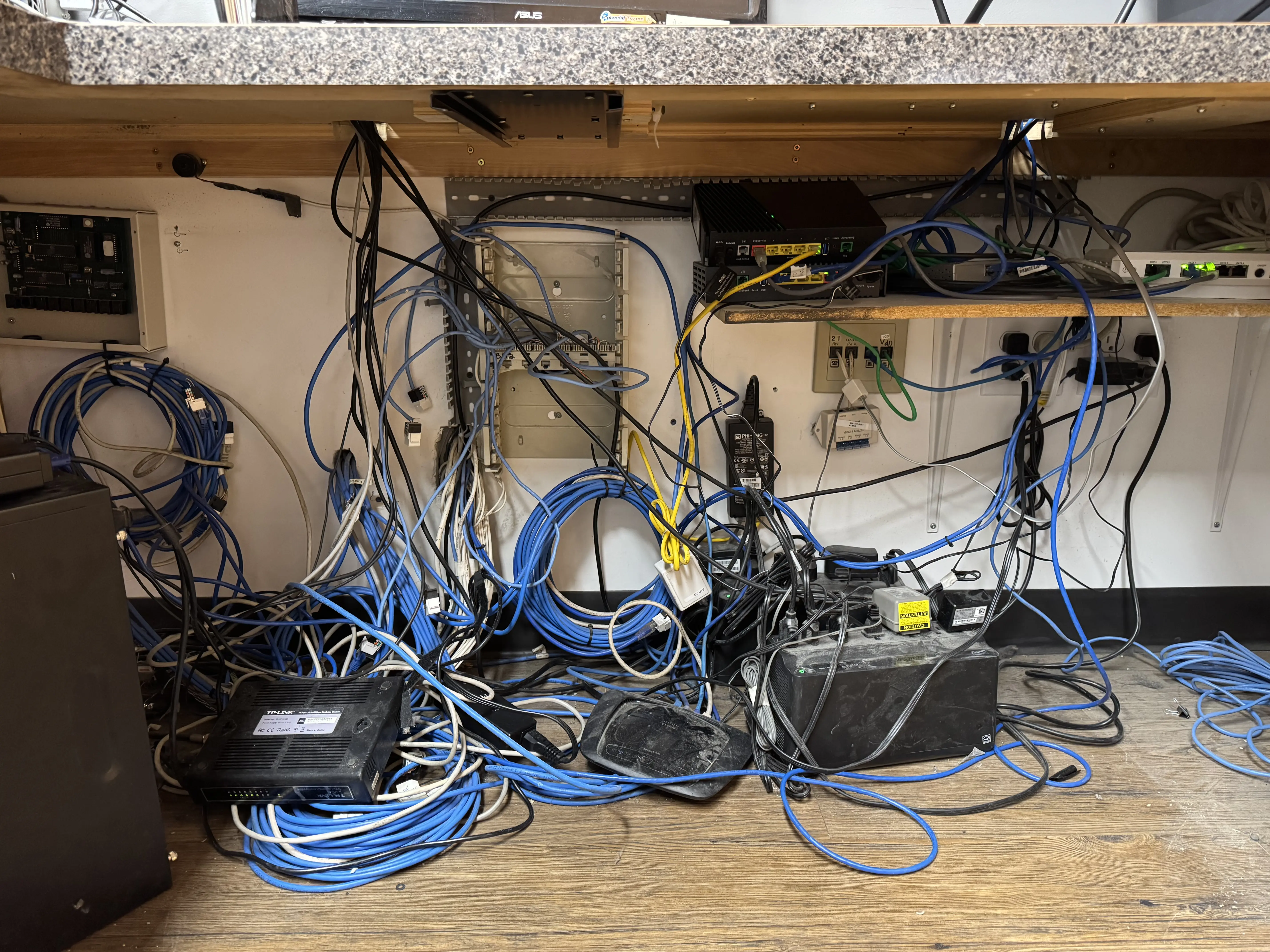
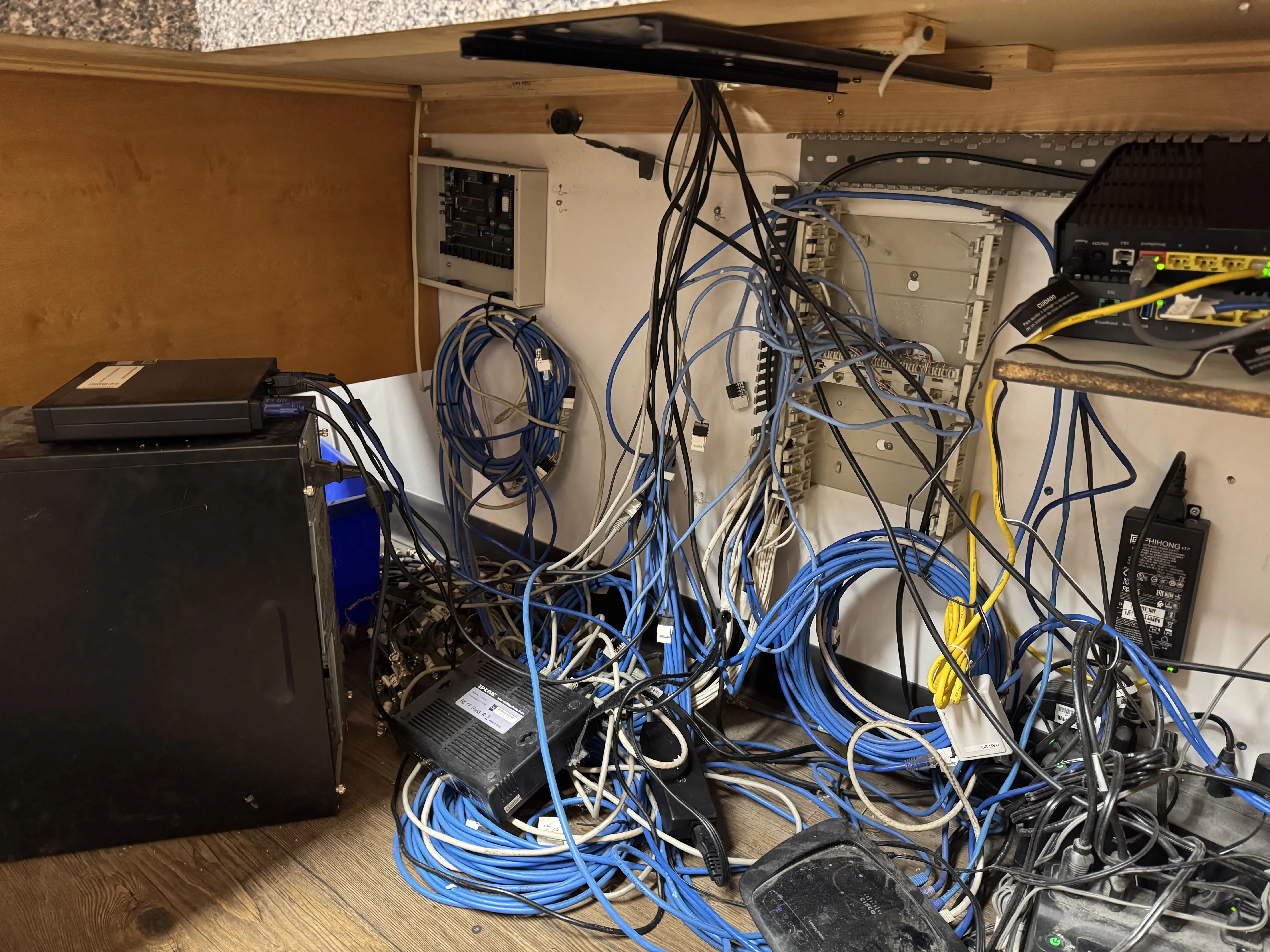
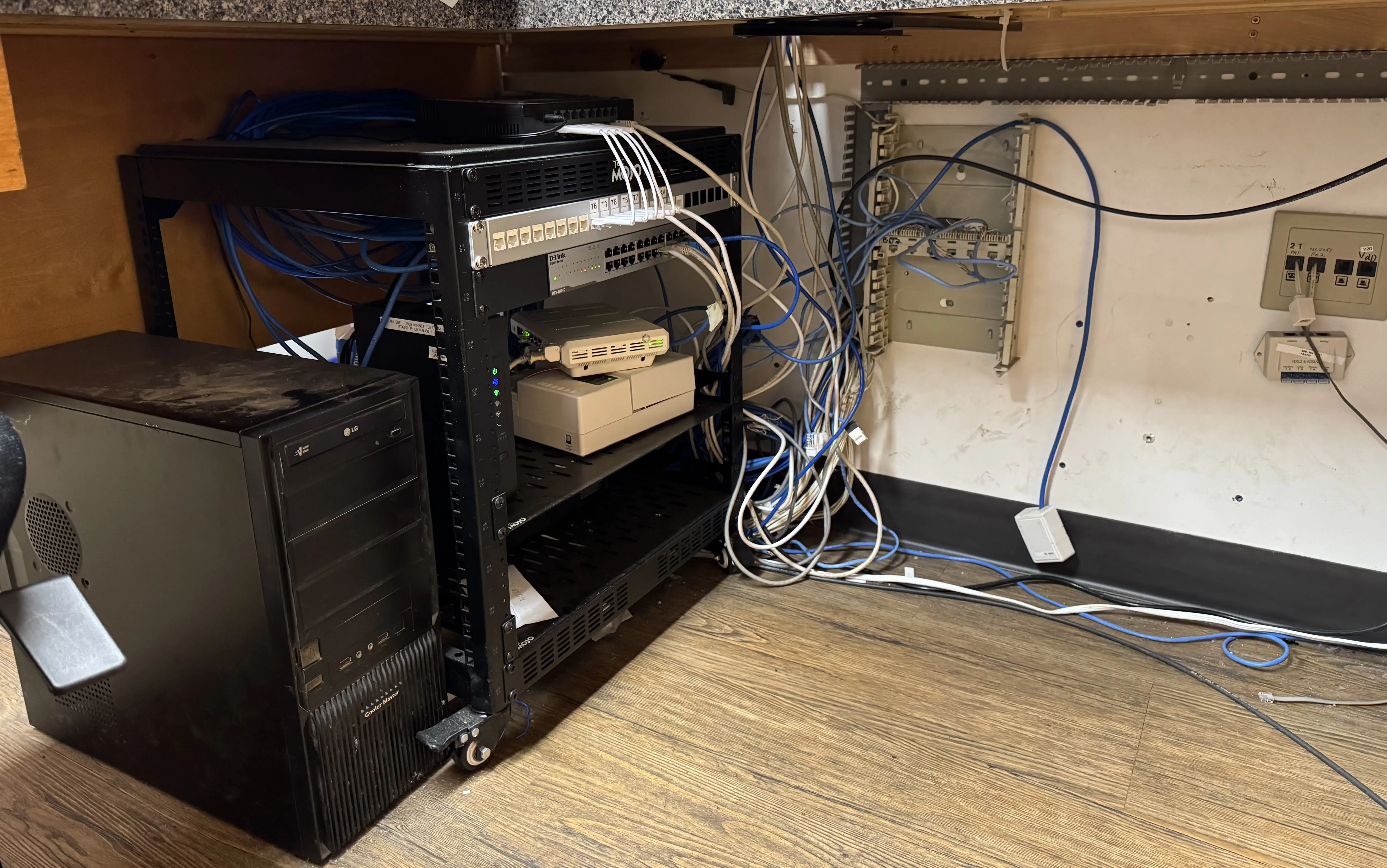
The facility was going down 3 to 5 times a day, and had been for months, from aging hardware, poor backup power, and years of unmanaged cabling.

Challenge

Multiple racks, undocumented cables, and non-commercial WiFi created daily instability for staff and POS systems.

Solution

  • Rewired and reorganized the rack for clear structure and easier diagnostics
  • Consolidated networking equipment and traced all cable drops
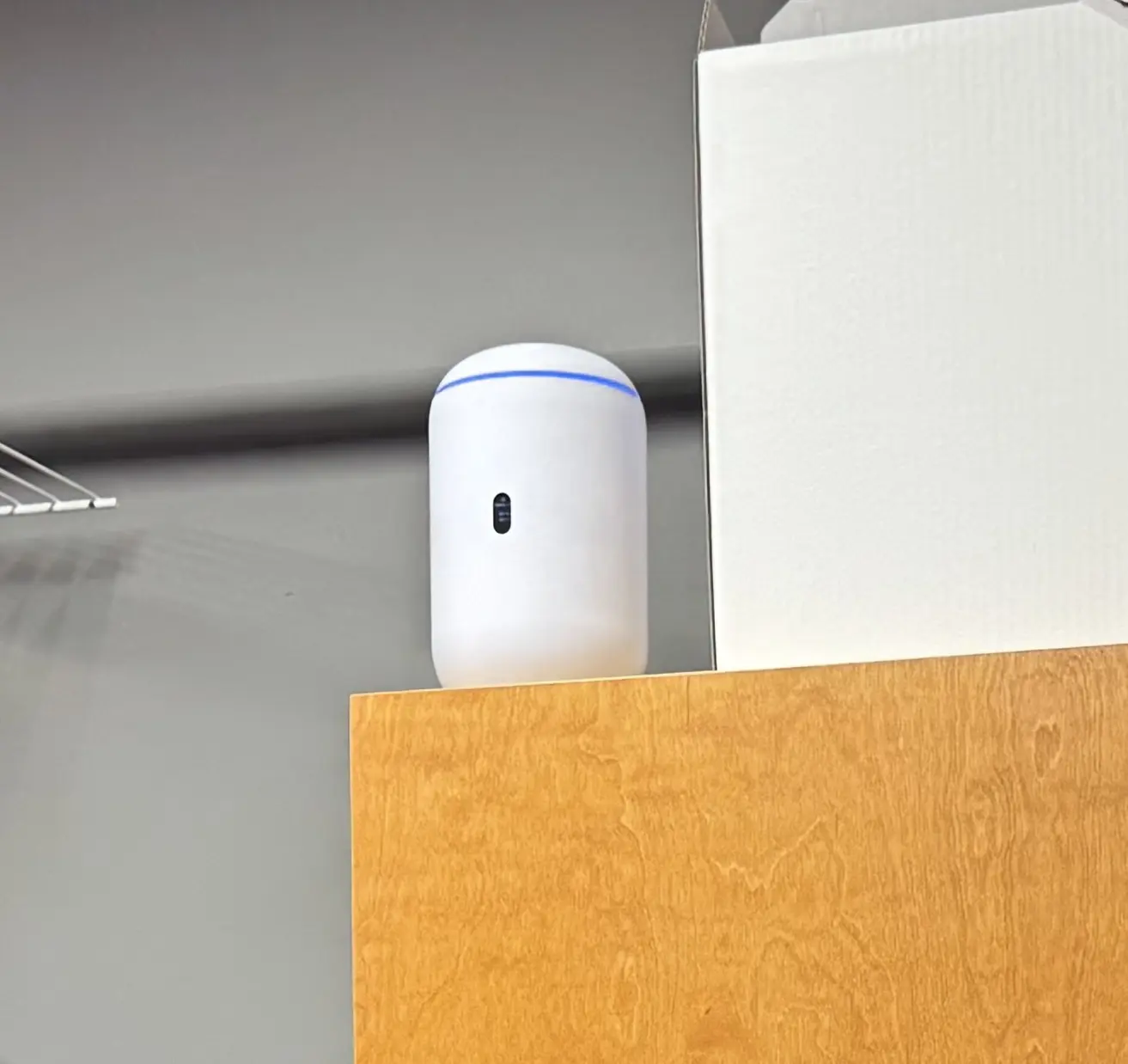
  • Installed seven Ubiquiti APs and rebuilt core networking with proper power protection
  • Migrated POS to the new environment and centralized management

Outcome

The site went from failing several times a day to being stable enough that the only remaining interruptions come from outside the building.

  • Outages dropped from 3-5 per day, sustained over months, to 1-3 per month.
  • The remaining interruptions trace to the internet provider, not the local network.
  • Installed 7 access points for wider, more consistent site coverage.
  • Replaced non-commercial gear with managed infrastructure and proper power protection.

Network Cleanup, Then a Games Room Expansion

The Open Tap — 2025–2026

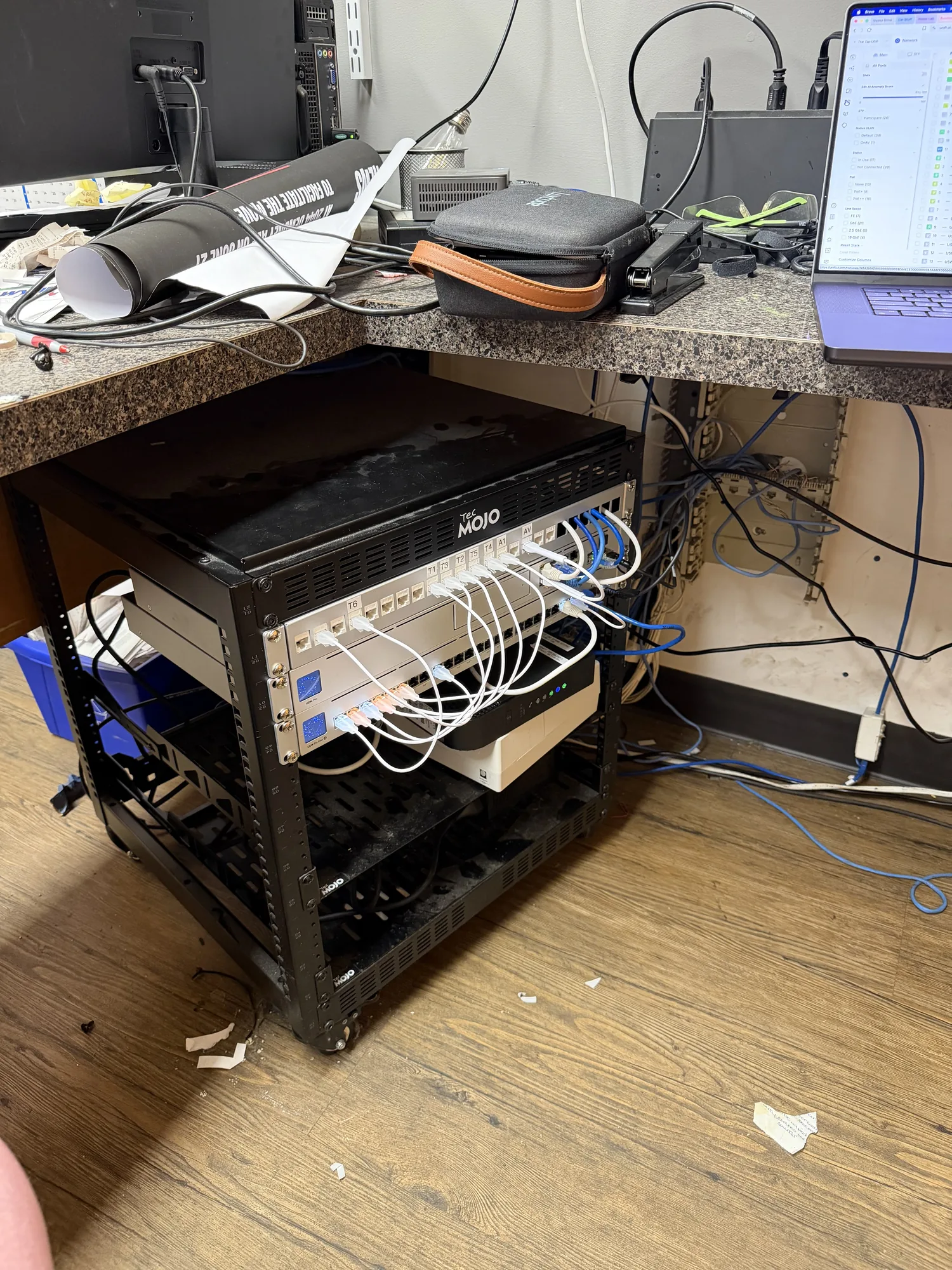
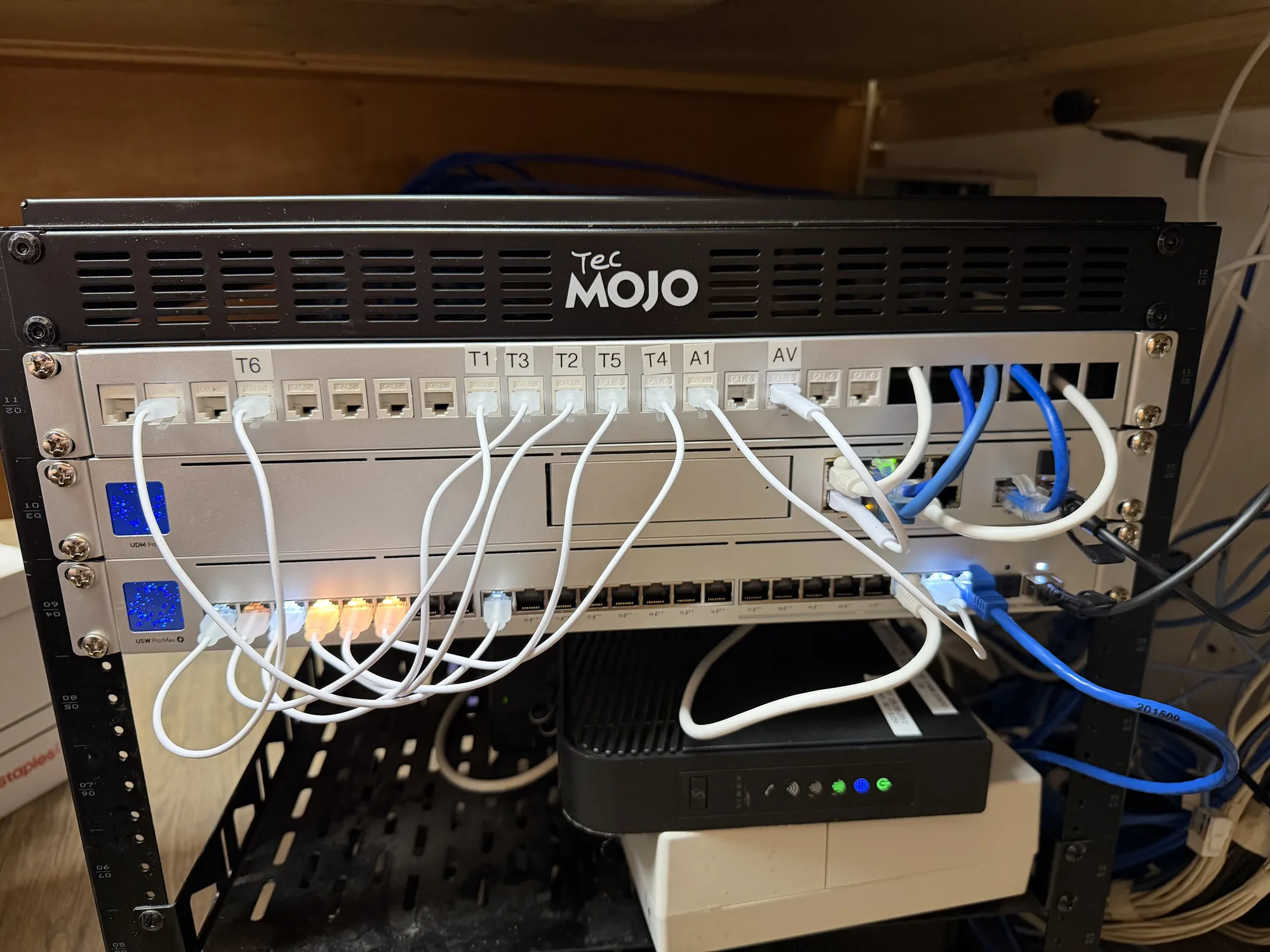
The Open Tap started as a cleanup job: unreliable WiFi caused by unmanaged wiring and legacy hardware sprawl. A year later it became the new home for the arcade games and batting cage when they moved over from Ballers, and the network we had stabilized was the reason that move was straightforward.

Challenge

In-wall cable issues, obsolete stacked equipment, and cluttered racks created noise, failures, and service friction. Then the building took on a full games room, with its own servers, POS, and guest Wi-Fi demand in areas the existing access points had never needed to cover.

Solution

  • Removed obsolete hardware and non-essential cable runs
  • Cleaned and rebuilt the rack with clear cable organization
  • Corrected interference-prone wiring and reduced operational complexity

Phase two: the games move

  • Moved the games servers and their networking from Ballers into The Tap, on a dedicated rack
  • Installed three additional access points to cover the new guest areas
  • Installed the games POS and dedicated games Wi-Fi access points

Outcome

The environment is stable, clean, and easier to maintain, and it absorbed a whole second business without a rebuild.

  • Reduced service friction by removing obsolete hardware and legacy clutter.
  • Improved troubleshooting speed with cleaner physical layout.
  • Games servers, networking, and POS relocated from Ballers and running from The Tap.
  • Three more access points for guest coverage in the new games areas.

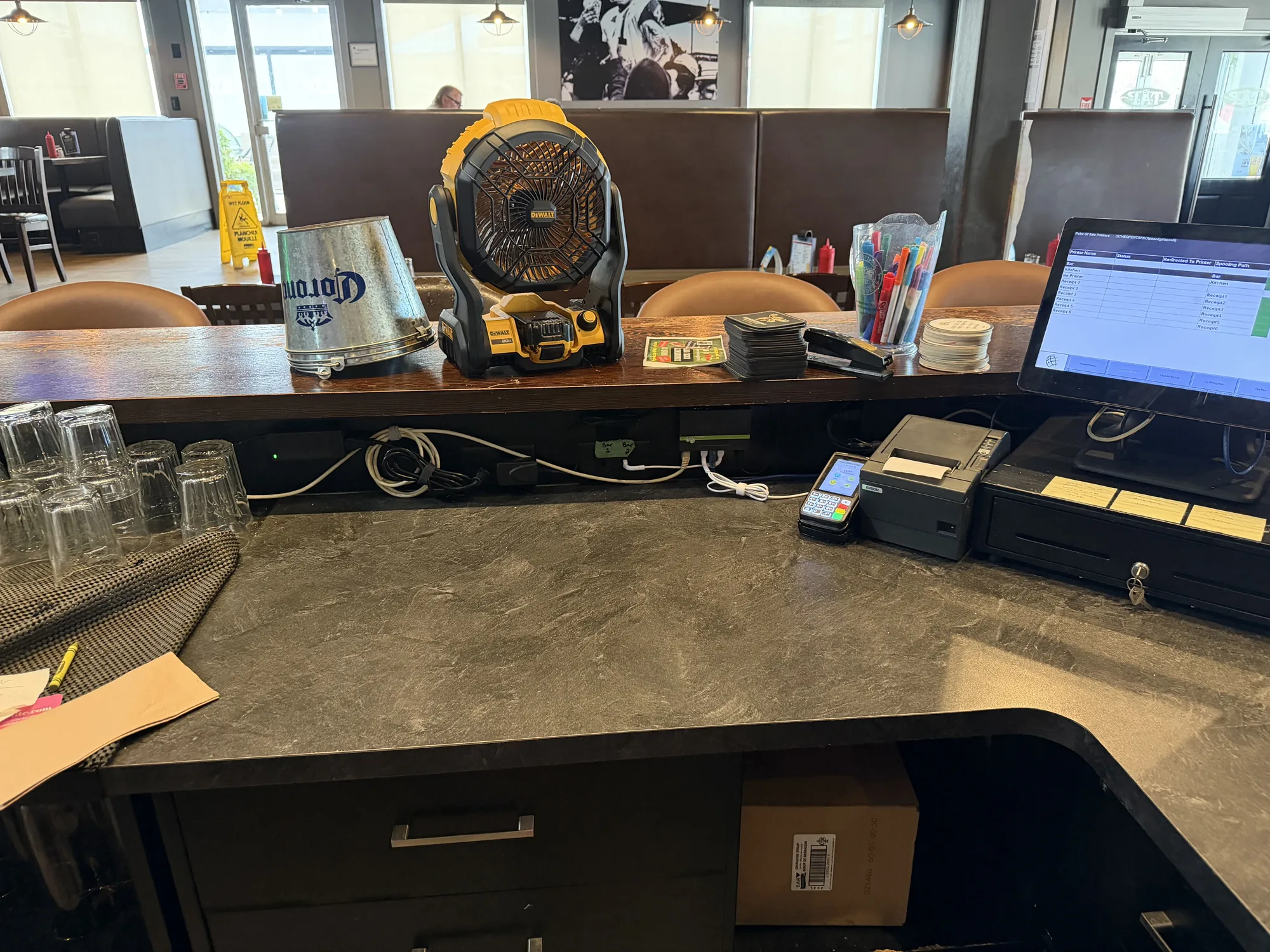
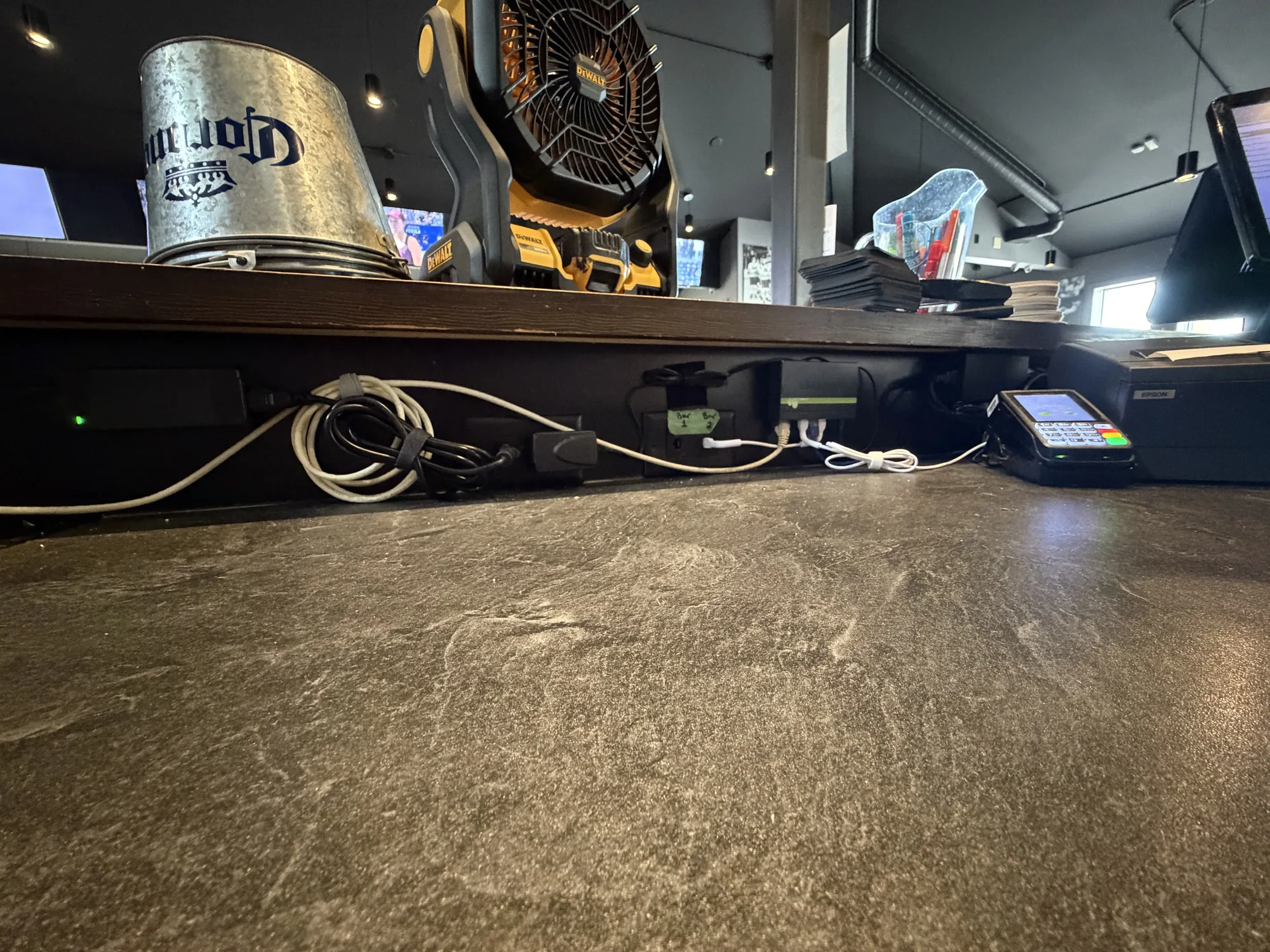
POS Station Cable Cleanup

The Open Tap — 2026

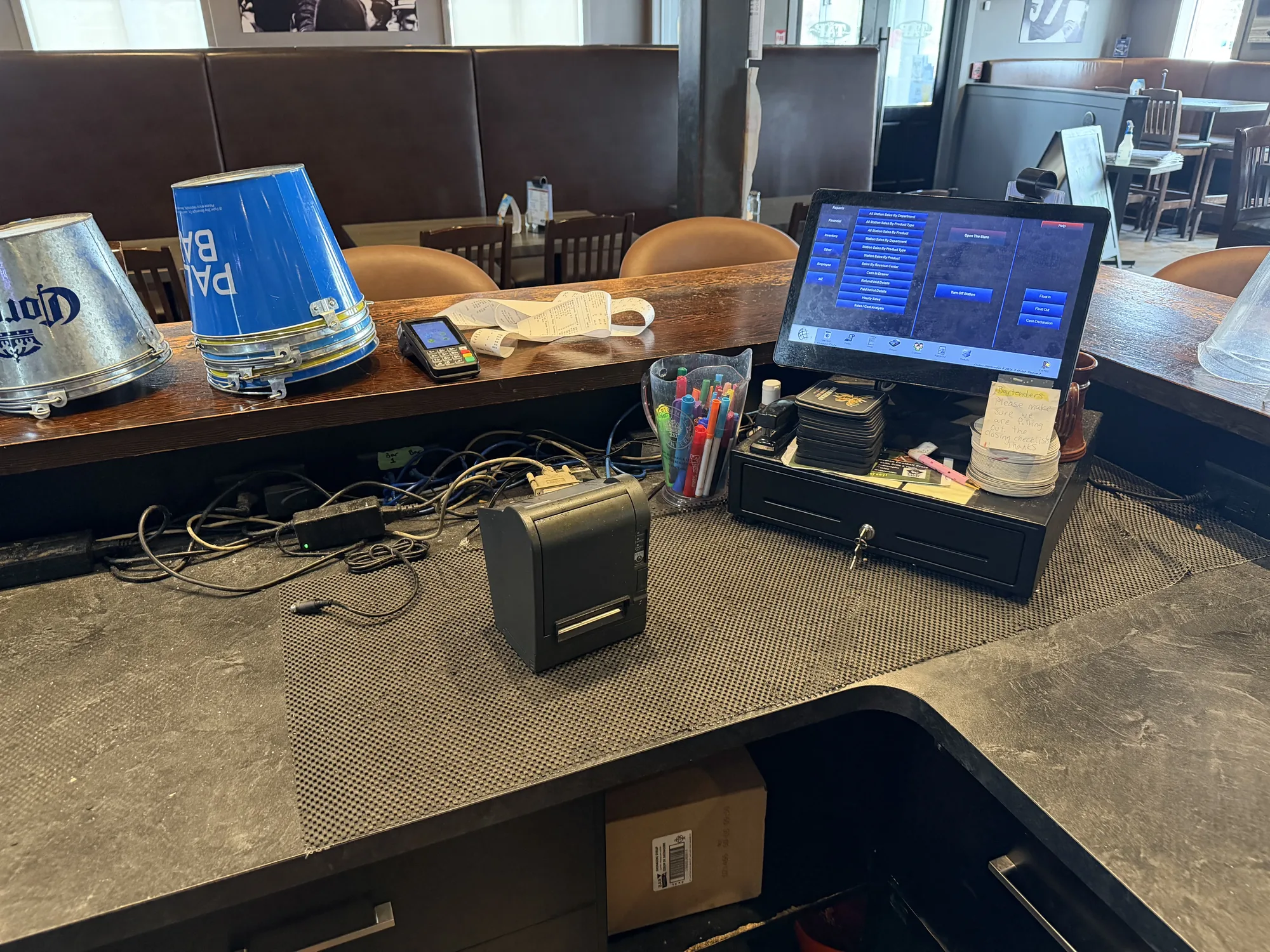
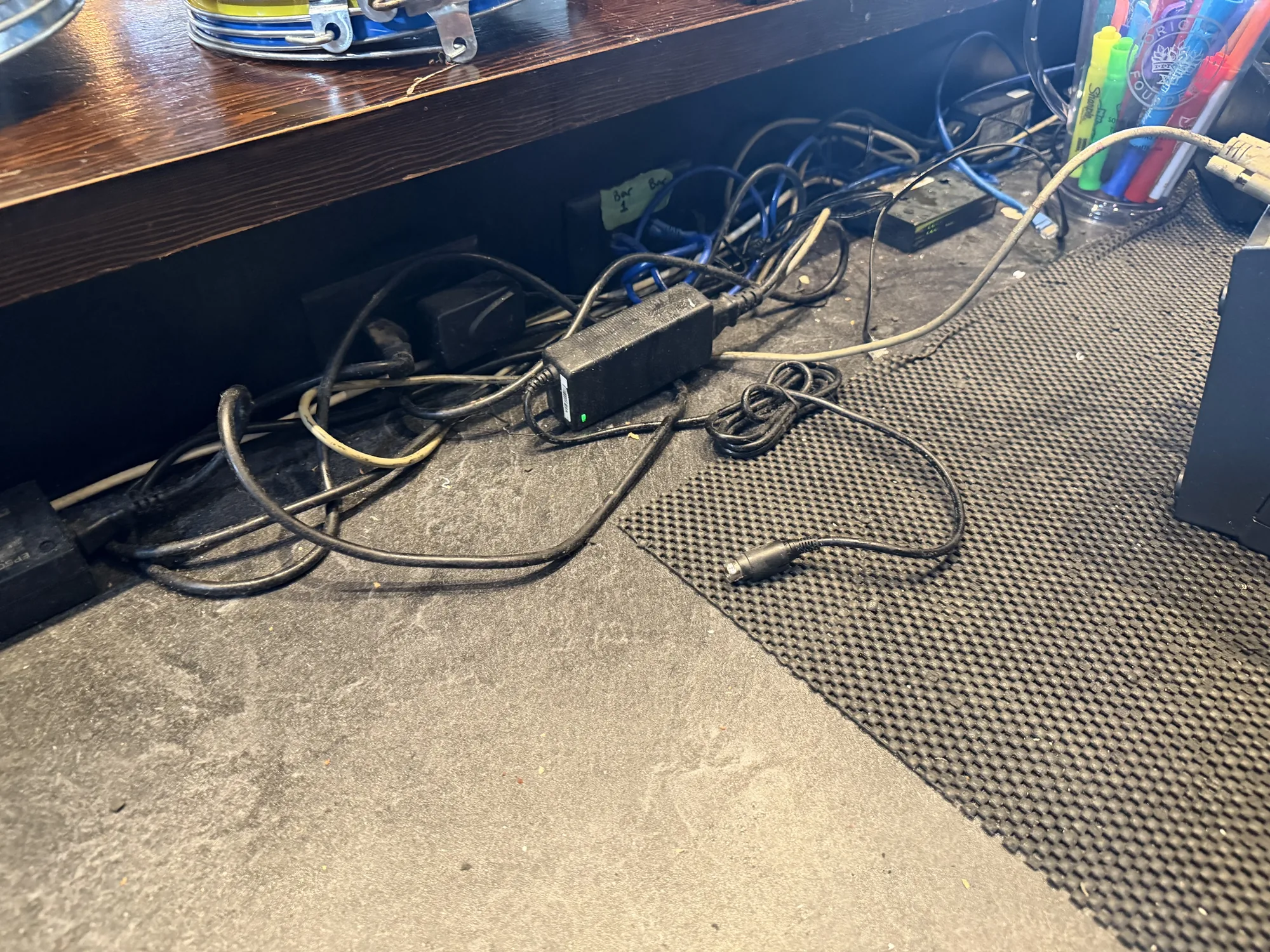
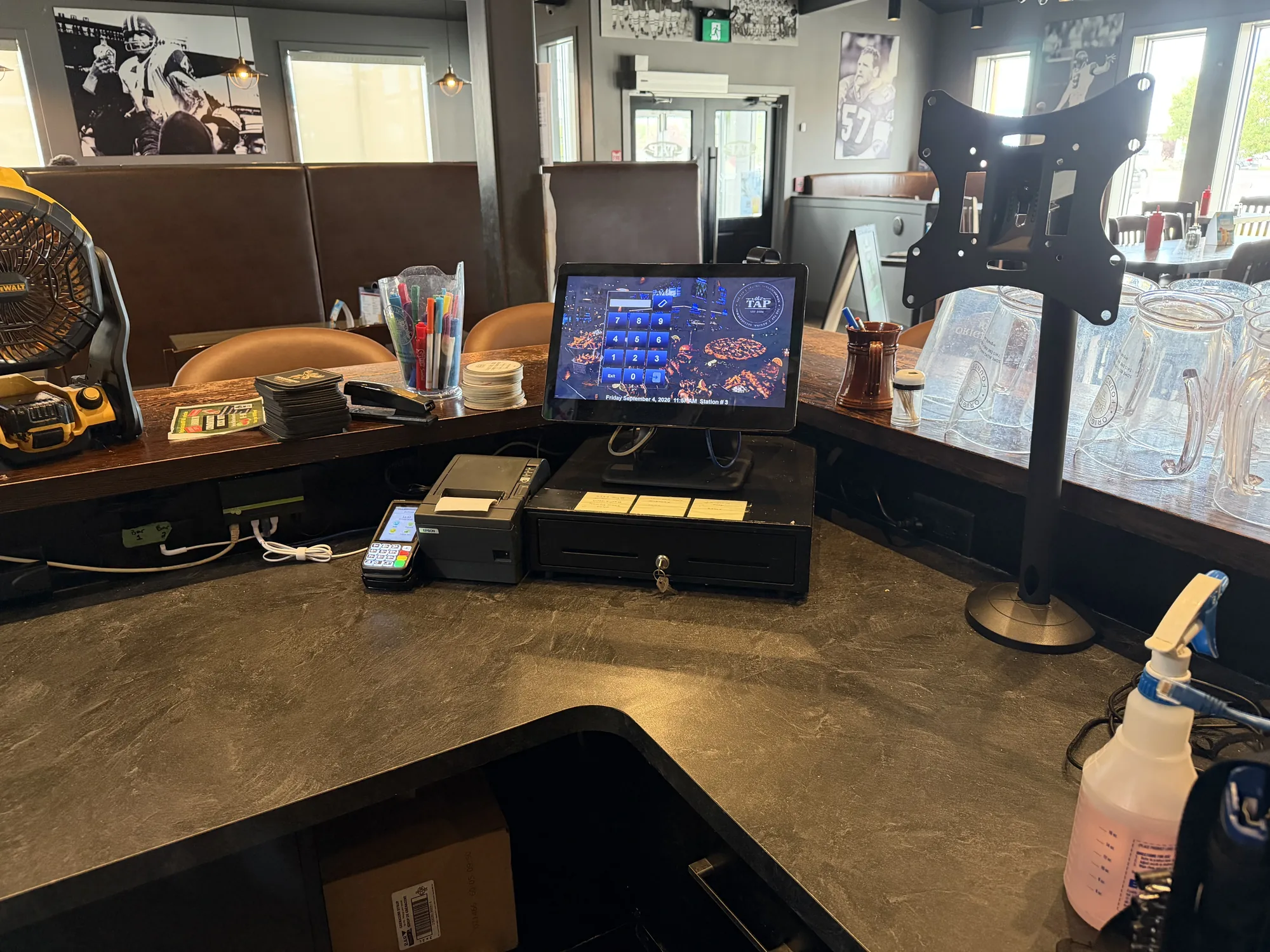
The point-of-sale counter had accumulated the usual: power bricks, data cables, and chargers piled on the counter, collecting dust, and even worse, constantly getting spilled on.

Challenge

Every cable under the counter was live, none of it was routed, and a printer or terminal that dropped offline meant fighting with a mess of sticky wires with no clear path to the source.

Solution

  • Pulled everything out and kept only what was actually in use
  • Routed data and power along the counter edge, out of the way of drinks or liquids
  • Put the terminal, printer, and cash drawer back with slack managed and nothing dangling

Outcome

A station that is easier to clean, easier to service, and does not lose a printer because someone poured a drink into the power supply.

  • Counter cleared of unused cabling and hardware.
  • Live cables routed and secured out of the walkway.

Want this kind of outcome in your environment?

Book a call
Expanded project image